Wednesday, November 13, 2013

Huawei E3251 42Mbps Hilink USB Stick Review

More and more operators are deploying HSPA+ netqorks, even though 4G LTE is becoming the mainstream of network upgrade. Based on dual-cell technology, DC-HSPA+ network is the upgraded 3G, or more accurately 3.5G network, which can make the data rate transmission reach up to 42Mbps. This speed is double to the link speed of HSPA+ network. Following the network upgrade, there must be new devices, such as USB Modem, wireless router, to support these networks.


As we can see, there are already many wireless modems or routers available in the market, but more and more wireless terminals are available with upgrade technology for data connection and stable performance. Huawei is the dominated vendor of wireless equipment and today, we would like to introduce a new Dual cell 42Mbps USB Modem - HUAWEI E3251.  


HUAWEI E3251 was released long time ago, but recently it is available. Like its predecessor, Huawei E3251 is also in compact design, the body cover is in plastic, but it feels good. If you have touched the iPhone 5C, the feel is the same. The mancraftship of HUAWEI is now very mature.   On the face, there is HUAWEI logo and LED indicator.And the back shows the Hilink logo. The design looks like Huawei E3131, but there are difference. The end of the E3251 is ascending, which makes users easier to remove the USB cap or from PC.


The demo we get is HUAWEI E3251s-6, no external antenna connector is available in this model. HUAWEI E372 has the external antenna connector (TS-9 socket). The main difference between the two models is that the E3251 is driverless, no installation and setup is needed.  It's a real plug & play USB stick.  


Unlike the HUAWEI E372, E3251 is managed by web UI, not HUAWEI mobile partner. That's the key features and improvement of E3251. Per the information of HUAWEI, E3251 has variant models, such as E3251s-1, E3251s-2 and E3251s-6. The 3G UMTS/HSPA+ bands they support is as below:  


* HUAWEI E3251s-1 

-- DC-HSPA+/HSPA+/UMTS 2100 MHz

-- EDGE/GPRS/GSM 850/900/1800/1900 MHz  


HUAWEI E3251s-2 

-- DC-HSPA+/HSPA+/UMTS 2100/900MHz

-- EDGE/GPRS/GSM 850/900/1800/1900 MHz  


HUAWEI E3251s-6 

-- DC-HSPA+/HSPA+/UMTS 2100/1900/850MHz

-- EDGE/GPRS/GSM 850/900/1800/1900 MHz    


You can buy anyone of them from www.4gltemall.com now. They are unlocked for any operators.    

Wednesday, April 10, 2013

HUAWEI AF23 4G LTE Sharing Router Review

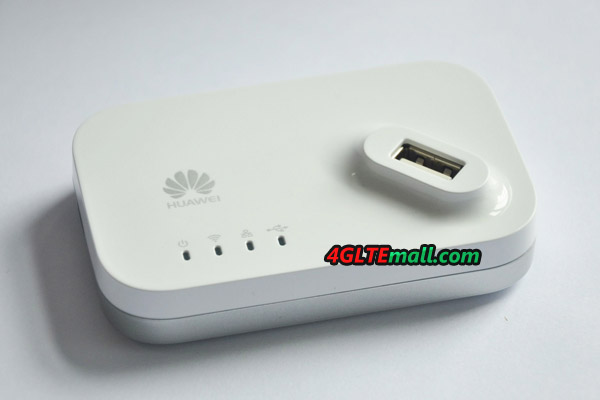
After long time waiting, finally we get the Huawei AF23 LTE sharing dock today. Many clusters are eagerly looking forward to getting the New LTE sharing dock. Let's have a review for this AF23 LTE Sharing router.
 
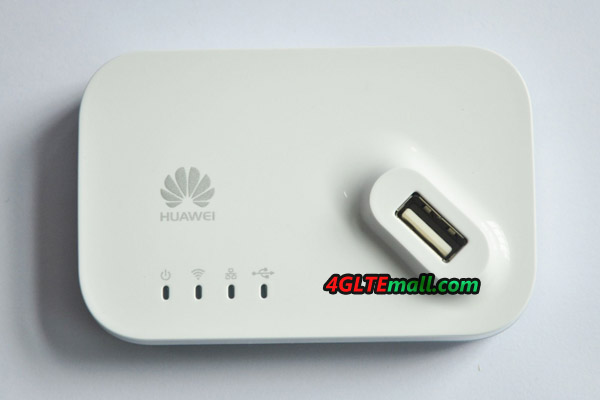
Like other Huawei 4G modems, Huawei AF23 is in original new box. There is plastic cover to see the AF23 directly from outside of the box. It's in white color and looks very mini size. And at first glance at it, we are attracted by the USB slot on the face of AF23.
 
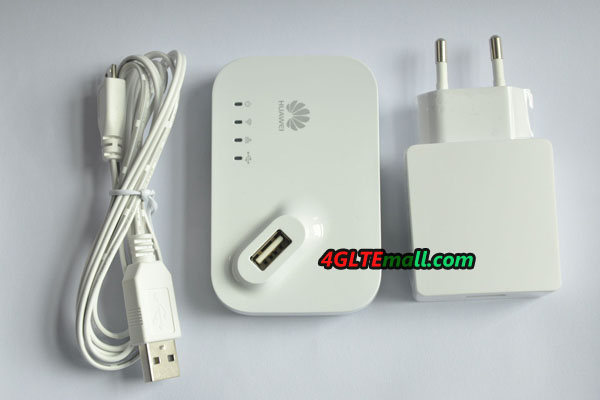
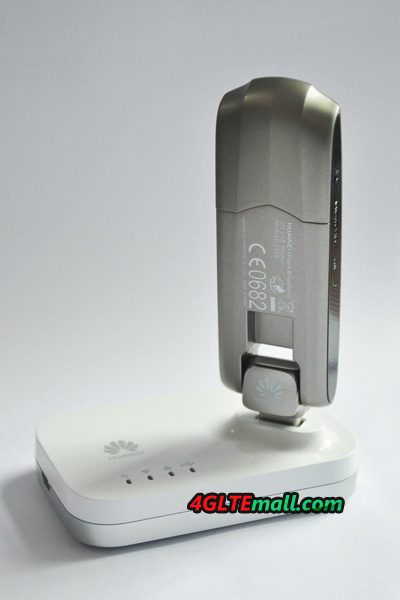
Open the package box, we can see the AF23 and one USB cable. Below the USB cable, it's the power adapter. When we touch the Huawei AF23, we found it's smaller than its predecessor Huawei D100. There are 5 indicators on the top face, besides the indicators, USB slot is there. Users could plug 3G or 4G modems here to change the 3G modem work like a 4G Wireless router.
 
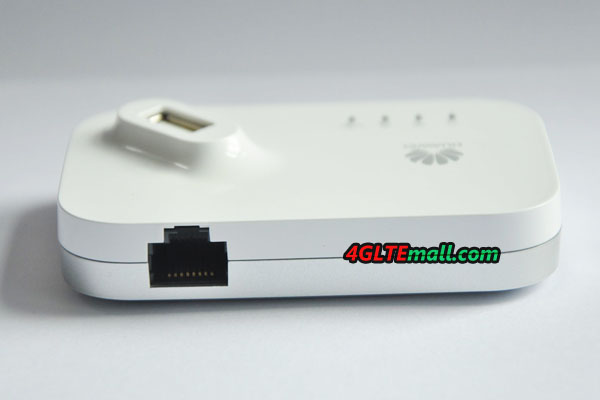
At one side of Huawei AF23, there is an Ethernet port for connecting the network cable. So it could also change WLAN to WiFi. Jusst like the already available 4G LTE CPE Huawei B593u-12, HUAWEI AF23 supports maximum 32 users to access network.

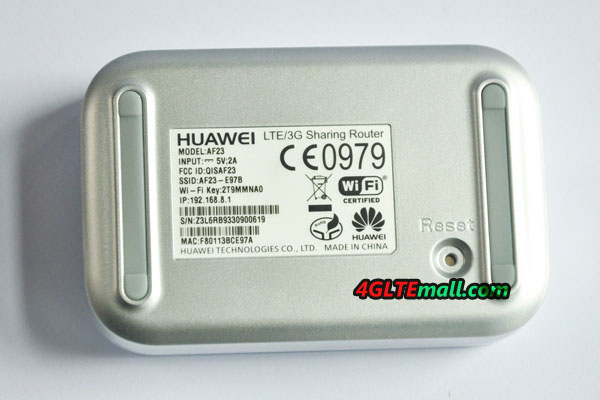
On the back of Huawei AF23, there is a stick indicating the information about model number AF23, Power adapter information, FCC ID, SSID, Wi-Ki Key and IP address. And we can see the S/N and MAC number. There is logo of CE and RoHS, WiFi certified. At the side of the stick, there is the reset hole.
 
On the package box of HUAWEI AF23, it explains that HUAWEI AF23 LTE/3G Sharing Router:
* Support LTE USB dongles
* Support 3G USB dongles
* Wireless 2 x 2 design
* Up to 300Mbps transmission
* Up to 32 wireless connections
We had tested it with the HUAWEI E398 4G LTE USB Modem, and we will presents a report for HUAWEI E398 with the HUAWEI AF23 LTE Sharing Router.

Saturday, January 12, 2013

HUAWEI E5151 Mobile WAN LAN 3G WiFI Router Review

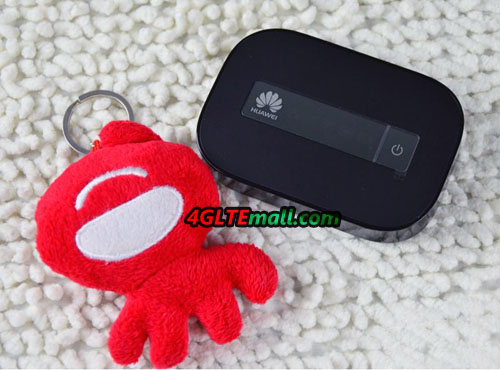
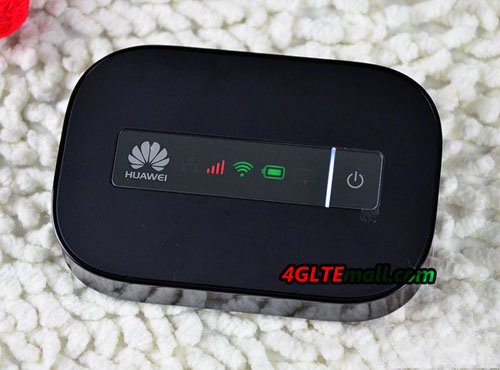
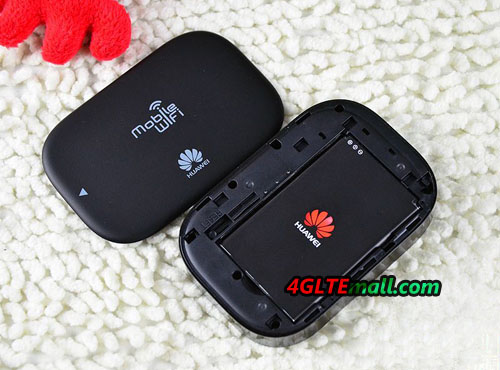
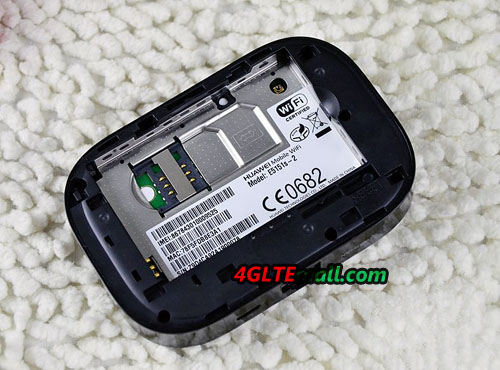
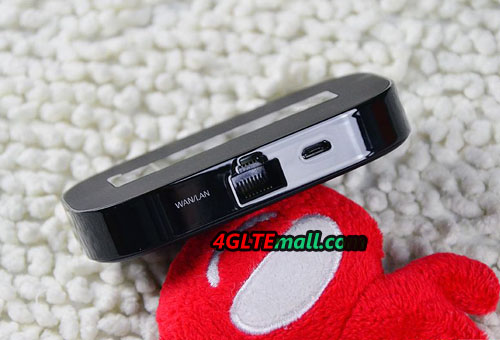
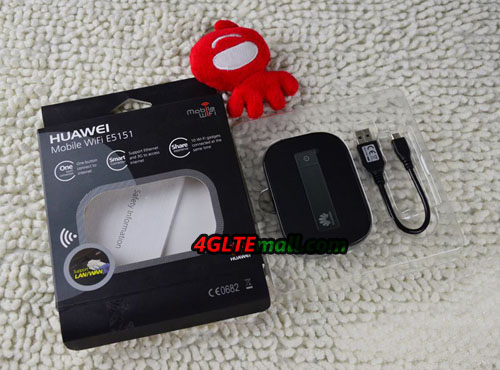
HUAWEI E5151 3G Mobile WiFi Hotspot (also named HUAWEI E5151s-2) is one of the new mobile 3G router from HUAWEI. Focus on the application of businessmen, HUAWEI design this new model with one Ethernet port to input HUAWEI E5151 and transfer data to WiFi signal so that users could access internet. This is the special and key features of HUAWEI E5151 Pocket WiFi Hotspot. HUAWEI E5151 face Today, let us have a look at HUAWEI E5151 mobile WiFi and it’s specifications.   HUAWEI E5151 is in pocket size, like other HUAWEI E5 pocket WiFi models, which makes it very easy to take in hand or pocket. For most of users, it could be taken outdoors or with a trip, however it would not take much space in luggage. To meet the Ethernet connector, HUAWEI E5151 is thicker than other HUAWEI E5 mobile WiFi hotspots.   On the face, there is a LED screen which is to indicate the working status of this mobile WiFi. At the left side, it’s the HUAWEI logo. When it’s working, it will show the connection users, signal strength of 3G, battery status and SMS. At the right side, it’s the power button.     On the back, it’s a logo of HUAWEI mobile WiFi. With changeable battery, it could keep working 4 -5 hours and almost one week standby time. Below the battery, it’s the slot for 3G SIM card.     The SSID and WiFi key is on the back cover of HUAWEI E5151. Through this, you will connect the WiFi and surf internet. HUAWEI E5151 mobile wifi hotspot     At the below side of HUAWEI E5151, it’s the Ethernet port to connect the cable. This is the most attractive features of HUAWEI E5151. For most users who usually go to different countries or areas, if they buy a mobile WiFi, there may be the compatibility problem, because the 3G network bands vary in different areas. But if there is Ethernet cable, this problem would be easily solved.   HUAWEI E5151 Ethernet port   To recharge the battery, in the package, there is one USB cable to help recharge the power. HUAWEI E5151 Package If you like this mobile WiFi HUAWEI E5151, welcome to buy it from www.4gltemall.com .

Sunday, January 6, 2013

LTE Surf Sticks


LTE Sticks are technically radio modems, meaning little combined transmitting and receiving equipment, which operate on different frequencies.


They can be connected via the USB ports to virtually any device such as a larger netbook, laptop or home PC. The sticks are in demand, such as to use abroad, or a change to a new and faster wireless data technology, and they are easy to replace. In addition to the relatively small size and low weight, this versatility and the slight changes are the greatest advantage of the sticks.

Even with the older data radio technologies of UMTS and GSM, sticks still dominates the modem market, other solutions such as built-in modem or modem card format to be used much less frequently. For the majority of users, LTE Surfsticks will be the solution that makes mobile internet the fastest and easiest access.

The new LTE Sticks come from the Far East, currently dominate the South Korean manufacturer Samsung, LG Electronics and Pantech market, China’s Huawei tries to win over new entrants.

So the first LTE Stick was Samsung GT-B3740, which is developed by Samsung in Vodafone Brand. The next stick from Swedish-finished network operator Telia Sonera is the GT-B3710 from Samsung. Meanwhile, there is B3730, which dominated alongside LTE is UMTS and HSPA, GSM and EDGE, as well as wireless technologies. The device sends in LTE mode on the frequency 2600MHz. It is also used in the Vienna LTE network of the Austrian mobile operator A1 Telecom Austria. The B3740 is likely to be an optimized version with a similar standard.

The second LTE stick comes from Chinese mobile phone supplier, HUAWEI, it is HUAWEI E398. The device was tested in the LTE network of O2 and is now available at Telekom from the second half of 2011. In Austria, it is the mobile operator A1 Telekom Austria offered on its website.

Global Supply of LTE Sticks
There are very few data sticks, which are with wireless data LTE technology, so pure LTE Sticks have others technologies backward, such as UMTS, GSM and CDMA 2000 network to send and receive. Overall, a clear trend is emerging to stick with multi-technology, pure LTE Data sticks are shunned by the mobile operators.

The Pantech UML290, originates from South Korea, and sells for US Verizon Wireless LTE network. It’s like the stick used in Scandinavia and Austria from Samsung, sends an older and slower wireless technology on board. In the case it is spread in the U.S. CDMA 2000, and therefore he receives on 800 Mhz and 900 Mhz. For LTE reception, it is in the range of 700 MHz road.

The second stick, Verizon Wireless LG VL600 of the South Korean manufacturer LG Electronics. With LTE, it’s in the 700 MHz band travelling with the frequency used the U.S. 3G CDMA 2000 technology, it can send and receive on the 800MHz and 1900MHz band. LG Electronics also has the LD 100 model that is used in Japanese LTE network of Docomo. It also speaks several wireless data technologies, besides LTE, there is UMTS and HSPA, plug for the Japanese to travel abroad, GSM and GPRS are also included. GSM will be gradually switched off in Japanese networks.

What to look for LTE Sticks

All LTE Sticks on the market are significantly larger than the surf sticks with pure UMTS or GSM technologies; they therefore require more space on your laptop. If two or more USB ports close together, this may lead to another USB ports blocked. Therefore a rotatable mechanism for raising the stick is very useful to save some space with a bent 90 degrees stick, and most of these sticks have rotate mechanism.
Pure LTE Sticks can only be used where LTE is available. Since the LTE network is expanding coverage in many areas, it would take many years for LTE network to cover every corner. Therefore in some areas, you have to use other technologies UMTS and GSM, and the associated wireless data technologies HSPA and EDGE, to dominate the modem.

Several sticks offer external antenna connectors; one is for the older mobile technologies and one for LTE. This is an important consideration when buying, LTE will be predominantly at home or hospital use, we recommend you might install an LTE external antenna.

Friday, January 4, 2013

Buy LTE Gadgets to Bring Color for Your Life


First, I want to say Happy New Year to everybody, in the new year, I think you all will have a brand new development, so then 4gltemall.com blessing your life is getting better and better, also and your families more and more happy.


In the new year, we will bring you much more information about 4G LTE Mobile broadband, 3G MODEM/ROUTERS, so that you learn more about the products knowledge, allowing you to fully enjoy 3G/4G fun, please a lot of attention to our official blog, thank you!


Then, Let us recall that 3G/4G’s most popular models in the last year 2012:


Best new 4G wireless router HUAWEI E589 for your traveling, mobile office. Keep you online everywhere with this pocket size Huawei E589 4G LTE Router. This E589, a multimode router supports LTE, 3G , 2G, 100Mbps peak speed and up to works for 10 devices simultaneous, it is a good choice for SOHO.


Huawei E5776,the first one 150Mpbs 4G mobile Hotspot router. It is WiFi LTE hotspot and available in European and Asian markets from July 2012. E5776 supports LTE catalogue 4 and boasts speeds up to 50% higher than the mobile broadband devices currently on the market. Providing up to 150Mbps downstream and 112Mbps for LTE FDD, this Huawei E5776 4g router is the world’s first 4G network operating MiFi tool, the small black box with 3000mAh battery inside. In addition, AF22 acts as a battery charger for unlocked E5776 and enhances the wireless signal via the cellular network antenna connectors on the side. Meanwhile, as good as Huawei E5776, find there are other Huawei K5005 and Huawei E3276 which would be good model when you choosing 4G LTE device.


Huawei E5756 43.2Mbps 3G Mobile WiFi Router:
Huawei E5756 Mobile WiFi is a high-speed packet access mobile hotspot. It is a multi-mode wireless terminal for SOHO (Small Office and Home Office) and business professionals. It could work not only as a mobile wifi hotspot, but also work as a mobile power, which make its working time much longer than HUAWIE E587.


Huawei Mobile Internet Key E372 3G Modem energizes your march in the Internet world with twice speed of the normal standard up to 42Mbps. Huawei wireless network card E372 energizes your march in the Internet world with twice speed of the normal standard up to 42Mbps. Supported by the dual carrier HSPA+ network platform, it assures your connection to the web steady and rapidly. Modernistic body design matches your business life style as while.Unlocked Huawei E372 is a portable USB stick and faster than Huawei E173U USB stick.


The Huawei E392 LTE Modem is a USB data card that supports LTE TDD technology. Streamlined in shape, the E392 4G USB dongle incorporates LTE FDD technology while remaining compatible with UMTS / GSM / CDMA networks, automatically switching between different networks to ensure optimal internet connectivity. This is the world’s first multi-mode data card that supports LTE TDD / FDD / UMTS / GSM / WCDMA.


If you want to know more information, please focus on our official blog, Now, these LTE modems are in promotion on 4gltemall.com, everyone buys them will get a free gift, do not hesitate to buy one if you need. Enjoy your shopping here.

Thursday, January 3, 2013

HUAWEI E589 4G LTE Pocket WiFi Hotspot User Tips


As the new 4G LTE mobile Pocket WiFi Hotspot with new technology, some users may be unfamiliar with the operation of HUAWEI E589. Here are a number of useful tips to guide you operate your Huawei E589 4G LTE Router. They are useful to enjoy 4G speed.


When you enter your WiFi etc, if you want to change the security code and password, you need to do this in the section settings of the online management page. To access the management page, you will need to connect your computer to the device, and enter the URL 192.168.1.1 in your web browser. The user name and password are both defaulted as “admin”.


Huawei E589 4G Mobile Pocket WiFi – Build your Portable 4G WiFi network

It is easy to mount your Huawei E589 – Follow these simple steps:
- Insert the SIM card into the card slot
- Second make sure that the SIM card in the correct direction
- Third plug the SIM card into the slot


Please do not use a SIM card, which is not standard or not apt for your Huawei E589 4G mobile WiFi, otherwise  it may cause E589 damaged.

- Insert the microSD card in your Huawei E589
- The microSD card is an optional accessory. You can choose to buy a memory upgrade.
- Removing the SIM or microSD card
- Gently press into the card, the microSD or SIM card out to remove
- Second do not remove the microSD or SIM card when the card is in use if the map and your Huawei E589 could be damaged and corrupted data

Huawei E589 4G LTE Router – firmware overview
On the mobile management page, you can manage your connection to the wireless network anytime from PC, tablets, smartphones or other computing devices. There are five areas of the landing page:

HOME
This is the home screen and is displayed when you first to the target page. The home screen shows your signal strength of connection and fast statistics as data usage and time.

STATISTICS
If you have a limited amount of data available each month, you can manage your data allowance by accessing the target page and click Statistics in the menu above. This will show you exactly how much data you are using during the session and overall.

SMS
To send and receive text messages, simply click SMS. This will take you to the Messaging Inbox, allowing you to manage your SMS messages.

UPDATES
The update screen is from the landing page. Simply click on updates and software to complete an automatic search for available updates.

SETTINGS
The settings page, you can create a new connection using the Setup Wizard, if you cannot connect to the Internet. You can also switch between 2G, 4G or 3G/3G + switch; does a web search or setting advanced features of the router.

Based on mature firmware development of HUAWEI E5, the operation of HUAWEI E589 is user-oriented and easier to operate. Actually, from HUAWEI E5830 to HUAWEI E589, E589 could now automatically detect the networks of LTE, UMTS, GSM, GRPS and EDGE, and auto connects to the network without configuration. The users only need to set the WiFi password to protect the wireless network. Even users don’t set it, on the screen, the owner could check the WiFi connectors on the screen, if there is unknown user to share the network, the user could easily find it and kick it off.