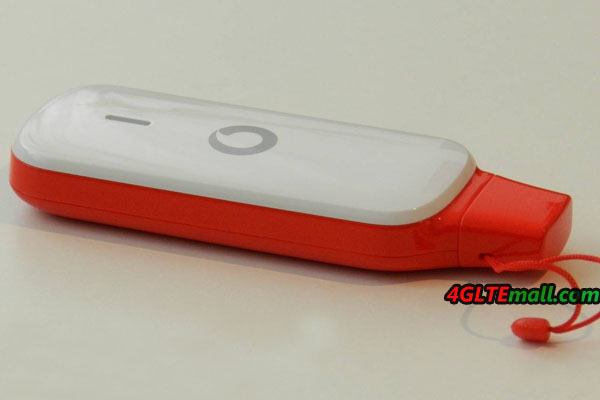
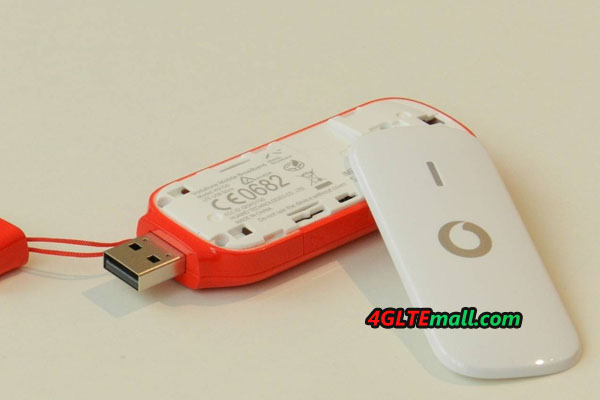
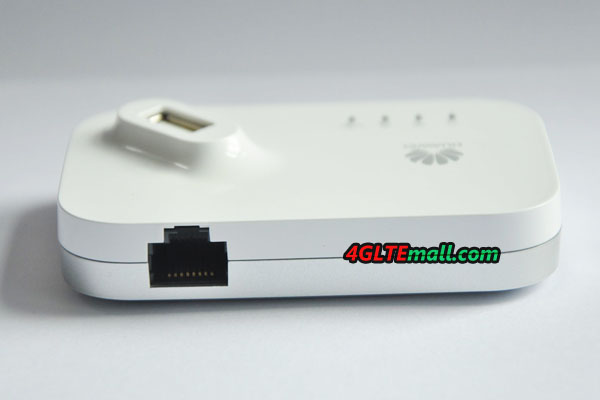
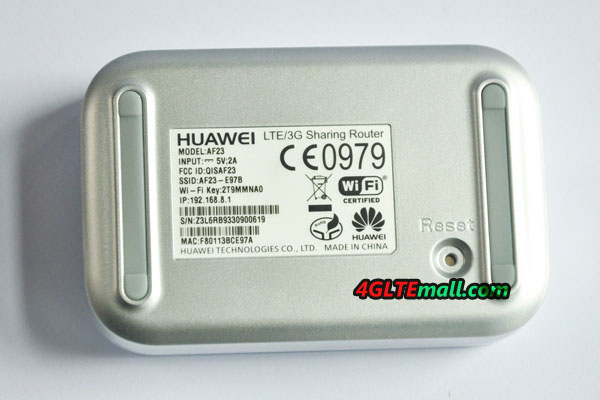
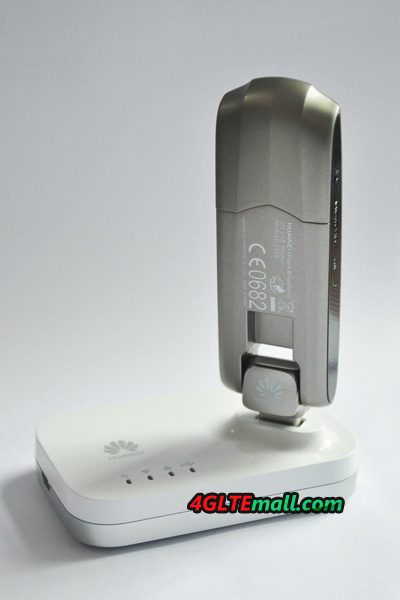
Vodafone has launched the K5150 LTE stick in this year. K5150 is a new USB modem on the market. The surf stick is manufactured by Huawei and comes in red and white design in the Vodafone stores. Supporting LTE Category 4 with up to 150 MBit/s in downlink, Vodafone K5150 is one of the fastest surf sticks on the market. Backward with DC-HSPA+ technology, connectors for external antennas and a slot for MicroSD cards are available. We have tested the K5150 modem for 2 weeks on the Vodafone network!

Vodafone K5150 Specifications
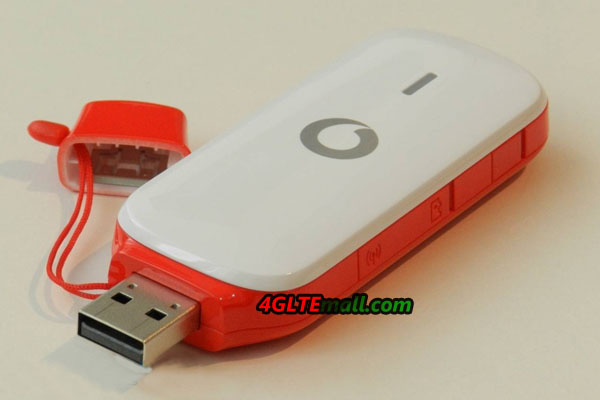
Vodafone K5150 LTE stick not only offers super-fast LTE with up to 150 Mbit/s, but also including UMTS DC-HSPA+ (up to 42.2 Mbit/s) and GSM. Vodafone is first operator in Europe to provide the maximum data rates. Under LTE networks, the practical downlink could reach approximately 120 Mbit/s, and the UMTS downlink speed could reach up to about 31 Mbit/s. The USB port is protected by a small cap, unfortunately, the connection cannot swing as you wish like other high-end surfsticks HUAWEI E3276. Especially for use in places with limited space, such as on the train, this function would be very useful.

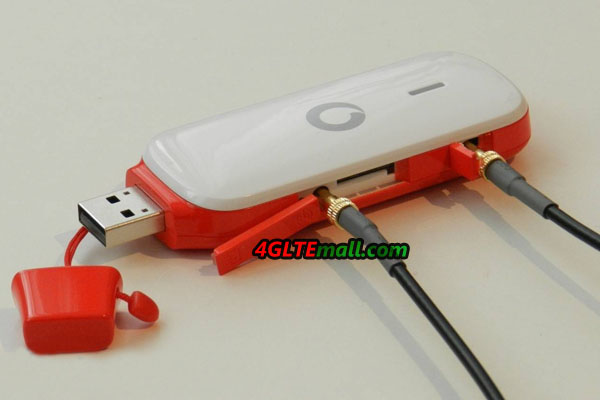
At the side of the 4G Stick K5150, two connectors for external antennas and a slot for MicroSD memory cards have been integrated, so you can use the surf stick as storage media if necessary and can amplify the reception with an external antenna. The external antenna is TS-9, you could buy original Huawei 4G Antenna on 4gltemall.com.
| Manufacturer: |
Huawei |
| Model Name: |
Vodafone K5150 |
| Technologies: |
LTE (4G) UMTS (3G) GSM (2G) |
| Bands: |
4G LTE: 2600/1800/800 MHz 3G WCDMA 2100/900 MHz 2G GSM: 1900/1800/900/850 MHz |
| Speeds: |
LTE: 150 Mbit/s downstream, 50 Mbit/s upstream (Category 4), UMTS: 42.2 Mbit/s downlink, 5.76 Mbit/s uplink (when using DC-HSPA+) GSM: 256 kbit/s (at Terms of EDGE) |
| Other: |
MicroSD slot for memory cards up to 32 GB, 2 x external antenna port TS-9 Software for Mac OS X and Windows |
Vodafone K5150 LTE stick is in a very nice design, just like the 4G models that we had introduced, such as Vodafone R210 and from Vodafone K5007. The top of the K5150 can forwardly away, below is the slot for the SIM card. Most users will not need the manual, since the installation of the Vodafone connection software is largely self-explanatory: after plugging it into a computer with Mac OS X or Windows operating system, the installation wizard automatically starts and guides in a few moments through the installation. After a short time it is already connected to the wireless network.

Speed and Reception
As you would expect from a modern LTE modem, the speeds are consistently good. However, the test was only on the 800 megahertz LTE network, even though, the performance on average is better than other 4G devices: downlink up to 55 Mbit/s were possible while the uplink of up to 23 Mbit/s. And the latency times were between 28 and 44 milliseconds, but usually in the range of 35 ms. The reception LTE800 was good, even in low-served regions, we could still surf with the Vodafone K5150 stably on the internet.
In the UMTS network, the receiving performance was also above average and was as easily one of the Huawei E3276. The data rates were about the same, however, various measurements showed about 13 Mbit/s for downlink via Vodafone DC-HSPA+.

Vodafone Connection Software
Vodafone provides with K5150 LTE stick from a piece of software which runs on both Windows operating systems and Mac OS X. For Windows XP, you need at least version with Service Pack 3, wherein the instructions to install even explains the basis of previously little common Windows 8. The software has its good and bad sides. The advantages: The program is very easy for beginners to use and is pleasantly fast, if the PC is not too old. The detailed information and statistics about online time and data volume are exemplary. The cons: for experts, there are very limited possibilities to make adjustments and integrated into the software Manager interferes tremendously.
Conclusion to the Vodafone K5150 LTE Stick
The Vodafone K5150 LTE stick makes a good impression and is particularly recommended for Vodafone customers who just want a fast Internet connection without having to rely on special additional functions. Alternatively, the almost identical Huawei E3276 offers, for example, as Telekom LTE Speed Stick III of which does its job well in various router models.
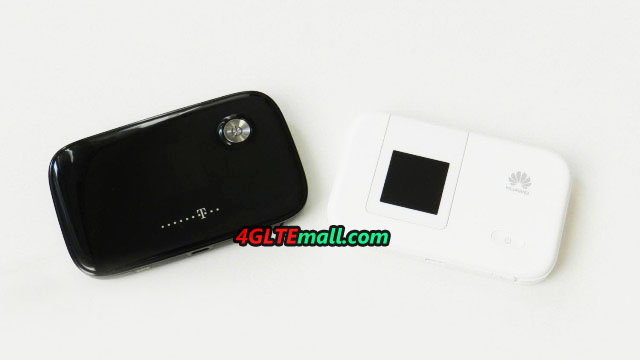 You may wonder where the exact advantages and disadvantages of each device are, you will see the details in following article. A common feature is the integrated cellular modem: both the HUAWEI E5776 and the HUAWEI E5372 is based on HiSilicon Hi6920 chipset which is for the LTE Category 4 with up to 150 MBit/s download speed. In addition, the modem is backward compatible with UMTS DC-HSPA+ technology and including GSM/EDGE.
Differences
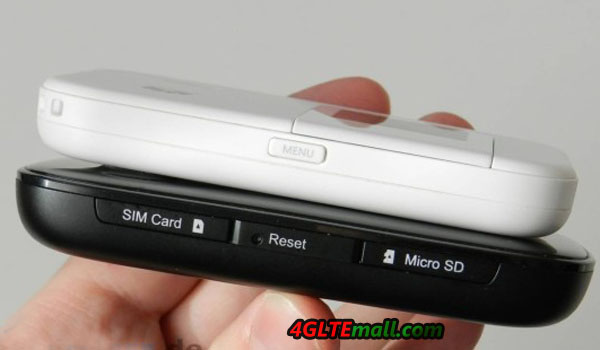
As we can see, the Huawei E5776 is in black color and made of plastic, but in China, the model HUAWEI E5776 is in white; and you can also see the Huawei E5372 is either black or white appearance, and with removable battery. This has some advantages, but the capacity of the E5372 battery is only 1780 mAh, which seems too much lower compared to 3000 mAh of HUAWEI E5776. This becomes apparent in the operating time: Huawei E5776 provides up to 10 hours of wireless Internet access, about 4 hours more than the E5372.
You may wonder where the exact advantages and disadvantages of each device are, you will see the details in following article. A common feature is the integrated cellular modem: both the HUAWEI E5776 and the HUAWEI E5372 is based on HiSilicon Hi6920 chipset which is for the LTE Category 4 with up to 150 MBit/s download speed. In addition, the modem is backward compatible with UMTS DC-HSPA+ technology and including GSM/EDGE.
Differences
As we can see, the Huawei E5776 is in black color and made of plastic, but in China, the model HUAWEI E5776 is in white; and you can also see the Huawei E5372 is either black or white appearance, and with removable battery. This has some advantages, but the capacity of the E5372 battery is only 1780 mAh, which seems too much lower compared to 3000 mAh of HUAWEI E5776. This becomes apparent in the operating time: Huawei E5776 provides up to 10 hours of wireless Internet access, about 4 hours more than the E5372.
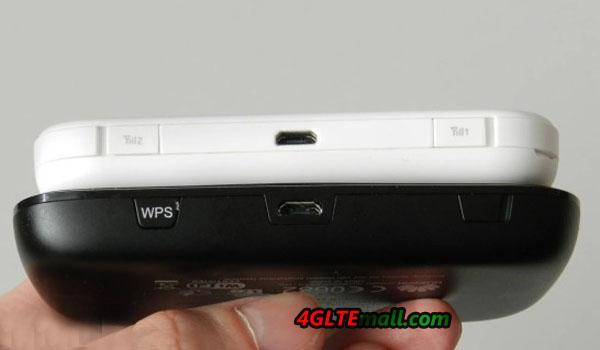 As the table shows, there is another difference: the Huawei E5372 wireless module transmits as desired in either the 2.4 GHz band or the 5 GHz range. Especially for large events with dozens of Wi-Fi networks so you have an advantage with the E5372, because the terminals of course also support the 5 GHz band. Furthermore, a repeater mode has been integrated in the E5372, so you can also use a different wireless network for Internet access when needed. Both devices have a limitation of connecting up to 10 WiFi users, in addition, an eleventh device can access the Internet with the MiFi router via USB cable.
 Conclusion
You decide which device ultimately, is a matter of taste. The Huawei E5776 has the advantage of significantly more powerful battery while the Huawei E5372 is technically more powerful in data transmission. At the main component, i.e. the modem, but both devices are absolutely equivalent and well equipped for the future.
More detailed information on the two devices you can get in the next article about test for the Huawei E5776 and Huawei E5372. Good to know: the Huawei E5776 mini is also available as a telecom Speedbox LTE, it costs a little less, but also slightly different frequency bands. Also the Huawei E5372 is cheaper available under a different name: Vodafone sold the unit from the 4th Quarter of 2013 under the name of R215 in its stores, also the frequency bands differ marginally from the original device.
Conclusion
You decide which device ultimately, is a matter of taste. The Huawei E5776 has the advantage of significantly more powerful battery while the Huawei E5372 is technically more powerful in data transmission. At the main component, i.e. the modem, but both devices are absolutely equivalent and well equipped for the future.
More detailed information on the two devices you can get in the next article about test for the Huawei E5776 and Huawei E5372. Good to know: the Huawei E5776 mini is also available as a telecom Speedbox LTE, it costs a little less, but also slightly different frequency bands. Also the Huawei E5372 is cheaper available under a different name: Vodafone sold the unit from the 4th Quarter of 2013 under the name of R215 in its stores, also the frequency bands differ marginally from the original device.