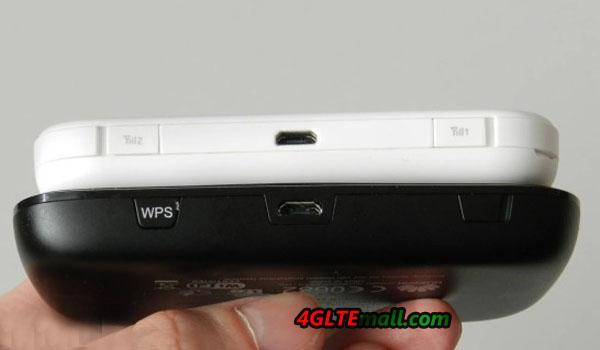
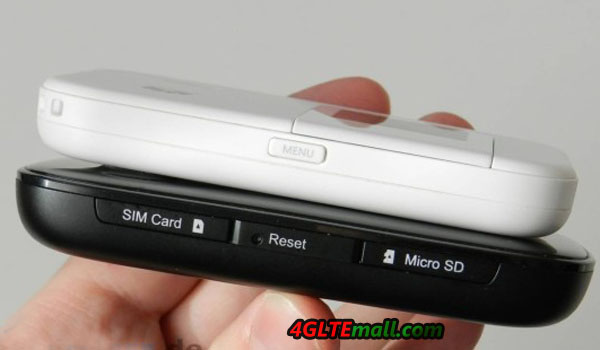
With the 4G LTE network development, more and more 4G LTE Category 4 devices are available. HUAWEI is always leading the mainstream of LTE trend. And more and more Huawei wireless devices are available. Today, we will have a look at the
Huawei E5776 and
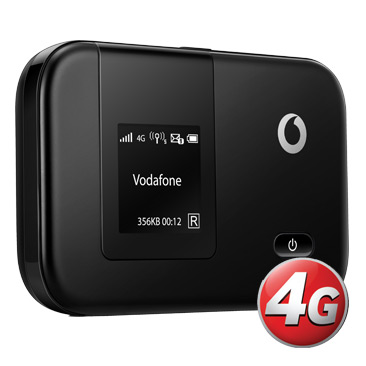
Huawei E5372 4G mobile WiFi hotspot, the two very powerful mobile and wireless routers. They are both available on the 4gltemall.com now.

You may wonder where the exact advantages and disadvantages of each device are, you will see the details in following article. A common feature is the integrated cellular modem: both the HUAWEI E5776 and the HUAWEI E5372 is based on
HiSilicon Hi6920 chipset which is for the LTE Category 4 with up to 150 MBit/s download speed. In addition, the modem is backward compatible with UMTS DC-HSPA+ technology and including GSM/EDGE.
Differences
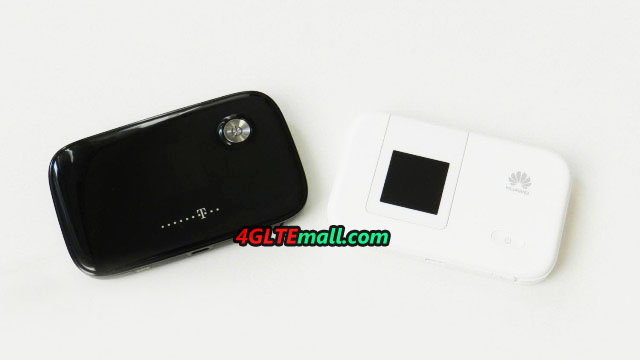
As we can see, the Huawei E5776 is in black color and made of plastic, but in China, the model HUAWEI E5776 is in white; and you can also see the Huawei E5372 is either black or white appearance, and with removable battery. This has some advantages, but the capacity of the E5372 battery is only 1780 mAh, which seems too much lower compared to 3000 mAh of HUAWEI E5776. This becomes apparent in the operating time: Huawei E5776 provides up to 10 hours of wireless Internet access, about 4 hours more than the E5372.

As the table shows, there is another difference: the Huawei E5372 wireless module transmits as desired in either the 2.4 GHz band or the 5 GHz range. Especially for large events with dozens of Wi-Fi networks so you have an advantage with the E5372, because the terminals of course also support the 5 GHz band. Furthermore, a repeater mode has been integrated in the E5372, so you can also use a different wireless network for Internet access when needed. Both devices have a limitation of connecting up to 10 WiFi users, in addition, an eleventh device can access the Internet with the MiFi router via USB cable.
| Model |
Huawei E5776 |
Huawei E5372 |
| LTE Network |
Category 4, 150 Mbit/s for Dowload and 50 Mbit/s for Upload.Frequency: 800/900/1800/2100/2600 MHz |
| UMTS |
DC-HSPA+ up to 42.2 Mbit/s for Download und 5.76 Mbit/s for Upload.Frequency: 850/900/1900/2100 MHz |
| GSM/ EDGE |
Frequency: 850/900/1800/1900 MHz |
| WLAN |
802.11 b/g/n, 2×2 MIMO, up to 300 Mbit/s (2,4 GHz) |
802.11 a/b/g/n, 2X2 MIMO, up to 300 Mbit/s (2,4 or 5 GHz), Repeater model available |
| Battery |
Inserted battery, 3000 mAh, working for 10 hours |
Removable battery, 1780 mAh, up to 6 hours working time |
| Interfaces |
Micro USB, Micro SD, 1 external Antenna( TS-9 connector) |
Micro USB, Micro SD, 2 external Antenna (TS-9 connector) |
| Dimensions and weight |
107 x 66 x 16 mm, 160 g |
99 x 62 x 14 mm, 130 g |
| Release |
In Quarter 4. 2012 |
In Quarter 4. 2013 |
For users who usually use their mobile LTE router in stationary, an external antenna can be useful. Here is important to note that only the
Huawei E5372 has the necessary connections for the two MIMO technologies. The
Huawei E5776 only has one TS-9 connector and is suitable only for UMTS antennas.
 Conclusion
You decide which device ultimately, is a matter of taste. The Huawei E5776 has the advantage of significantly more powerful battery while the Huawei E5372 is technically more powerful in data transmission. At the main component, i.e. the modem, but both devices are absolutely equivalent and well equipped for the future.
More detailed information on the two devices you can get in the next article about test for the Huawei E5776 and Huawei E5372. Good to know: the Huawei E5776 mini is also available as a telecom Speedbox LTE, it costs a little less, but also slightly different frequency bands. Also the Huawei E5372 is cheaper available under a different name: Vodafone sold the unit from the 4th Quarter of 2013 under the name of R215 in its stores, also the frequency bands differ marginally from the original device.
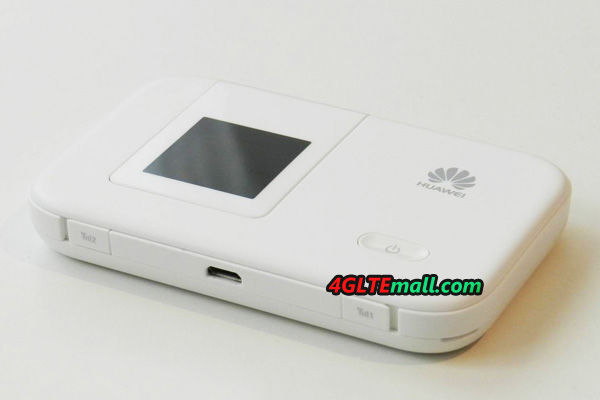 The Huawei E5372 4G Router comes in a small cardboard box, which itself contains a micro USB cable and a quick guide next to the device. The E5372 can get power supply directly from the USB cable when connecting it with PC, or use a power adapter to charge power. However, the capacity of 1780 mAh battery is really disappointing when most of the 4G mobile hotspots are using battery of more than 3000mAh currently.
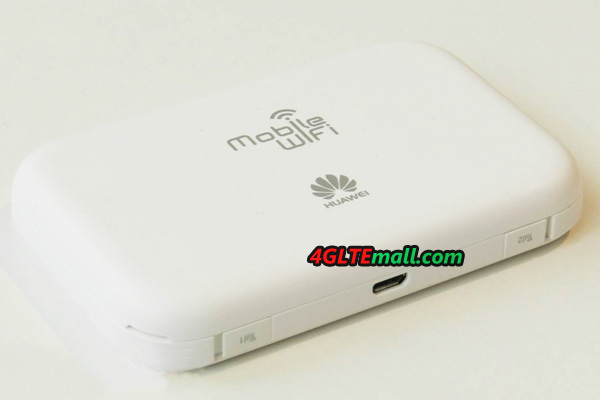 The first impression of Huawei E5372 is good. The optional white or black plastic is dull and does not attract fingerprints, the weight is 130 grams and the dimensions are quite pleasant with a 99 mm x 62 mm x 14 mm, which is very compact for an LTE-capable device. On the front, a small OLED display is placed, which displays all the important information and also allows certain settings in combination with the power button and the side menu button.
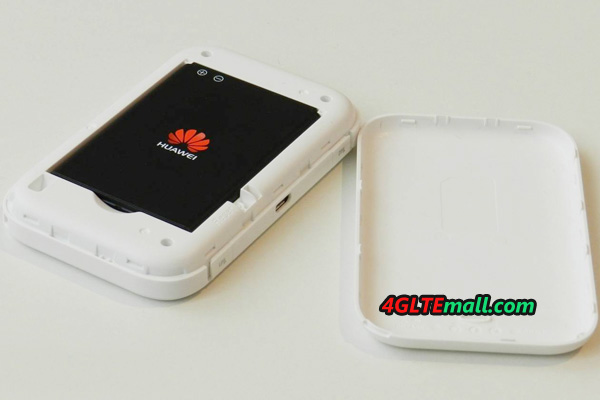
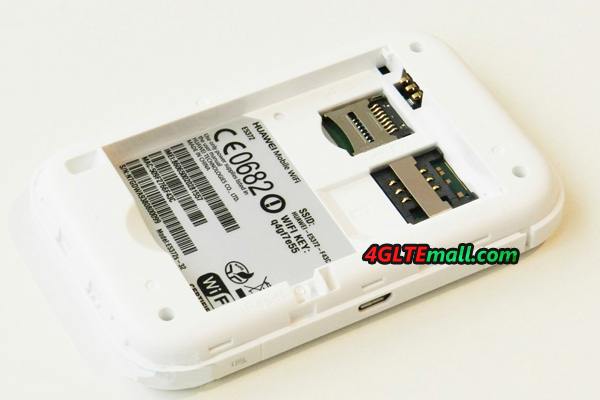 Also on the side, there are two antenna connectors of type TS-9, so the Huawei E5372 is the first LTE Category 4 mobile Wi-Fi router with external antennas to be fully compatible 2 x 2 MIMO data transmission. Also a MicroSD slot for memory cards of up to 32GB is installed at the side of SIM card slot. Unlike HUAWEI E5776, the battery of HUAWEI E5372 is removable, user need to insert SIM card and cover the battery, then the device is working. Someone may ask where to buy HUAWEI E5372 Antenna, actually, we have already 4G LTE antenna (TS-9) from HUAWEI available on 4gltemall.com .