4G LTE Mall(https://www.4gltemall.com/) is one of the most professional online suppliers for worldwide users. We had supplied branded or unbranded & unlocked 4G USB Dongles/Surfsticks, 4G Gateway/Routers, 4G Mobile Hotspot/Portable 4G WiFi Router, 4G Smartphones, LTE Modules and 4G LTE Indoor & Outdoor Antennas etc..
Tuesday, March 10, 2015
Netgear Aircard AC790S 4G LTE Cat6 Mobile Hotspot
Monday, March 2, 2015
Netgear Aircard AC785S 4G Mobile Hotspot Review
After acquisition of Sierra Wireless, Netgear has expanded the range of wireless products such as wireless aircards. Now many new products come available in Europe and Australia. Now we get the new mobile pocket router from Netgear, model number is Aircard 785s hotspot.
Netgear Aircard 785s Appearance
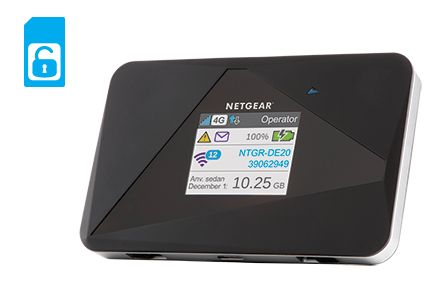
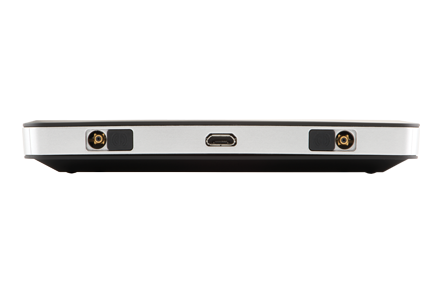
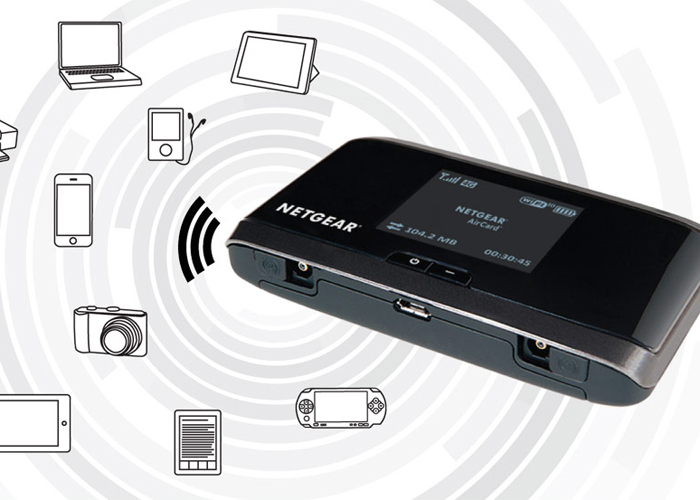
The Aircard 785s comes in a small box. With the AC785S, there is a battery with a capacity of 2000mAh and A USB cable for charging power with output of 1A at 5V. Both the front and the back are decorated with triangular elements. This feature not only looks good, but also raises it from other boring designed models from competitors. On the back, there is only “Netgear” logo on it. At the bottom side, there are two external antenna connectors. They are TS-9 type and covered by small cap. Between the two antenna connectors, one micro USB interface is used for power charge. The battery for the Netgear AC785s is removable and the Micro SIM card is covered by battery. The stick at the side of SIM card slot lists the model number Aircard 785s, IMEI number and MAC ID for the AC785S.
The power button is on the top side of the body, and the microSD card slot is beside the power button. Once you have inserted the MicroSIM and its battery, and closed the door on the back, you can start the device using the power button on the top. The color display on the front provides all the key information such as network operator, SSID and wifi code, battery status, data used and signal strength etc.
Aircard AC785S Technical Features
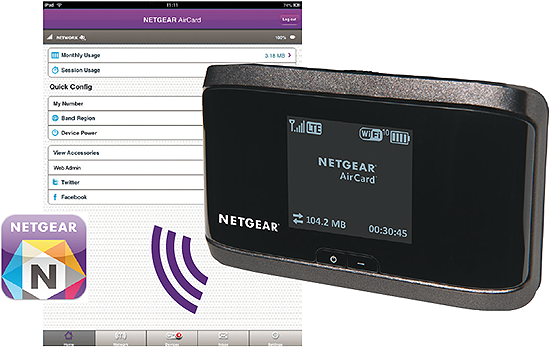
To setup the Aircard 785s, no other devices are required. All essential settings can be done directly on the display and the buttons on the top side. Up to 15 devices can be simultaneously connected via Wi-Fi with the AC785s. The wireless password is displayed on the screen. If you want to make additional settings on the device or want to see information, Netgear has developed a very good app for Android and iOS; almost all possible settings can be made with the APP. You can also access to the router via a web interface in the PC browser.
Netgear AC785S could support LTE, UMTS and GSM networks. With the LTE Category 4 technology, Aircard 785s could reach peak download speed to 150Mbps and upload speed to 50mbps. It can work well on the LTE-FDD Frequency bands around 800/850/900/1800/2100/2600MHz and TD-LTE band 2600MHz. This feature makes the AC785S could roam all over the world, but it’s not suitable for North America. On the UMTS network, the data speed could reach up to 42Mbps and upload speed to 5.76Mbps.
Netgear AC785S External Antenna
If you want the Netgear 785s works better in rural areas with weak signal, the external antenna may be necessary. You need buy 4G Antenna with two Ts-9 connectors. The antenna is now available on 4gltemall.com . The antenna could support MIMO technology which improves the data transfer rates.
Tuesday, February 24, 2015
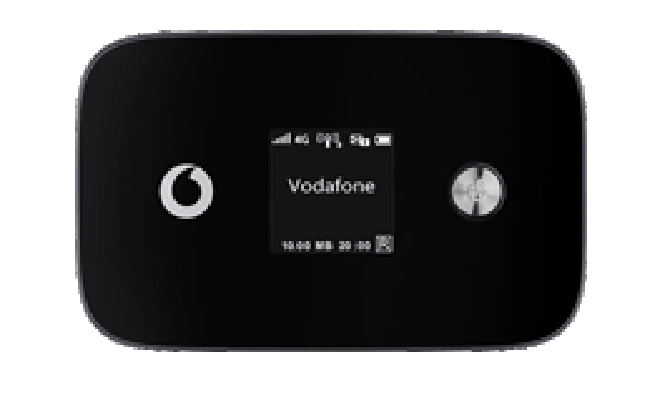
Vodafone R226 LTE Cat6 Mobile WiFi Hotspot
We are not sure whether LTE Category 6 technology is already applied in Vodafone 4G LTE networks, but we are glad to find that the latest 4G LTE Category 6 mobile hotspot is available for Vodafone plan. The model number is Vodafone R226.
The Vodafone R226 is upgraded from the predecessor Vodafone R215, which is with LTE Category 4 technology. The R215 could reach peak download speed to 150Mbps and upload speed to 50Mbps. R226 hotspot is much more powerful than R215. The downlink speed of R226 could reach 300Mbps and uplink speed to 50Mbps. The link speed is double of the speed on R215.
The appearance of R226 is somewhat like R215, the power button and logo are both besides the LCD screen. They both have two external antenna connectors. The antenna connectors of R226 are covered by a cap while the two antenna connectors of R215 are at the bottom side, but separately. The connectors are for LTE Mimo antenna.
Vodafone R226 has much larger power capacity than R215; the capacity is 3000mAh, which could support up to 10 continuous working time. What’s more, the R226 could provide the power charge to other electronics such as smartphones, Pads etc… Just like R215, R226 could also help up to 10 wireless devices to access internet. They provide the wireless network in the 2.4GHz and 5GHz bands. They both could be managed by Vodafone Mobile Wi-Fi smartphone app.
As we know, Vodafone R215 comes from the factory model Huawei E5372. This time, Vodafone R226 also comes from Huawei, the factory model is the latest and hottest Huawei E5786 mobile hotspot. Vodafone customized the logo and firmware, then it becomes R226.
On one side, there is a Micro USB connector, user can recharge the Vodafone R226 battery, but the battery of R226 is unremovable, so users have to recharge it after it power off. The Micro-SIM and Micro SD card are also at the side of Vodafone R226.
Vodafone R226 is the first LTE category 6 mobile WiFi hotspot. In this year, Vodafone already released the first LTE Category 6 wireless router named B4000. As we know, the peak download speed on Vodafone 4G network could reach 225Mbps now. But we suppose Vodafone will upgrade the network in 2015 spring. The R226 will show its best performance at due time.
Wednesday, February 11, 2015
Huawei Prime E5878 4G Mobile Hotspot First View
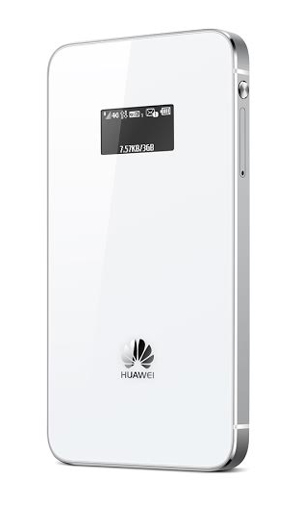
At IFA in Berlin, Huawei has shown the E5878 LTE router for first time, a very thin mobile hotspot with metal frame and glass covers. The size of new router E5878 is only as small as a credit card; it is only about 7.5mm thick and weighs only 80 grams including battery. On the technical side, the Huawei E5878 offers LTE with up to 150 MBit/s in downlink and an operating time of up to 8 hours.
Huawei Prime E5878 is the first mobile hotspot from Huawei, which was developed with a focus on design. It is much smaller, thinner and smarter than most devices currently available and could therefore attract more audiences. Unlike other mobile hotspot, Huawei E5878 appears in unusual colors such as light blue, gold and pink to meet users various demand. Not only E5878 focus on design and materials, but also Huawei E5878 dominates in the technical data. It offers LTE Category 4 with up to 150 MBit/s in downlink and 50 Mbit/s in the uplink, what’s more, DC-HSPA+ UMTS network are backward. If the Huawei E5878 is unlocked, it would support a lot of bands to be operational worldwide.
The operation is done in the browser via a web interface or via App for Smartphone and Tablet. The Huawei Mobile WiFi app is available for both Android and iOS and of course also shows important status information such as the consumed data volume. On the front of the Huawei E5878, a small OLED display is attached with a diagonal of just one inch. Next to the network operator, the battery and the network available are displayed and the data volume and the online time. It’s a pity that the WLAN module in the Huawei E5878 supports only connections in the frequency range of 2.4 GHz (802.11b/g/n). This could prove to be a disadvantage in some situations, because this frequency range is overloaded quickly in some places such as trade shows or events. In total, a maximum of 10 devices can be connected simultaneously via Wi-Fi with the E5878, a secondary user can use the Internet connection via USB.
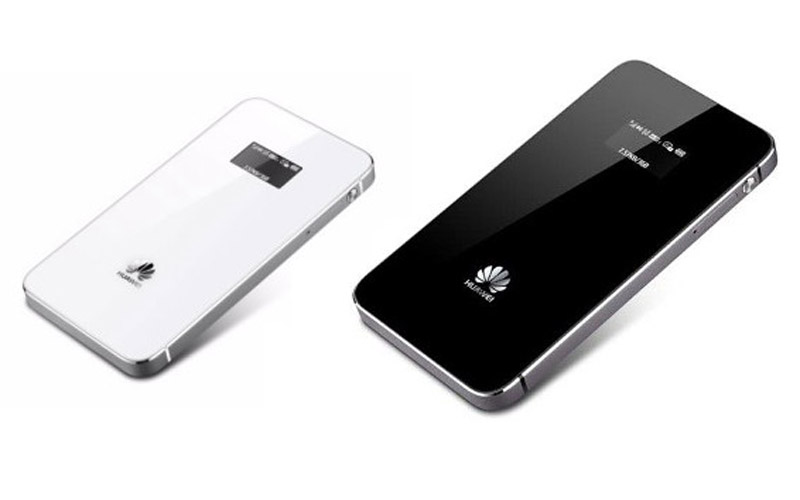
Use Huawei Prime to stay online for up to 8 hours of use in LTE mode or 380 hours of standby time provided by the 1900 mAh battery. What’s more, all of these features can be controlled remotely by a smartphone using the ‘Huawei Mobile WiFi’ application available to download via major app stores. Huawei Prime comes in white and black, and will be available in Europe, Middle East, and other markets from mid-September. Customized versions including sunny gold, peach pink or turquoise green, with polka dot or diamond texture effects, will also be available in selected markets.
Monday, February 9, 2015
Vodafone K5007 4G LTE Stick Review
The Vodafone K5007 could replace the previous generations Vodafone K5005 and K5006 in the near future. But what can the new stick do and when it is available? We have already summarized the key features of the new top-sticks together for you and tested the K5007 in advance.
| LTE features and characteristics of Vodafone K5007 | |
| Manufacturer and factory model number | Huawei E3276 |
| Download rate | Up to 150 MBit/s |
| Upload rate | Up to 50 MBit/s |
| Supported LTE bands | LTE800, LTE1800, LTE 2600 |
| Backward compatible with: | DC-HSPA+, UMTS 900/2100MHzGSM Frequency (850, 900, 1800 und 1900 MHz) |
| MIMO Support: | MIMO 2x2 |
| Connector for external antenna | yes; 2 antenna sockets, type CRC-9 available(Buy Vodafone K5007 Antenna) |
| Chipset: | HiSilicon Hi6920 |
| LTE Category: | LTE Modem to Category 4 |
| Others | |
| Dimensions | 92 mm x 32 mm x 14 mm; 30 Gramm |
| USB-Standard | USB 2.0 |
| Memory card expansion | Yes; MicroSD up to 32GB |
| Compatible Operating Systems | Windows XP, Windows Vista, Windows 7 & 8, Mac OS (ab 10.4) |
| Information material | not yet available |
| Availability | On www.4gltemall.com |
Vodafone K5007 is the first Vodafone surfstick that supports download speeds of up to 150 megabits per second. For this, the surf stick uses the LTE category 4 technologies, which was introduced by Vodafone in the summer of 2013. In some cities where there is no LTE network available at the current location, users could resort to conventional 3G network (or lower). Per UMTS or HSPA+, data rates of up to 42.2 Mbit/s are then still possible.
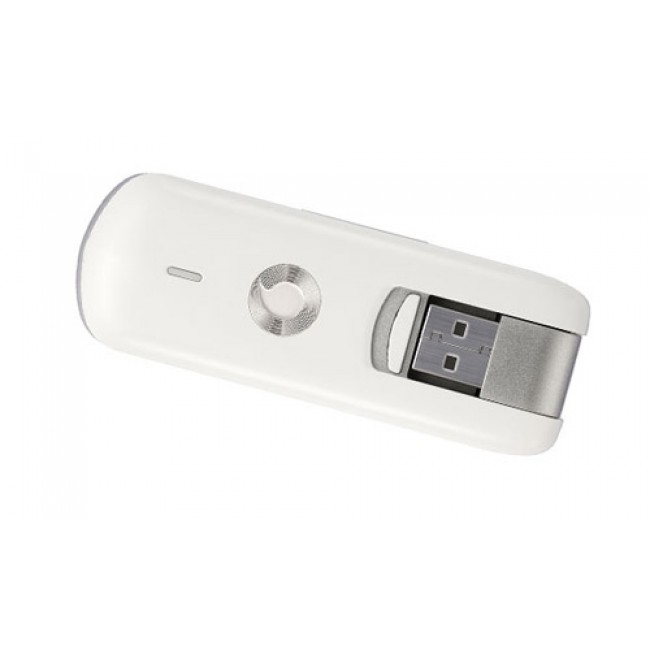
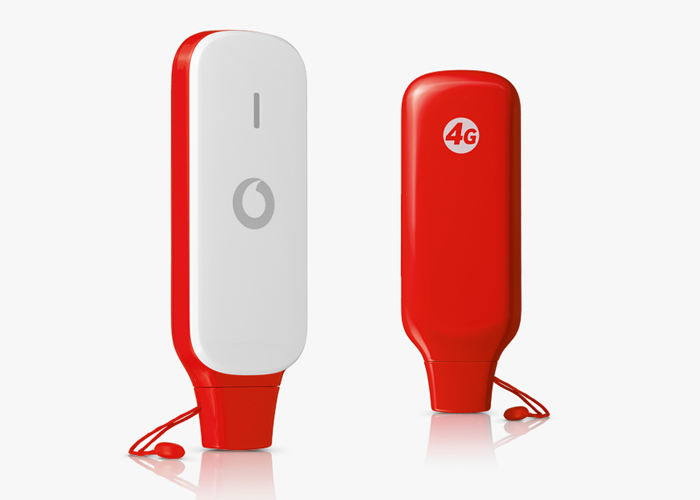
On the front of the white K5007, there is a logo of the provider Vodafone and also the software has been optimized for use with Vodafone sim cards. After entering the SIM PIN, no additional configuration steps are necessary, since the relevant access data are already stored. The connection software is compatible with all major operating systems such as Windows XP, Windows 7, and 8 and Mac OS X. Important parameters such as the data usage, or the online time can be read at a glance in the software. The advanced configuration allows to manually selecting a network and the provider via the Setup menu.
The USB port of the K5007 provides a practical swivel joint, after plug to laptop, the modem can save much space, which is a clear advantage over many other LTE surf sticks. Through the support of LTE Category 4, Speeds of up to 150 Mbit/s for downstream and upload speed up to 50 Mbit/s are possible in the LTE network. Under the providers’ network, user can get only appropriate data rates. UMTS download up to 42.2 Mbit/s and upload 5.76 Mb/s are possible, further also the 2G network (GPRS / EDGE) is supported. However, the Vodafone network with upgraded to LTE Category 4 is available only in a few cities. It would take a few more months to cover all the cities.
Connections
On the side of the K5007, there are two connections for an external antenna. There is also an expansion slot for MicroSD type memory cards, using which one can use the device as a storage medium. The memory card may be up to 32 gigabytes in size, so that it is detected by the modem.
Conclusion
The K5007 stick is with a modem for extremely fast data connections, so Vodafone has a high quality stick once again in the pipeline. It is now available in the shop www.4gltemall.com. As alternatives, you can consider the technically identical offer, for example, Huawei E3276 or Vodafone K5150, or to. Both devices support LTE with up to 150 megabits per second like Vodafone K5007.
Wednesday, February 4, 2015
Netgear Aircard 762s 4G Mobile Hotspot
After we had introduced the Vodafone R215 4G Mobile Hotspot, Netgear brings another very similar LTE router on the German market. Visually, both devices are very similar, but in terms of the features and the price-performance ratio, there are different. Below you will find all the key data and information.
| Features and characteristics of Netgear Aircard 762S | |
| Manufacturer and Model Number | Netgear 762S AirCard |
| Download rate | Up to 100 MBit/s |
| Upload rate | Up to 50 MBit/s |
| Supported LTE Bands: | LTE on 800, 1800, 2100 und 2600 MHz |
| Backward compatible Standards | HSPA+, HSUPA, UMTS on 850, 900 und 2100 MHzEDGE, GPRS (2G) 850/900/1800/1900MHz |
| MIMO Support: | Yes, 2x2 MIMO |
| Connector for external antenna | Yes, two TS-9 socket(Buy Netgear Aircard 762s Antenna ) |
| Category: | LTE Modem to Category 3 (CAT3) |
| Network | LAN & WLAN | |
| LAN Ports | No, only wireless |
| WLAN Standards | WLAN 802.11b/g/n |
| 5 GHz WLAN support | no |
| Encoding | WEP, WPA/WPA2 |
| USB | 1x USB 2.0 |
| integrated battery | unknown - running time approximately 6 hours |
| Dimensions (H | B | T) and weight | 97.5 x 57 x 15.2 mm and 100 Gramm |
| Information material | |
| Manual | unfortunately not yet available online |
| Datasheet PDF | Download from netgear wireless |
| Available at: | Since November 2013 |
Also, the Netgear AC762S is designed for mobile use. When traveling, you can get all the family members with few handles access to the Internet. Here, only a SIM card with high speed contract must be inserted in the device. Another application would be to use in the mobile office. Employees or customers can optionally access via WLAN grant. The integrated Hotspot allows for up to 10 devices at the same time.
The integrated modem supports LTE 4G tariffs of up to 100 Mbits per second. While this is perfectly adequate, but Vodafone R215 (or Huawei E5372) offers even LTE Category 4 (up to 150 Mbps) in direct comparison. AC762S supports the 4G bands on 800/1800/2100 and 2600 MHz. In addition, the AC762S backwards compatible with 3G (HSPA, HSPA+ and DC-HSPA+) and 2G. Unfortunately, WLAN with the latest AC standard is not supported. Instead, the common minimum configuration for 802.11 to b/g and n at 2.4 GHz offered. On the bottom there are two TS-9 ports for connecting an external antenna and a USB 2.0 connector. In the router, MicroSD up to 32 GB of memory can be inserted.
LCD-Display
The LCD display on the front, provides an overview of all important data for connection such as the reception strength, the wireless standard currently in use, the power consumed in the session volume and the online time. Furthermore, the user can read the battery level and define the basic settings in the menu.
Easy installation
Like huawei R215, the installation and commissioning of AC762s router is a breeze. After the SIM card is inserted and the power switch is pressed, it can almost go. A software that is not necessary to install, as is common with most surf sticks. All configurations can be done easily via the browser. As an option, WPS-compatible devices can bring into your own network with a push of a button. Another similar feature for Vodafone R215 is that Netgear offers an app for Android or iOS, where use also read all the key data and settings can be made.
Since Netgear AC762S is a SIM free device, the router works with all European mobile providers. The R215 is in less price for around 30 € currently and offers better performance. To read more about Vodafone R215, you can check here about the review.
Monday, February 2, 2015
Vodafone K5150 4G LTE Cat4 USB Stick Review
| LTE features and characteristics of Vodafone K5150 | |||
| Manufacturer and factory model | Huawei E3276 | ||
| Download rate to | 150 Mbit/s | ||
| Upload rate to | 50 Mbit/s | ||
| Supported LTE bands | LTE800, LTE1800, LTE 2600 | ||
| Backward compatible with: | DC-HSPA+, UMTS, GSM frequencies (850, 900, 1800 and 1900 MHz) | ||
| MIMO Support: | MIMO 2x2 | ||
| Connector for external antenna | yes; 2 antenna sockets, type TS-9 available (Buy Vodafone K5150 Antenna) | ||
| Chipset: | HiSilicon Balong 710 | ||
| LTE category: | LTE modem, the category 4 (CAT4) | ||
| Others | |||
| Dimensions | 33.4 x 95.5 x 14.0 mm (35 grams) | ||
| USB standard | USB 2.0 | ||
| Memory card expansion | yes; MicroSD up to 32 GB | ||
| Compatible Operating Systems | Windows XP, Windows Vista, Windows 7 & 8, Mac OS (10.4 or higher) | ||