Monday, May 25, 2015

Huawei CarFi E8377 LTE Router Review

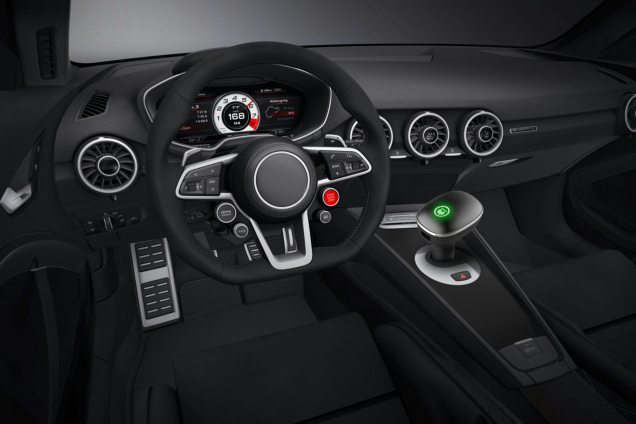
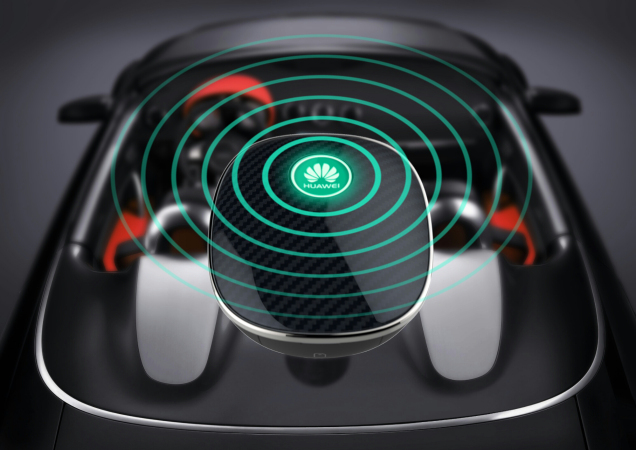
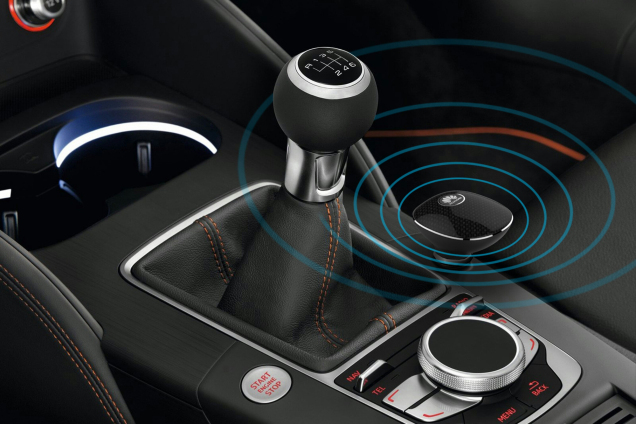
In the last few years, it’s the main trend to connect cars. Internet access in the car or camping Mobile is still reserved for the premium class. However, new wireless gadgets provide solution. The Huawei E8377 specially designed for the motor vehicle provides the first use and inexpensive hotspot router with LTE. We have tested the "Huawei Carfì Router" for you and share the details below.   With the Carfì E8377 router, user can access internet via the mobile Wi-Fi hotspot. The CarFi could work on 3G or 4G LTE and up to 150 Mbits per second download speed are possible here. The concept is not entirely new. Huawei had brought a car Stick named W5101 for the first time to the market. It’s available for Vodafone contract. But it’s an ordinary USB stick, which was connected via an adapter into the cigarette lighter. The E8377 Carfì could connect to the card through the cigarette power connector, which is a direct solution for wireless network. The packaging looks quite classy and looks like a clock-bell. After opening the box, there is only a mini-manual next to the device. In addition, a tiny leaflet-list is available for installation. The user manual (sweet 6.5 x 5 cm) available in several languages and there are short Tips for settings. The egg-shaped head of CarFi E8377 gives only a start switch, a notification LED and laterally a SIM card slot (Micro SIM) together with the reset button. Directly to the head connects to the cigarette 12-volt port. From a processing perspective, the device is "appropriate". The specially adapted to use in the car shape design, the E8377 hardly looks like a foreign body in any case. Now, let's consider technical data. The mobile module initially supports LTE in all major bands at 800, 900, 1800, 2100 and 2600 MHz. Thus, the Car-stick can easily use in Europe. Based on the LTE Cat4 modem, it can reach up to 150 Mbps for download and up to 50 MBit for upload in connection with a matching LTE tariff. In addition to LTE/4G, the CarFi still has support for more mobile phone standards. Among them are as UMTS 900 and 2100 MHz 3G Turbo DC-HSPA+ (up to 42 Mbps) and 2G (GSM, EDGE, GPRS). So even in very poor regions with weak signal, user can still have the chance of a slow connection. The WLAN module supports 802.11 b/g/n and thus can provides data rates up to 300 Mbps.   The router Carfì measures 5.9 x 4.9 x 8.8 inches and weighs only 50 grams according to the manufacturer. However, our weight measurement yielded 146 grams. Huawei will also indicate that the E8377 has an integrated battery, which has a capacity of 1900 mAh. However, we were able to connect Carstick for long hours of use on the current port, without connecting the CarFi to the cigarette slots. Thus, we believe that the battery only serves to maintain the operation as soon as the energy source is gone suddenly.   A USB port is located on the side. This port is not a data interface, but as a kind of adapter. Huawei has considered that many people use the car's cigarette lighter as a charging station for mobile phones and other devices, when the cigarette port is used. No more space will be available without adapter for third-party devices. Through the USB port on the side, you can now connect there and load it. Beside the SIM slot, there is a TS9 connector for connecting an external antenna. However, only 1 port, users have to give up 2x2 MIMO. But at least there is a possibility! It is precisely when traveling, for example with a camper, the reception is weak and need external antenna. To make user understand well about the color shining in Huawei CarFi, here are some codes about the colors:
  • * Flashes red: Indicates that the Carfì is started. Takes about 20 seconds;
  • * a steady red light: Indicates that no wireless network is found, or the connection was not possible (eg missing SIM);
  • * lights up yellow: Indicates that the signal strength for 3G or LTE is very weak;
  • * green: reception strength is optimal;
  • * Flashing cyan: There is just a firmware update;
  • * White: Indicates unread SMS exist.
Installation and Settings Theoretically, the installation of the E8377 is easy and should be done in less than 3 minutes. First, the SIM card must be inserted. The slot is located under a cover with SIM icon. Then plug the Carfì directly into the cigarette lighter of your car. Turn the ignition so that a power supply is present and press the "Huawei" button on the top for a good 3 seconds. Now the border should first turn red - the CarFi router will start and automatically connects to the wireless network. This takes about 20 seconds. Now you can search the wireless SSID of CarFi E8377 in a laptop, tablet or smartphone. This begins with "Huawei CarFi-". Both SSID and the wifi key are listed at the foot of the plug. Enter this key or scan the QR code on request with your smartphone. The WLAN connection to Carstick should now be finished. If there is a cellular connection via 2G / 3G or 4G, surfing internet is possible in the way. And up to 10 devices in and around the car could access to the internet.   Huawei provides a special HiLink App for smartphone and tablet users. This can (if no network) are downloaded directly to the internal memory as required from the PlayStore or AppStore. The app provides information about the connection status, for example, the signal strength, currently used wireless standard and data usage. Practice test We have tested the car stick several hours on the road. The installation went really smoothly. Before setup, user must know the color code, otherwise you do not initially know what that mean the color feedback. In mobile reception there is nothing to complain about. This is comparable with other sticks. You should wonder the connection speed in remote areas. Frankly speaking, the speed is just decent, but this problem can be solved by an antenna that is mounted with enough cable on the roof through the window. Conclusion Huawei E8377 Carfì is ideal for those who spend hours on the car and where several inmates want to access the Internet.  The installation and handling is simple and straightforward. However, there is currently no better alternative for the car. If you want to have wireless network around in camp or have activities in a car, Huawei E8377 would be a perfect partner.  

Huawei Announced P8 P8 Max and P8 Lite

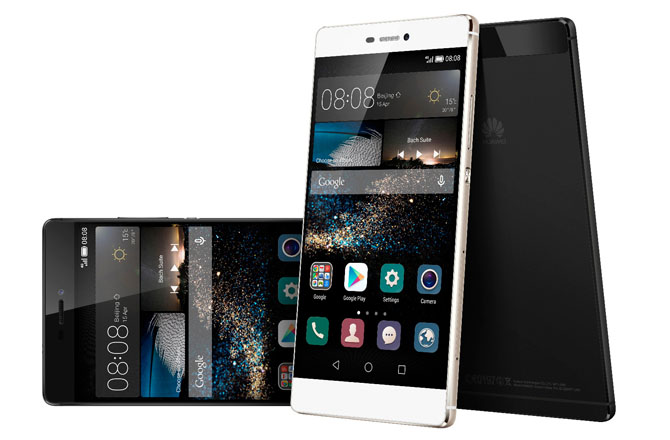
Huawei has announced the P8 series smartphone in London. In addition to the Huawei P8, which is the flagship device of the series, there will be a Huawei P8 Max with greatly enlarged display and a Huawei P8 Lite with stripped-down functionality. The Huawei P8 waived first time to lure the customers with various highlights. So far the quality of the camera is so far consistently praised in glowing terms and also Huawei has seemingly done everything right for the P8. The P8 is clear as Huawei P series device, since the design was little changed compared with the previous Ascend P7. Overall, the body is high-grade and almost completely made of a metal block.


Huawei P8

The Huawei P8 comes with a 5.2-inch display with full HD resolution, and the operating system is Android 5.0 Lollipop including Huawei EMUI 3.1 interface. The camera is one of the highlights as I said; it has a resolution of 13 megapixels, features an optical image stabilizer and is in spite of the very small dimensions. A special camera function, for example, the possibility of photos exposing long, thus allowing for light-effects such as "Light Painting". Videos can be recorded at up to 1920 × 1080 pixels (Full HD). The internal memory is 16 gigabytes in size, and can be expanded via microSD card.   The processor of Huawei P8 uses a Kirin 930 from the house HiSilicon, which has about 8 cores. Four of them have a maximum clock speed of 2.0GHz, the other four are working with a maximum of 1.5 GHz. It’s very disappointing for the P8 flagship device that wireless only supports in the frequency range of 2.4 GHz (Wi-Fi 802.11 b/g/n) and LTE is in Category 4, and around 150 Mbit/s in the downlink is limited. From network suppliers such as Huawei, one might have expected LTE Cat6 and WLAN ac, especially since this is an absolute standard in 2015.


Huawei P8 Lite


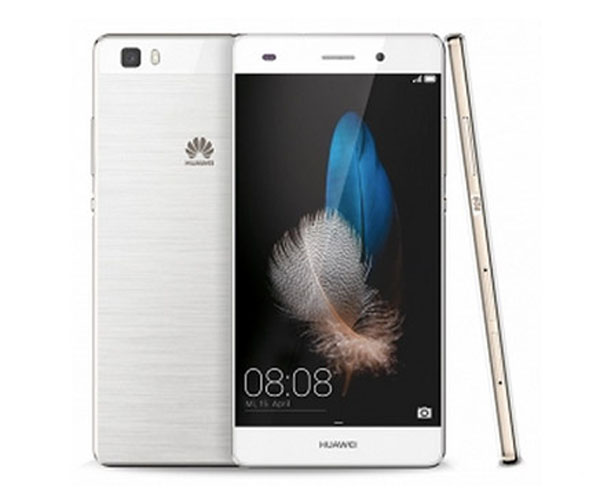
The Huawei P8 Lite is only half as expensive as the big brother Huawei P8, but still offers good facilities and a similar design. With dimensions of 143.0 x 70.6 x 7.7 mm, it is quite compact, considering that on the front, a 5-inch display with a resolution of 1280 x 720 pixels is installed. Huawei P8 Lite can support 16 GB of internal memory with a microSD card to expand. The camera triggers with 13 megapixels like its big P8, is likely to be different from the picture quality.


The Huawei P8 Lite comes with a HiSilicon Kirin 620 processor, which has eight cores with 1.2 GHz and offers 2 GB of memory. Huawei P8 Lite is on board LTE Cat4, so that speeds of up to 150 Mbit/s can be achieved through LTE. Whether the wireless networkof P8 Lite is also limited to 2.4 GHz, has not been announced in the press release.


Huawei P8 Max


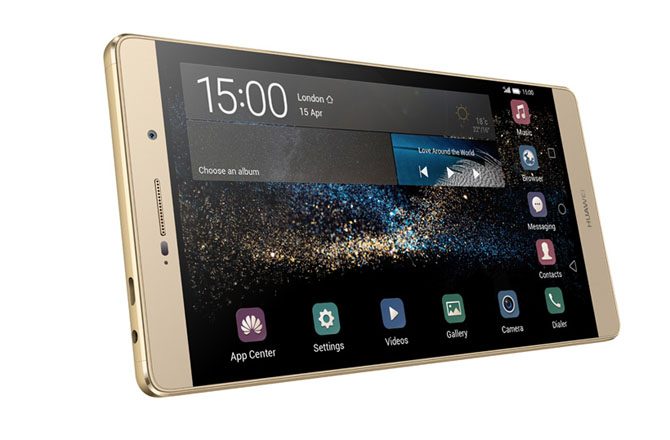
The Huawei P8 Max is the big brother of the P8, we suppose it would be available in Europe soon. The two biggest differences to "normal" Huawei P8 are the larger display (6.8 inches instead of 5.2 inches) and the significantly stronger battery with 4360 mAh. The Huawei P8 Max also supports LTE Cat6 with up to 300 MBit/s in the mobile network, so the connection speed is twice as fast as the normal P8. Also WLAN ac to 2.4 GHz and 5 GHz are supported.


The processor of Huawei P8 Max comes with the HiSilicon Kirin 935, the 3 GB RAM are aside. The internal memory is 64GB in size and can be expanded via MicroSD. Unfortunately, the display is in spite of its huge size of 6.8 inches, "only" equipped with FullHD resolution, here if equipped with a QHD resolution, it would have been quite timely.


Thursday, April 30, 2015

Vodafone R226 4G Mobile WiFi Hotspot

The Vodafone R226 Mobile Wi-Fi hotspot is the first LTE router from Vodafone, which could support LTE Category 6 with up to 300 Mbit/s for downlink. Up to 10 devices can be connected wirelessly via Wi-Fi with fast Internet. A display on the front of the Vodafone R226 shows all status information such as the used data volume reliably. The built-in rechargeable battery provides an operating time of approximately 10 hours.


LTE features and characteristics of Vodafone R226

Manufacturer and type designation   Huawei E5786 = Vodafone R226
Download to rate   300 Mbit/s
Upload to rate   50 Mbit/s
Compatible LTE bands   800, 850, 900, 1800, 2100, 2600 MHz
backward compatible with   LTE CAT 3 & 4, DC-HSPA+, HSPA+, HSDPA, UMTS, EDGE, GPRS, GSM
Support for LTE-Advanced   Yes
MIMO Support:   MIMO 2x2
Connector for external antenna   Yes; 2 antenna connectors TS-9 available(Buy Vodafone R226 Antenna)
LTE Category   LTE Category 6 (CAT6) modem
Chipset   Hisilicon | HPM Coretx A9 processor
Wi-Fi standards   802.11 a/b/g/n/ac (866 Mbit/s)
Wireless Internet Hotspot function   yes - for up to 10 devices
Others  
Accumulator   3000 mAh - not changeable (surfing to 10 hours)
Dimensions (WxHxD)   106 x 66 x 15.9 mm 145 grams
USB standard   USB 2.0
Memory card expansion   Yes; MicroSD up to 32 GB
Manual PDF   Refer to user manual for Huawei E5786
Test Report    
Release   December 2014
available at   www.4gltemall.com


LTE-Advanced with 300 Mbit/s


The Vodafone R226 Router is made by the Chinese manufacturer Huawei E5786,which is the first devices for LTE Category 6 (LTE-Advanced), so that when the appropriate network available, the matching data rate speeds of up to 300 Mbit/s in the downlink and 50 Mbit/s Uplink are possible. Of course, the router is also backward compatible with older LTE expansion stages such as CAT3 (100 Mbps) and CAT4 (150 Mbps). The network technologies GSM and UMTS are supported, and in the UMTS network, up to 42.2 Mbit/s in the downlink is possible. LTE-Advanced will probably introduced from the first quarter of 2015 from Vodafone.  


Wi Fi ac and powerful battery


Up to 10 devices can be simultaneously connected via Wi-Fi with the Vodafone R226, an eleventh device can be connected via microUSB. From the microUSB connector, the 3,000 mAh strong battery could be charged, which allows an operating time of up to 10 hours. An AC adapter and a USB cable are included, but the battery is unreplaceable. The WLAN module of the Vodafone R226 transmits both on 2.4 GHz and 5 GHz on (dual band). With a maximum speed of 866 Mbit/s (WLAN ac), the WLAN of the Vodafone R226 is very fast compared to other devices of this type, up to 300 Mbit/s high-speed Internet connection can thus be easily transferred to the terminal.      


The Vodafone R226 looks absolutely identical to "Speedport Mini II "by Telekom, just carries the Vodafone logo. On the front of the Vodafone R226 is a large display that clearly displays a variety of information in black and white format. Thus, for example, we can see about the used data volume, online time or the battery level. The operation of the Vodafone R226 is done via the smartphone app "Vodafone Mobile Wi-Fi Monitor" or a web interface. User can enter the address 192.168.8.1 in the browser. If user want to improve reception,  to connect an external antenna is possible. 


In addition, the Vodafone R226 provides a slot for a MicroSD memory card, so you can share files between multiple devices. The SIM card must be in micro-SIM format and is inserted under the cover on the back.     From the feedback of users, Vodafone R226 improves much than previous model such as R215 and R208. With the latest technology, Vodafone R226 would be reliable partner for travel.  

Tuesday, April 28, 2015

Huawei E5770 Mobile WiFi Router with RJ45

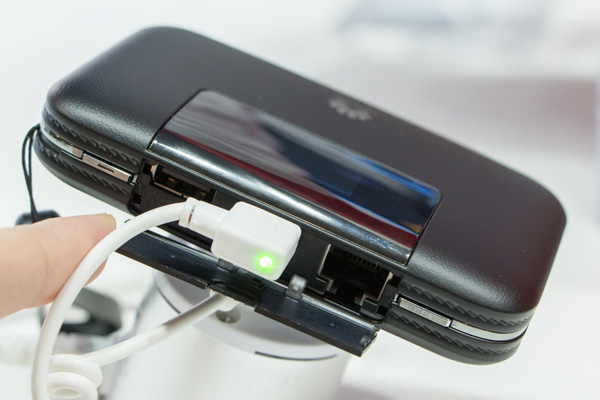
Huawei has unveiled a new mobile LTE hotspot E5770 with integrated RJ45 LAN interface at MWC in Barcelona. The E5770 LTE router also has a very powerful battery (5,200 mAh), achieving an operating time of up to 20 hours. The Internet could be connected via the LTE cellular modem or via LAN interface. First MiFi hotspot with LTE Cat4 and RJ45 interface The Huawei E5770 is the first mobile wireless router from Huawei, which is combined LTE Category 4 with a RJ45 LAN interface and a powerful battery. As we know before, the fastest 3G mobile Wi-Fi hotspot was Huawei E5730, which also has an Ethernet port, but unfortunately it did not support LTE, and a maximum of 42.2 Mbit/s could be achieved on UMTS network. Huawei E5770 provide better solution with higher speed for LTE network. The Huawei E5770 comes with a black, leather-like plastic surface and has a small 0.96 inch OLED display on the front that displays the information such as the network operator name and the used data volume. Under a cover on the side, you will find the RJ45 LAN port and the microUSB port for charging the battery. In addition, a USB with output of 5V/2A is available, so you can use the Huawei E5770 also for charging other devices such as smartphones ("Power Bank" function). LTE and Wi-Fi Based on the LTE Modem in Huawei E5770, it can reach speeds of up to 150 Mbit/s for the downlink and 50 Mbit/s for the uplink in the LTE network. In the UMTS network, possible speed could reach up to 42.2 Mbit/s in the downlink on DC-HSPA+. Which frequency bands are supported, Huawei didn’t indicate at MWC in Barcelona. However, it is assumed that there will be several variants for different markets like other Huawei models such as E5786. However, it’s a pity that Huawei E5770 wireless module only works in the 2.4 GHz band, the 5 GHz band is not available in this device. Up to 10 users can be connected simultaneously with the Huawei E5770, an eleventh device can connect to the internet via the USB interface. Huawei E5770 is a perfect pocket router for travel. It provides a wonderful solution for business journey. When user need internet at hotel or outdoor, Huawei E5770 would be a good partner. We believe Huawei E5770 will be available soon.  
Thursday, April 23, 2015

Netgear AC790S 4G LTE Cat6 Mobile Hotspot Review

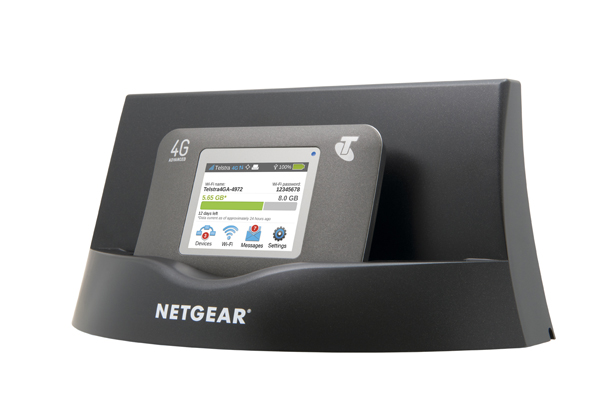
Netgear AC790s LTE hotspot was presented in September 2014 and has since been introduced by Telstra to its product range in Australia. Comparing with other mobile LTE routers, the main difference is the large battery  with touchscreen display and support for LTE-Advanced Cat6. In Europe area, the Netgear AC790s is not yet available, and it is doubtful that we will get the device in near future, because the successor with LTE CAT9 is already waiting in the wings. Actually, the predecessor of AC790s model is the Netgear AC785s, which was very good. Luckily, we have seen the Netgear AC790s closely at MWC.

Netgear AC790s, which was exhibited at the exhibition booth of Netgear, was provided with a small branding by Australian operators Telstra. Till now, Telstra is the only provider with whom the Netgear AC790s is available. But the rest of the devices are no branding and with original Netgear, for example the software. The unit is operated by a large colorful touch screen, although a web interface is still available, but not required for operation. The touch screen is not as fast as you would expect from a smartphone, but for a mobile hotspot, it is sufficient in any case completely.


Much more important than the touch screen is the integrated modem in AC790s. This could support LTE (Cat6) with peak download speed up to 300 Mbit/s for the downlink and 50 Mbit/s for uplink. Of course the device is also backward compatible with 3G and 2G along with various data accelerator. The connection to the computer is via WiFi 802.11 ac, ie to 2.4 GHz and 5 GHz. It is possible to enhance the speed and the signal strength with an external antenna(Buy Netgear AC790S antenna from here: http://www.4gltemall.com/4g-antenna-two-ts-9-connector.html ). There are two connectors for the external antenna and they are protected with a sliding mechanism from dust and dirt. On the other side, it’s the power button.


A very interesting accessories for the Netgear AC790s hotspot is available, the DC112A SmartCradle. It is a docking station that not only strengthen the router signal through USB  and thus charging the battery, but also has other functions. Thus, the wireless signal is amplified and there is a Gigabit LAN port on the back of DC112A. In addition, the mobile radio is improved signal over the external antenna connections.


Tuesday, April 21, 2015

Huawei CarFi Hilink E8377 4G Hotspot for Car

Penetration of WiFi in vehicle infotainment system is set to become an important trend. To address this trend and tap the large potentials and opportunities, the company Huawei has cooperated with France network provider Orange to provide a wireless solution for vehicle passengers to connect 4G networks when moving. The device is named Huawei CarFi E8377 and is designed to cover up to 10 users. The Huawei CarFi E8377 device, in compact size, gets 12 volt power from vehicle, which is designed specifically for use in these environments, either for personal use or for family members to provide connectivity while traveling, or for fleets of taxis and passenger vehicles.   Huawei emphasize that the essence of CARFI is the simplicity of use, because once connected to power in the vehicle, user just need press the single button for ignition and commissioning. The CarFi E8377 has a card slot to insert the SIM card from operator.   User can download the appropriate application for iOS and Android to manage the device, so you can modify the parameters of the wireless network name SSID and security key. Those who do not want to be complicate have these screen printed data on-device so that they can implement it without having to install any application. However, the application allows user to know the devices are connected, consumption data and other set of interesting parameters. The Huawei CARFI ensures LTE Category 4 connectivity with speeds up to 150 Mbps in the best conditions.   Huawei CarFi will automatically turn off when no WiFi-compatible device is identified, and can still be used to charge other electronic devices even when turned off as long as car is in use. Huawei CarFi does not contain a battery which provides protection against overheating in hot climates, and has a built-in self-regulating temperature protection function that automatically lowers the temperature of the device when necessary. Michael Faure, director of residential mobile marketing for Orange Spain stated that it is an interesting product because more than 90 percent of tablets sold are sold with Wifi connectivity mode without 4G options. So Huawei CarFi would provide reliable wireless support for these tablets. And for more vehicles, the wireless network may be a perfect solution for the passengers, Huawei E8377 carFi is slim and easily meet the network requirement.   And the USB port in the Huawei E8377 would provide the channel to charge other electronics such as smartphone, tablets. With an elegant and refined look, Huawei CarFi features detailed craftsmanship incorporating superior-grade wood and carbon fiber materials for increased durability during everyday use. It comes in three color variations, fashion elite black and warm family wood, and dynamic speed red, to complement the interior of most vehicles. It’s a perfect solution for vehicle!

Thursday, April 16, 2015

TP-Link M7350 4G Mobile WiFi Hotspot Review

TP-Link has launched its first LTE mobile hotspot M7350 in the Cebit 2015. Since the predecessor M5360 showed a good performance with UMTS modem in the test, we have the successor M7350 for performance test. The TP-Link M7350 could achieve speeds of up to 150 Mbit/s in the downlink over LTE Cat4 and the Internet connection is via WLAN at 2.4 and 5 GHz. The battery has capacity of 255 mAh and user can easily replace it.

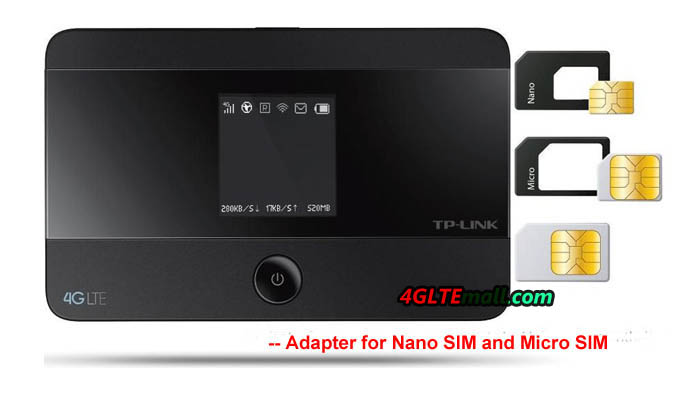
The package reveals all technical data and the design of the TP-Link M7350. There is also a great reference about the three-year warranty from manufacturer TP-Link. If you open the package, you can find the hotspot M7350 next to a battery with a capacity of 2550 mAh, a micro USB cable, a power supply and a Quick Start Guide. As a special feature, there are two SIM card adapters included, one from nano-SIM to Mini SIM and the other one from the Micro SIM to Mini-SIM. The adapters solve the big problem about the SIM format. All those who have a smaller SIM card or the mini-SIM format could use their SIM card with the TP-Link M7350.


TP-link M7350 Battery


Whether with or without adapter, the SIM card is inserted underneath the battery; and a MicroSD memory card is optional to use in the M7350. The battery cover is stuck and needs to open some force, but most users will keep changing the battery rather than changing it. The body of the TP-Link M7350 is held largely in matt black plastic and looks very spectacular. The front along with the small OLED display is partially covered with a clear plastic. This cover scratched amazingly fast in contrast to the rest of the case.


TP-Link M7350 can use LTE in the frequency ranges to 800/900/1800/2100/2600 MHz. Thus it can be used not only in Europe but also in many other areas worldwide. The maximum speed over LTE is 150 Mbit/s for the downlink and 50 Mbit/s for the uplink (LTE Category 4). In the test, M7350 could work with a SIM card from Vodafone and reach up to 130 Mbit/s. And the reception quality is good, even at the location far from the base station. We remember that we had tested Huawei E5786, and the result looks very similar. As you know, Huawei E5786 is with the latest wireless technology.


If the LTE network is not available, user can use the UMTS ang GSM network through TP-Link M7350. When connected with DC-HSPA+ in the UMTS network, M7350 could reach up to 42.2 Mbit/s for the downlink and 5.76 Mbit/s for the uplink. The most common frequency ranges around 900 to 2100 MHz are supported. In the test I have a telecom card up to 26 Mbit/s can be achieved via UMTS, and I was about one kilometer away from the base station and the device had a good signal reception.


The WLAN module in the TP-Link M7350 transmits both 2.4 GHz and at 5 GHz. The range is naturally limited in comparison to an ordinary wireless router for stationary use, but perfectly adequate for most usage scenarios. So you can still enjoy surfing through two "normal thick" walls and about 5 meters (in the 2.4 GHz band).   On the body side of the M7350, there is a menu button, which can be used in conjunction with the power button on the front to operate the equipment. A few important functions can be controlled so easily without the web interface. So you can see for example Wi-Fi SSID and password on the display to connect devices with the TP-Link M7350 quickly and easily. The second menu item in the device allows the choice of wireless frequency band (2.4 GHz or 5 GHz) and the third is for you to enable or disable the roaming mode. Particularly interesting is the ability to set the network mode directly on the device (eg "LTE only" or "UMTS only "). This can be useful in some regions when the hotspot constantly switches between the mobile technologies.


TP-link M7350


The web interface allows all advanced settings options. It can be reached via http://tplinkmifi.net and is very quick and easy to use. The design is clear and the functions are easily accessible. Overall, the functions are not as extensive as the web interface of a Netgear AC785s, but all the important settings are available. The TP-Link M7350 battery could last continuous use for about 6-7 hours and can be recharged via microUSB connector. In practice, the WLAN switches off automatically when it’s not in use for about 15 minutes. Thus, the unit saves energy. If you want to surf again, you must briefly press the power button only once.  


The M7350 TP-Link is a good mobile LTE hotspot. In the test, it was stable and provided good rates. The equipment is dual-band Wi-Fi with a well-read display and a fast web interface. Overall, the TP-Link Router M7350 is a recommendable 4G pocket WiFi!