Wednesday, July 29, 2015

Huawei E5573 4G Mobile WiFi Hotspot Review

Huawei released many new 4G Pocket WiFi in 2015. They are named at the same former of E5XXX, so use may feel confused about the name. As we know, there is new 4G mobile router Huawei E5577, E5573, E5373, E5377, E5770…It’s good to name them by number, but it’s hard for end users to identify what’s the difference between them, and to choose the best one for use. As a classical series product, Huawei E5 always brings surprise to us. Today, we will introduce a new mobile hotspot E5573.
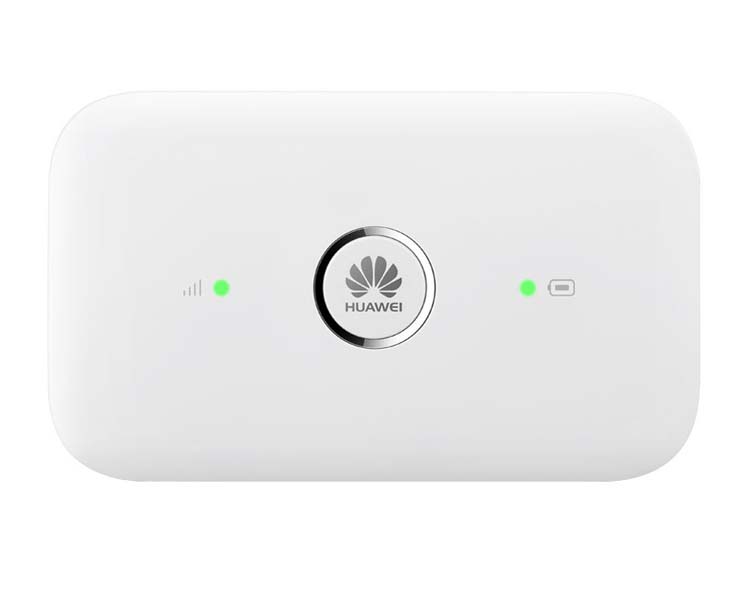
 

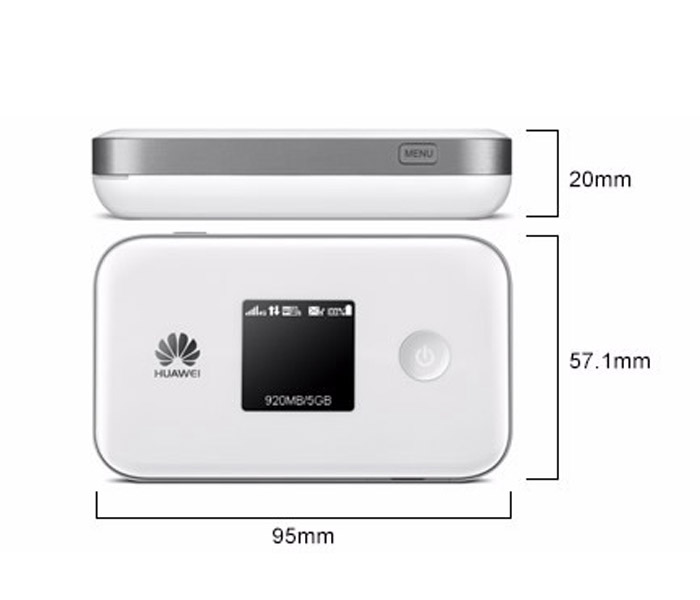
Like other Huawei E5 mobile WiFi, Huawei E5573 is now available for many network providers worldwide, such as Plus+, Orange, EE, 3, Chine Unicom etc…From the appearance, we can see the power button is on the middle of the front. The Huawei logo is printed on the power button. At the left side the button, it’s the signal strength indicator. On the right side, it’s the battery indicator. User can see the signal and power status from the indicators’ colors.


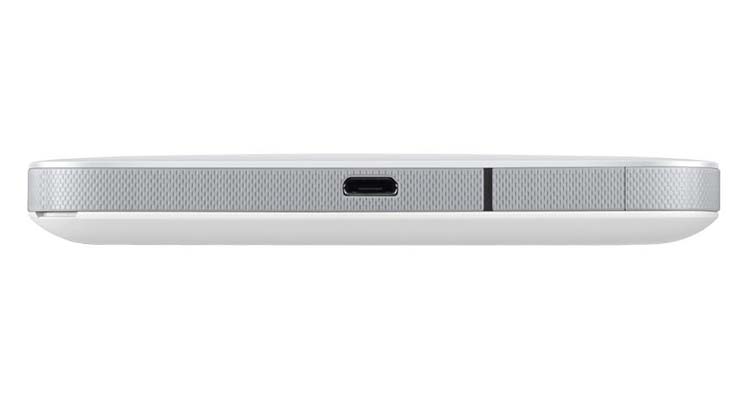
There is a cap beside the USB port. It’s for external antenna. If user uses the E5573 at the location with weak signal, the external antenna may help to get stable and better internet connection. The antenna connector is TS-9, if you want to buy the external antenna for Huawei E5573, you can click here: http://www.4gltemall.com/4g-antenna-two-ts-9-connector.html . The design of Huawei E5573 is very simple and this will help users to operate the device easily.  


Huawei E5573 is a LTE Category 4 Mobile hotspot. Just like its brother models, Huawei E5573 could also support the peak download speed to 150Mbps and upload speed to 50mbps. The most common version could support 4G FDD LTE 800/900/1800/2100/2600MHz, this make this hotspot could work with most of the network providers. Huawei E5573 also work well with DC-HSPA+/UMTS networks when 4G LTE network is not available. The 3G network connection speed could reach 42Mbps. The device is equipped with Wi-Fi module, which operates at a frequency of 2.4 GHz, as well as 5 GHz. As a mobile hotspot, E5573 could share the networks for up to 10 wireless devices.  


Huawei E5573 is equipped with a MicroSD card slot, which allows users to insert extended SD card to 32GB. So users could share the files in the SD with the connected devices. The battery of Huawei E5573 is only 1500mAh, which could keep working for around 6 hours while the standby time up to 300 hours.


Management of the router is extremely simple and intuitive and can be done directly from a web browser or through an application of Huawei Mobile Wi-Fi to your smartphone (downloadable application from Google Play, Apple Store). Currently, we can’t not see the real improvements and difference from its predecessors E5776 and E5372; however, we will take some test in future to find what’s new in the new mobile hotspot.   If you are interested in this new hotspot, welcome to check more details on www.4gltemall.com .

Wednesday, July 22, 2015

Huawei Honor 7 4G Smartphone Available

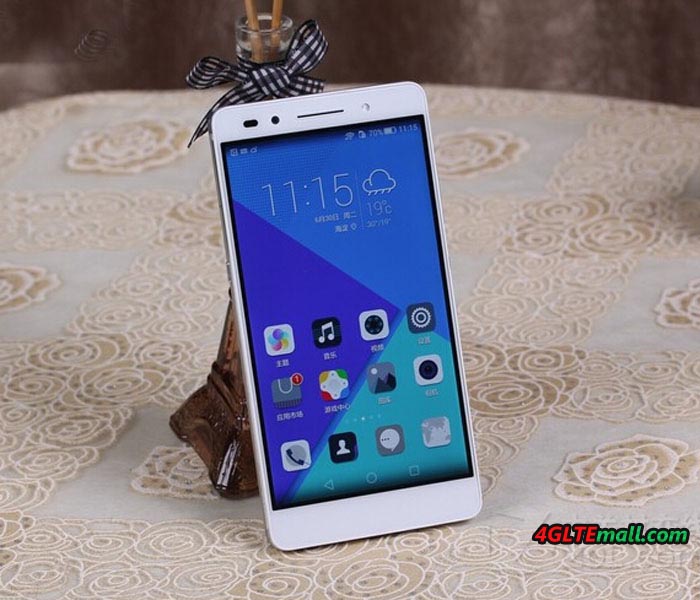
It’s only half a year since the Huawei Honor 6 Plus was released. Now Huawei promotes the new flagship smartphone Huawei Honor 7. As a new member for Huawei honor series, Huawei honor 7 comes out with many new improved features and functions. Today we will have a look at what’s new brought from honor 7.


Huawei Honor 7 has a 5.2 inch 1080P screen, based the latest Hisilicon Kirin  935 Octa-core chipset. The RAM is 3GB and ROM 64GB, which is enough for common use. The front camera is 8 mega pixels while the main camera is 20 mega pixels. And with the camera, there is flash. The battery for the Huawei Honor 7 is un-removable. The capacity of 3100mAh could last for around 10 working time.


Honor 7 could be inserted two SIM cards simultaneously. The operation system is Android 5.1 and Emition UI 3.1. It comes with three colors: Gold, Silver and Grey. As we know, to meet the requirements from the network providers in China, there are four versions available in the market. Below are the models for Chinese operators:  

PLK-AL10, Dual SIM, Dual 4G, Support TD-LTE/FDD/TD-SCDMA/WCDMA/CDMA/GSM

Note: it’s an open version for all three network providers’ 4G/3G/2G networks


PLK-UL00, Dual SIM, Dual 4G, Support TD-LTE/FDD/TD-SCDMA/WCDMA/GSM


Note: it’s an open version for China Mobile and China Unicom’s 4G/3G/2G networks  


PLK-CL00, Dual SIM, Support TD-LTE/FDD/ CDMA/WCDMA/CDMA/GSM


Note: it’s an open version for China Telecom’s 4G/3G/2G networks. It can also work with China Mobile and China Unicom’s 2G GSM networks.  


PLK-TL01H, Dual SIM, Dual 4G, Support TD-LTE/FDD/TD-SCDMA/WCDMA/ GSM


Note: it’s an open version for China Mobile’s 4G/3G/2G networks. It can also work with China Unicom’s 3G/2G network.


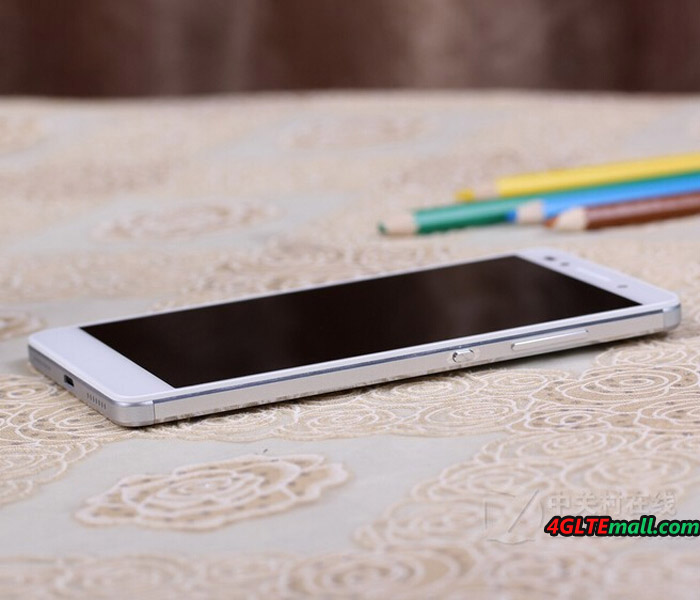
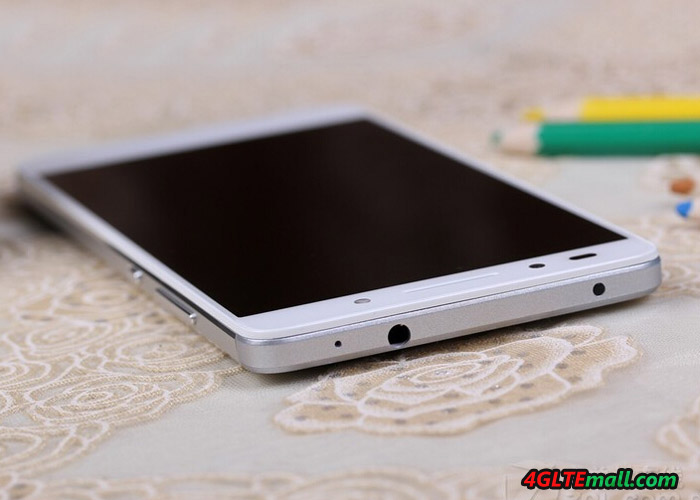
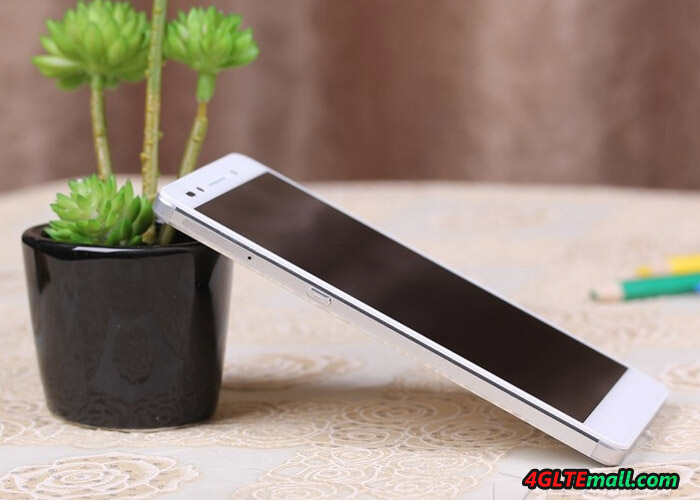
We can see the best model above is PLK-AL10. It could support almost all the networks in China.   The design of Huawei Honor 7 combines the front of Honor 6 and Mate 7. The two phones are the best sellers of Huawei smartphones. The Honor 7 has the feature of fingerprint identification, but whether the Huawei funs will like this? We will see the answer soon.


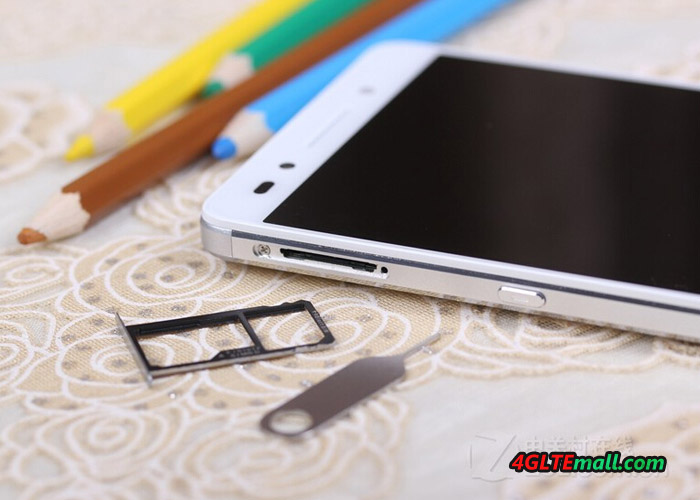
Unlike Honor 6, the SIM card slot is located at left side. The volume and power button is still at the right side. And the SIM slot is different. The SIM card slot gives user option to choose between NANO sim or NANO Sim/Micro SD card.


Huawei Honor 7 is now available on www.4gltemall.com , if you like it, welcome to choose one for you. We will take some test later, the test report will be presented for customers’ reference.  

Sunday, July 19, 2015

Huawei E5377T 4G Mobile Hotspot Test

It has been a short time since Huawei E5377 4G Mobile router is available on the market. Now there is a new mobile LTE hotspot Huawei E5377T available which combines a very good quality with a strong battery. Up to 12 hours working time is possible with the E5377T MiFi router. The Huawei E5377T is very technically similar with its sister model Huawei E5377, which also has LTE with up to 150 Mbit/s download speed, Wi-Fi 2.4 GHz and 5 GHz as well as a wireless extender function. The main difference is the design and battery. Today we will take some test for this new pocket router.


Huawei E5377T Technical Specifications


Before the test, it’s necessary to review the technical specifications of the Huawei E5377T. The support bands should be only for the version E5377Ts-32. Huawei sold the device even with slightly modified number in other markets, then the support bands may vary.


Features Data
Manufacturer & Model: Huawei E5377T (E5377Ts-32)
Technologies: LTE (4G), UMTS (3G) GSM (2G)
Frequencies: LTE: 800/850/900/1800/2100/2600 MHzUMTS: 850/900/1900/2100 MHzGSM: 850/900/1800/1900MHz
Maximum speed: LTE: 150 Mbit/s downlink, 50Mbit/s uplink UMTS: 42.2 Mbit/s downlink, 5.76 Mbit/s uplink (when using DC-HSPA+) GSM: 384 kbit/s (when using EDGE )
WIFI 802.11b/g/n to 300 Mbit/s, 2 × 2 MIMO, both the 2.4 GHz and 5 GHz, repeater mode
Software: Firmware Version: 21.298.01.00.377
Other: MicroSD slot up to 32 GBAntenna: 2x External antenna connector type CRC-9Display 128 × 128 pixelsRemovable Battery 3560 mAh


Appearance


The Huawei E5377T is packed in a cardboard box, where the most important technical data are shown. Next to the device itself, there is a plug adapter with USB port and a short USB to Micro-USB cable to charge the mobile WLAN hotspot. At first glance, the Huawei E5377T is packaged in white high-gloss plastic and is surrounded by a silver trim ring. On the front you will find a monochrome display and the power button. On the upper side, there is a menu button on the lower side and the Micro-USB port for charging. In addition to the micro-USB port, there are also two CRC-9 connectors for an external antenna. The compact dimensions and the comparatively strong battery of 3,560 mAh make Huawei E5377T look quite thick, the weight is higher than many other mobile LTE hotspots.  


Software: web interface and app


The establishment of Huawei E5377T is quite simple: first you open the battery compartment and inserts the SIM card. It will also work with nano(with card adpater) and micro-SIM card, here one should be a bit careful, so as not to damage the contacts. After the battery is inserted and start the router via the power button. Since the wireless connection is secured, you have to enter a password: this is with the wireless network name in the battery cover or the display of the device. Now you only have to enter the PIN code, then the internet is already connected to the Internet.


There are two methods to enter the PIN code and do the general operation and configuration of Huawei E5377T. First, of course, the web interface, which is accessible from any browser at the IP address 192.168.8.1. Secondly, it’s possible to control over the Huawei HiLink app from smartphones and tablets. The app can be download either in the App Store search, or you can directly scan a QR code that is shown on the device. The configuration is done completely automatically. Nevertheless, the web interface or the app for many users will be important, for example, to change the wireless network name and password, or to view the usage statistics. Also the optional MicroSD memory card can be accessed through the web interface and app.


Fast Internet with LTE Cat4


The modem of Huawei E5377T is Huawei HiSilicon. The maximum speed is 150 Mbit/s for the downlink and 50 Mbit/s for the uplink, this must be posted in the LTE network and the network operators support these speeds. LTE Cat6 with Carrier Aggregation is unfortunately not supported, if you prefer LTE cat6 for even faster speeds, you have to turn to Huawei E5786. Of course the Huawei E5377T is also backward compatible with GSM and UMTS. In 3G network via DC-HSPA+, download speeds of up to 42.2 megabits per second in the downlink are possible and HSUPA up to 5.76 Mbit/s can be achieved. User can setup the preferred network in the web interface and app. Sometimes, the network signal is weak, you can also connect an external antenna. These are two CRC-9 ports. With external antenna, the device can get stable and better network.


WLAN and battery


Maximum 10 devices can be connected wirelessly via WLAN from the Huawei E5377T simultaneously. Another one unit can use the Internet connection via USB cable. It’s sparked either the 2.4 GHz band or 5 GHz band. Although the latter has a shorter range and is not supported by all devices, but it offers a much freer connecting, making it at trade fairs or big events easily available. The wireless band can be adjusted directly on the device via the small screen by the menu and power button, a simultaneous operation of both frequency bands is not possible. The maximum speed via WLAN is 300 Mbit/s. Unfortunately, the latest WLAN ac standard is not supported. The Huawei E5377T has another special feature: the Wireless Extender. The Wireless Extender mode is directly switched on the device via the small screen by the menu and power button, however, the configuration is done via the software.  


The battery has a capacity of 3,560 mAh and can be easily replaceable by the user. Under the battery there is the slot for the SIM card (standard size 2FF) and the MicroSD memory card. In addition, user can find the information about the access for wireless and web interface and device-specific information such as the IMEI number. The battery provides the manufacturer for a period of about 12 hours.


Conclusion


The Huawei E5377T is a good mobile LTE router. Despite heavy battery, the model is quite compact and can be taken easily in pocket. The functionality is with Dual Band WLAN, LTE Cat4 and connections for an external antenna and worked well in the test as you would expect. All you get with the Huawei E5377T is a very well-equipped mobile LTE router, which you can recommend without restrictions.  

Tuesday, July 14, 2015

Huawei Mobile WiFi Pro E5770 Review

When we got the Huawei E5730s mobile WLAN router last year, some customers ask when we can get the 4G device like Huawei E5730s. Now we get the new one with Ethernet port, the model number is Huawei E5770. Huawei named it “Mobile WiFi Pro”. If you know Huawei E5730s, you may know the similar functions of Huawei E5770.


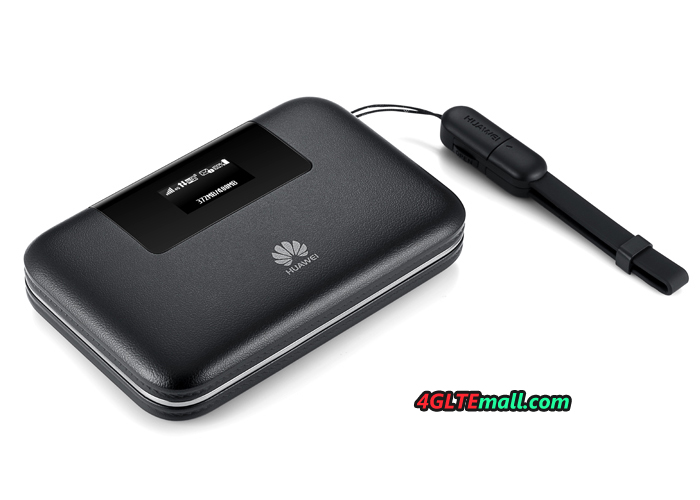
Huawei Mobile WiFi Pro is the upgraded model from Huawei E5730S. It supports 4G networks while E5730 only supports 3G networks. The design of Huawei E5770 looks cool. The wallet design of the Mobile WiFi Pro is fashioned with a leather texture and ornamental plating mid-frame. The E5770 is compact enough to fit in pocket, and it's also been fitted with an array of built-in innovations.


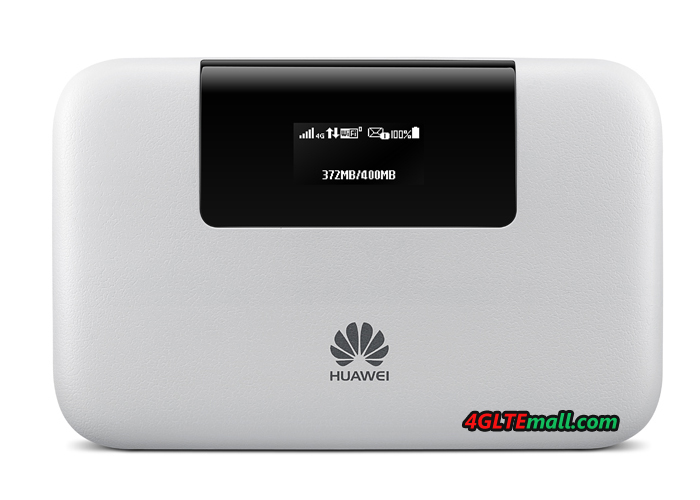
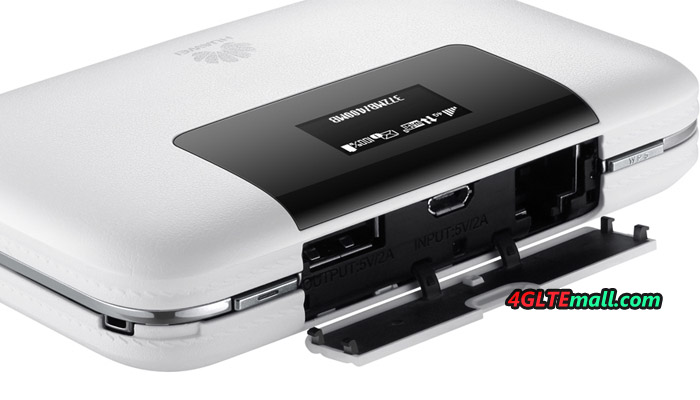
Like other Huawei 4G mobile WiFi, there is a 0.96 OLED screen on the top front, which can show the network mode, network strength, SMS, battery status and consumed data. Beside the screen, the Huawei logo is printed. On the top side, there is a cover beside the screen. Open the cover, we can see the USB input and output port. And there is an Ethernet port. The USB input is to charge the Mobile WiFi Pro. And the USB output is to charge other electronics.  


Huawei E5770 is designed with protected and hidden ports, and is also built with Ethernet/3G dual link and the flexibility to support WAN/LAN auto redirect – all so you can stay connected without any problems while you travel. The Ethernet port is the key feature of Huawei Mobile WiFi Pro. Through the Ethernet port, Huawei E5770 can finish three functions:

  1. Transfer the internet connection to WiFi
  2. Transfer 4G connection from SIM to WiFi
  3. Transfer 4G connection from SIM to Ethernet connection


What’s more, Huawei E5770 could support peak download speed to 150mbps on 4G LTE networks. The upload speed could also reach 50Mbps. To have better internet connection speed, Huawei E5770 mobile WiFi Pro should soon replace Huawei E5730s. It would be a perfect partner for international travel on 4G.  


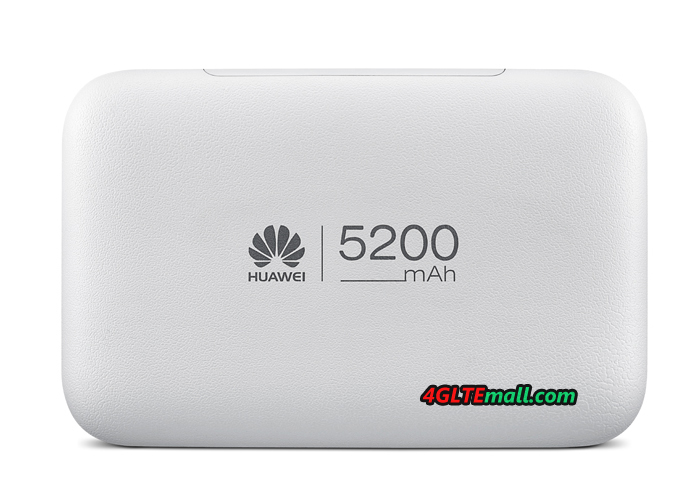
Another key feature of Huawei mobile WiFi Pro is the battery. The battery has capacity of 5200mAh, which is much larger than usual smartphones. So the Huawei E5770 can be seen as a mobile power bank for other mobile terminals such as mobile phones, tablets or iPods. It can work effortlessly up to 20 hours straight and stand by for over 500 hours.


Like other Huawei E5 Mobile hotspot, Huawei E5770 could support up to 10 wireless devices to access internet. User can insert a micro SD card to 32GB. Mobile WiFi Pro's big storage means it's now easier than ever to share files between your devices. It helps you quickly and easily "share" photos, apps with your friends through the same mobile Wi-Fi.  


To sum up, Huawei E5770 combines 3 main functions (Mobile hotspot, power bank, Ethernt router) to one. It’s a special and very practical mobile pocket router. If you usually need wireless network outdoor, Huawei Mobile WiFi Pro E5770 would be a perfect partner. Huawei E5770 is not available on www.4gltemall.com .    
Tuesday, June 9, 2015

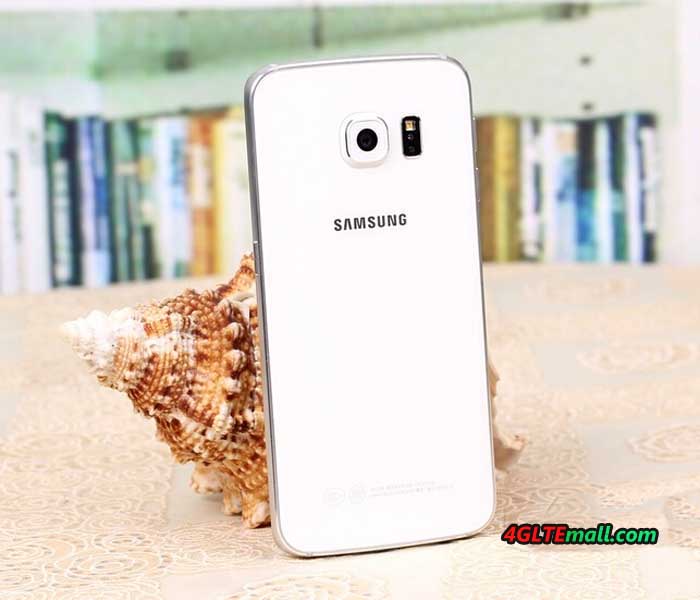
Samsung Galaxy S6 Edge Smartphone Review

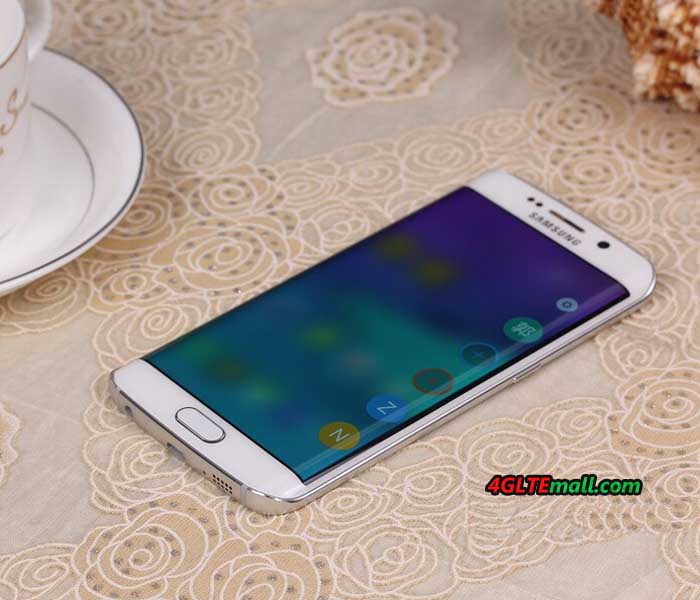
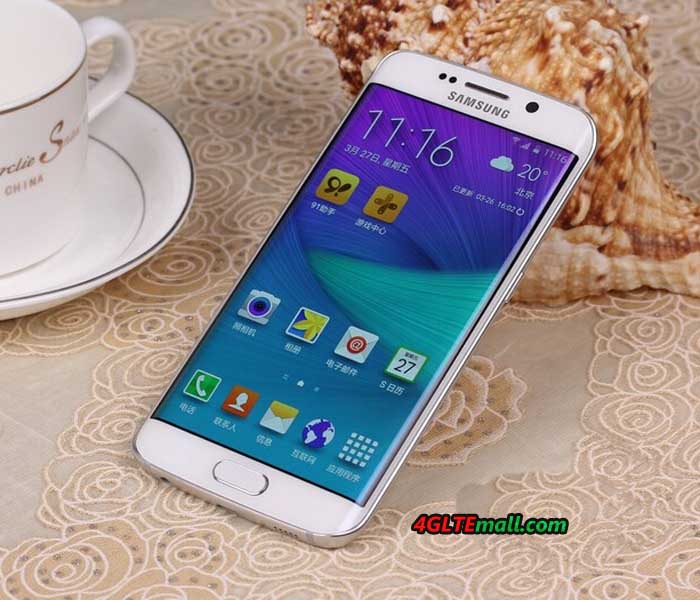
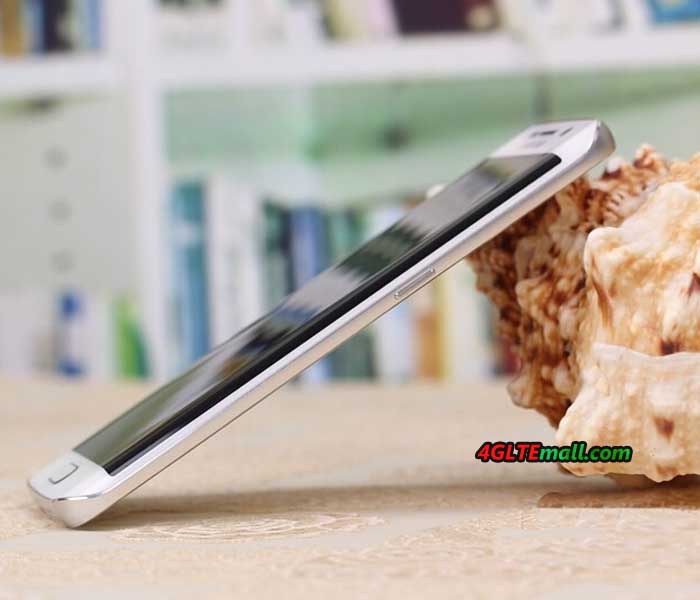
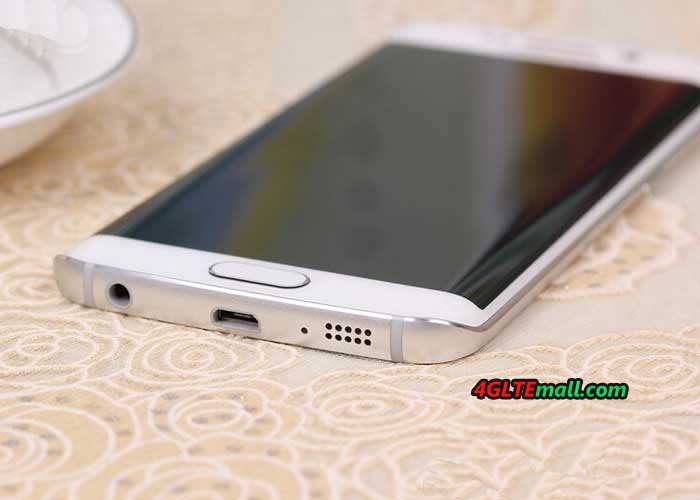
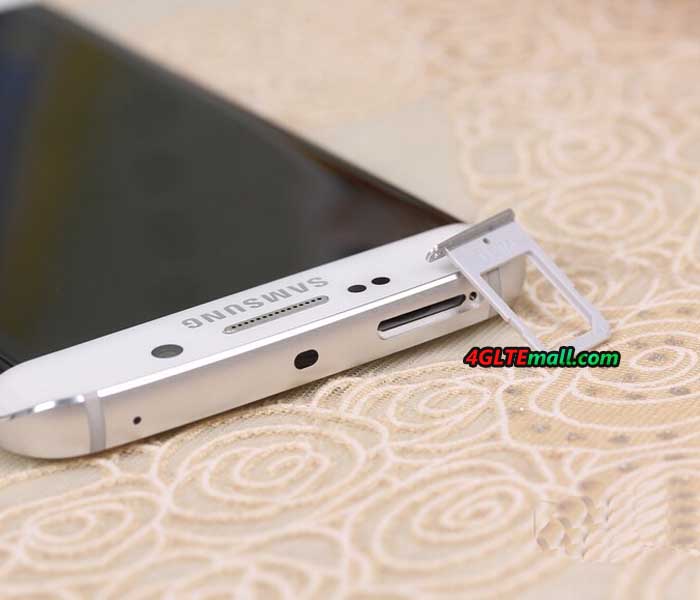
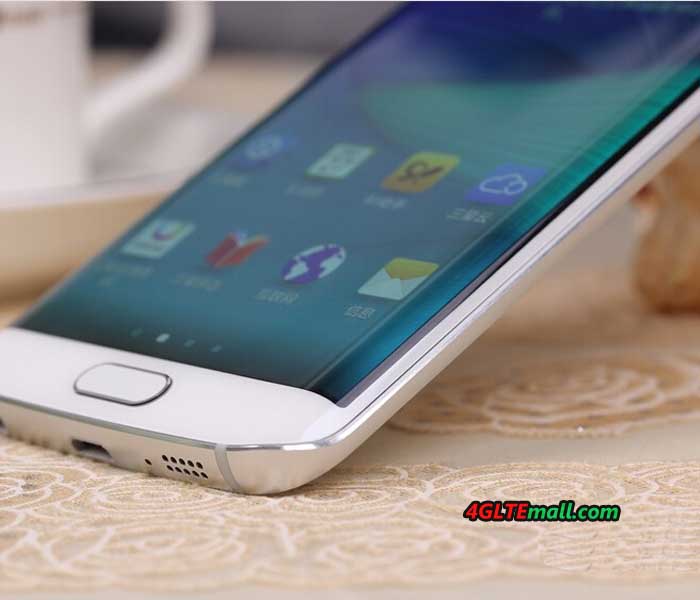
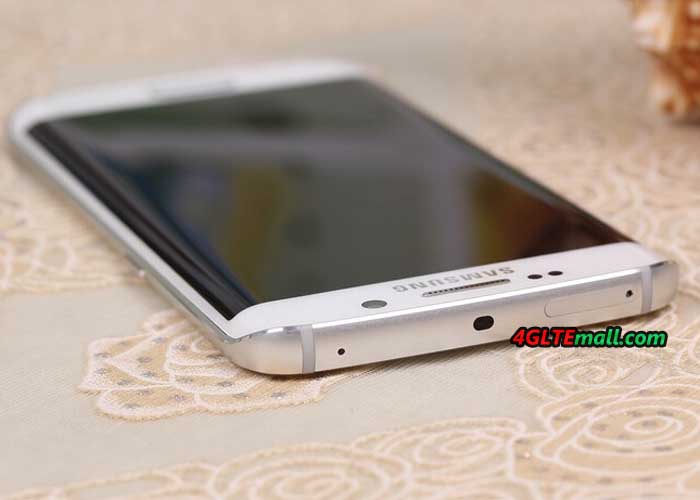
The Samsung Galaxy S6 Edge is unique: it’s the first smartphone on the market to have both sides curved display. In addition, it’s a very good technical equipment, which is second to none. Camera, processor design and feel - in almost all important features, the new Samsung smartphone presents the top craftsmanship. Of course there may also be a recent LTE Cat6 modem (up to 300 Mbit/s). We have the Samsung Galaxy S6 Edge last week to test in detail and would like to report in this review about my experience with the device. The Samsung Galaxy S6 Edge comes in a rather unspectacular package with the standard smartphone accessories included. In the accessories, only the power supply is worth: this can load not only with 5V/2A, but also supports a rapid charger function with 9.6V/1.67A. This unit is actually charged beautiful afloat and the remaining charging time is indicated in the status bar. If you had used the previous models of Samsung smartphones, you may know the body of Samsung Galaxy S5 was made of much plastic material; the Samsung Galaxy S6 Edge is now glass and metal. The Galaxy S6 edge is extremely in high quality, it feels great at the sides curved. Unfortunately, the new design of the Galaxy S6 Edge also has two disadvantages: user cannot replace the battery, as it was still possible in previous generations and also the memory expansion via memory card is no longer possible. Since the permanently installed battery is now widely used and becomes the main stream, the lack of microSD bay is still very annoying, especially since Samsung has integrated the Galaxy cheaper models with metal housing such a manhole. Bent AMOLED display The highlight of the Samsung Galaxy S6 Edge is the display. It is slightly curved towards either side and looks very futuristic. The resolution is 2560 x 1440 pixels (QHD), in all the major disciplines such as sharpness, brightness and color fidelity, the display is the best thing I've ever seen in a smartphone. However, the interesting questions are whether it’s necessary to the curved display? What are the benefits and features? After two weeks of intensive use I can say that the display has fascinated me every day. It is not the function. There are much more the feel and appearance that make up the curved display: the missing edge is an excellent sensation during use and it looks really great. Particularly in the presentation of images, it is an interesting, new experience. Whether the curved display is well worth the price charge, you have to decide for yourself, personally, I would pay it well! Excellent camera In this review, I will not imagine every single feature of the Samsung Galaxy S6 edge, but the camera deserves a separate chapter, because it is definitely one of the best smartphone cameras, which you can get at present. In my Galaxy S6 Edge, a 16 megapixel sensor from Sony IMX240 was installed, and it also provides Samsung Isocell sensors in Galaxy S6. Overall, the camera takes very nice photos. In daylight you can achieve great defocus effects at dusk and nightfall depending on the subject and situation. The tripping time is top and to start the camera, a twofold pressure on the home button reaches. Of course, 4K videos recordings are possible in Galaxy S6 Edge. It’s not a problem. Technology and software on the Samsung Galaxy S6 Edge runs Android version 5.0 Lollipop, an update to Android 5.1 is coming shortly . Overall, the operating system looks much tidier than previous Samsung devices with TouchWiz interface, but most of the well-known and appreciated features have been retained. By the Exynos 7420 Octa-Core processor, the operating system is very fast, the energy consumption nevertheless remains limited: the 2,600 mAh strong battery lasts even with intensive use for a whole day. The internal memory of the Samsung Galaxy S6 edge is either 32GB, 64GB or 128GB in size, with each memory level extra money to be paid. But an extension of the internal memory is unfortunately not possible, as already mentioned earlier in the test. The fingerprint reader is integrated as standard in every Galaxy S6 and usually provides a very fast and reliable way to unlock your device. If you work a lot in the garden or on the construction, you’d better not use the sensor: very light soiling, damage or moist areas on the skin may cause that the fingerprint is no longer detected. Fast LTE Cat6 The modem of the Samsung Galaxy S6 Edge could support EDGE and UMTS with the data accelerator DC-HSPA+ (up to 42.2 Mbit/s in the downlink), of course LTE network is also supported. As LTE category 6 is supported, up to 300 MBit/s can be achieved in the downlink via carrier aggregation. In practice test the Samsung Galaxy S6 Edge impressed with a very good reception on LTE 800 MHz and a really good wireless reception. The speed in the LTE network achieved up to 220 Mbit/s in the downlink and 46 Mbit /s in the uplink; however, the speeds often fluctuate between 50 and 120 MBit/s. On WLAN, the speed reached up to 866 MBit/s based on AC standard. Conclusion: The Samsung Galaxy S6 Edge is a true flagship. I could write a lot more about the device, but I think with this review, I have summarized the most important experience for Galaxy S6 edge. When did you get the phone, you will see what’s really amazing!  

Tuesday, June 2, 2015

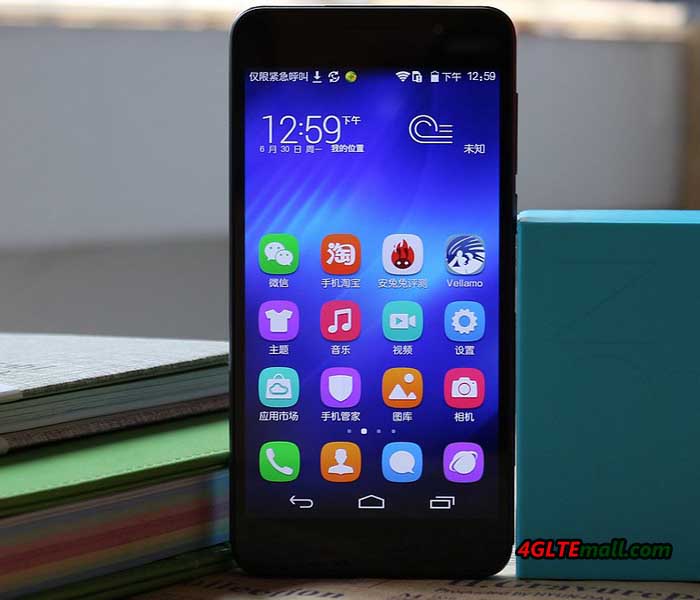
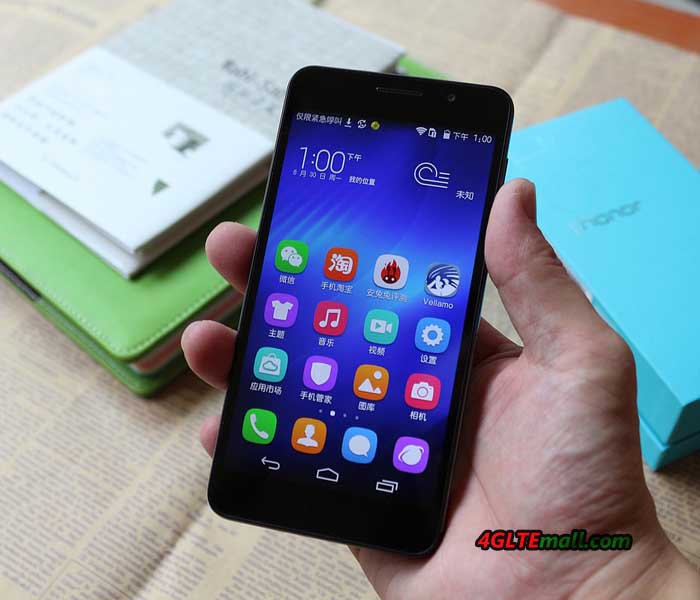
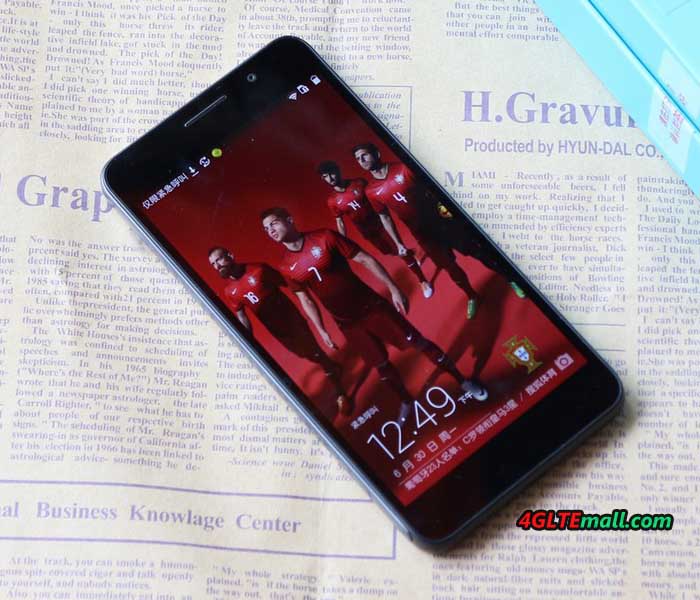
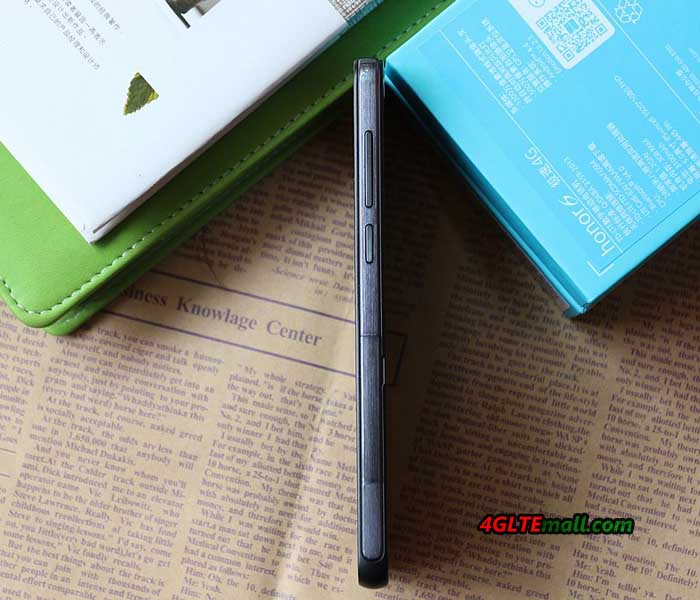
Huawei Honor 6 4G Smartphone

Huawei has its smartphone series "Honor" exported from China to Europe for years. Honor smartphones have upgraded from honor 3 to Honor 3C. Now we get Honor 3C 4G version and the latest Honor 6 smartphone. You can check some technical details about Huawei Honor 6. This reflects the general selling point for Honor 6 smartphone by Chinese manufacturers: The Honor 6 provides just about everything you can expect from a top-device, at a surprisingly low price. The amazing feature is that LTE standard CAT6 the smartphone is also equipped.


Features and characteristics of Huawei Honor 6

Manufacturer and Model   Huawei Honor 6
Important performance data:
CPU (cores, clock)   Octa-core (8 cores) with 1.3 & 1.7 GHz
CPU name   HiSilicon Kirin 920 / ARM Cortex A7 & A15
Main memory   3 GB
internal memory   16 GB (via microSD card expandable)
Operating system   Android 4.4.2 KitKat with EmotionUI 2.3
Display size; Resolution   5-inch IPS display with 1,080 x 1,920 pixels (445 ppi)
Camera (back and front)   13 MP rear / 5 MP front
Data transmission:
LTE standards   LTE 800 / 1800 / 2100 / 2600 MHz
Support of LTE-Advanced   yes
Support LTE  categories   CAT6
Dominated VoLTE   yes
Wireless   Yes, 802.11a/b/g/n at 2.4 and 5 GHz
Bluetooth   Yes, Version 4.0
Other standards   GPRS; EDGE, UMTS; HSPA; HSPA +
Other data:
Features   no NFC; FM radio
Memory Card | SIM format   microSD | microSIM
Accumulator   3,100 mAh
Weight; Dimensions (HxWxD)   132 grams; 68.8 x 139.8 x 7.5 mm


Technical Features  


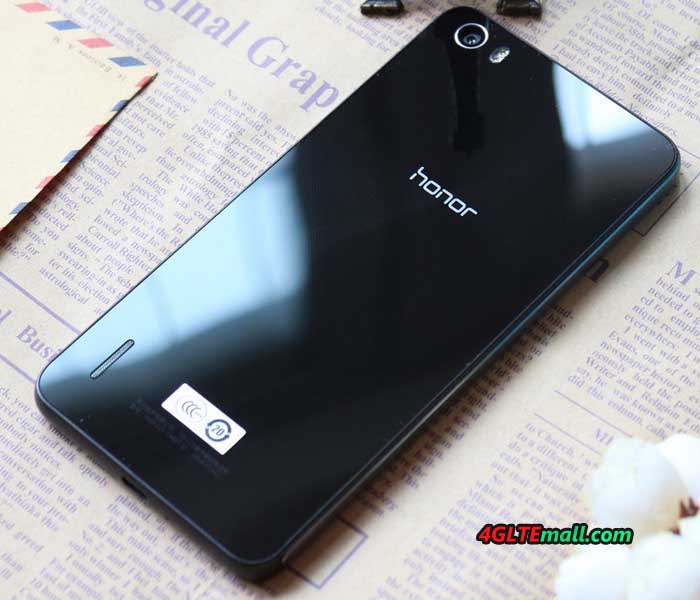
The Huawei Honor 6 is equipped with a 5-inch IPS display that achieves a very high pixel density of 445 ppi according to the manufacturer, and its full HD resolution is 1,080 x 1,920 pixels. Till now, only Google Nexus 5 offers such pixels per inch. The Honor 6 is in an attractive design with a back made of glass, while the windscreen with Gorilla Glass is protected from scratches.


The network link speed of honor 6 is amazing with the latest technology. Huawei Honor 6 comes with the latest processor HiSilicon Kirin 920, an octa-core chip, which consists of a Cortex A7 1.3GHz and a Cortex A15 1.7GHz. Some benchmarks of this combination have already beaten Samsung Galaxy S5.


The memory of Honor 6 is dimensioned generous with 3 gigabytes. Unfortunately, only the model with 16 GB of internal storage will be available now. After all, you can increase this by micro SD card to store photos, music or apps.   With the support for LTE category 6 (LTE-Advanced), download speeds are theoretically up to 300 MBit/s. Bluetooth 4.0 is of course also on board as WLAN, but not the fastest way wireless ac. NFC is not supported in the new Huawei honor 6. While the model has a version with dual SIM slot in China, the most common version is with a single-SIM.


Good Camera and Strong Battery  


The main camera is equipped with 13 megapixels and an f/2.0 aperture up-to-date; moreover, honor 6 has provided a 5-megapixel front camera for video telephone and Selfies. The battery of 3100mAh is generous. So it can standby for around two days. The Honor 6 is supplied at the beginning with Android 4.4.2 KitKat. Based on the Google operating system, Huawei creates its own user interface EmotionUI 2.3.   Huawei Honor 6 is now available on www.4gltemall.com without contract. It is available in black and white. You can choose the FDD version or TDD& FDD version.  


Conclusion  


The Huawei Honor 6 is great compared to the some top brands 5-inch smartphones: Both pixel density as well as memory, battery and LTE standard are top, especially the price is budget and great for most users. If you want to pay less money with top specifications, Huawei Honor 6 will be the first option.  

Thursday, May 28, 2015

Huawei CarFi E8377 Hotspot Test

A Wi-Fi hotspot in the car - this feature is so far available only for a few cars of the upper middle class and upper class. Huawei changed the cigarette lighter connector for new Carfì hotspot for 12V. Users can reach up to 150 MBit/s via LTE through the Huawei Carfì Hotspot, of course, the CarFi can also a fallback to 3G and 2G. But the Carfì wireless router is really as good as the expensive installation solutions from car producer? In this test, we find out the answer.


Appearance and Technology

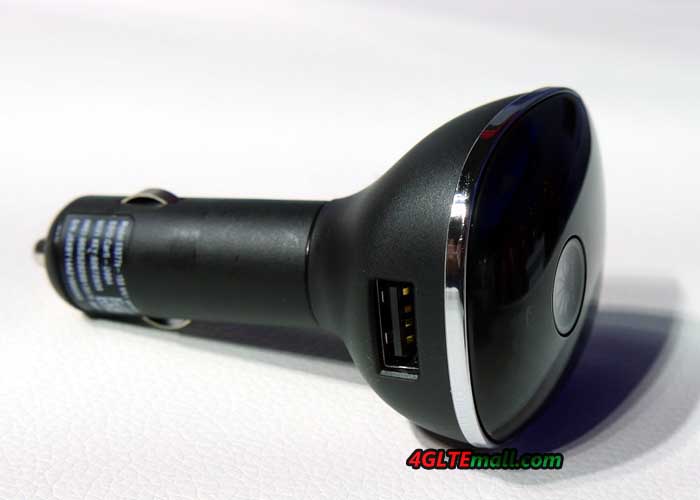
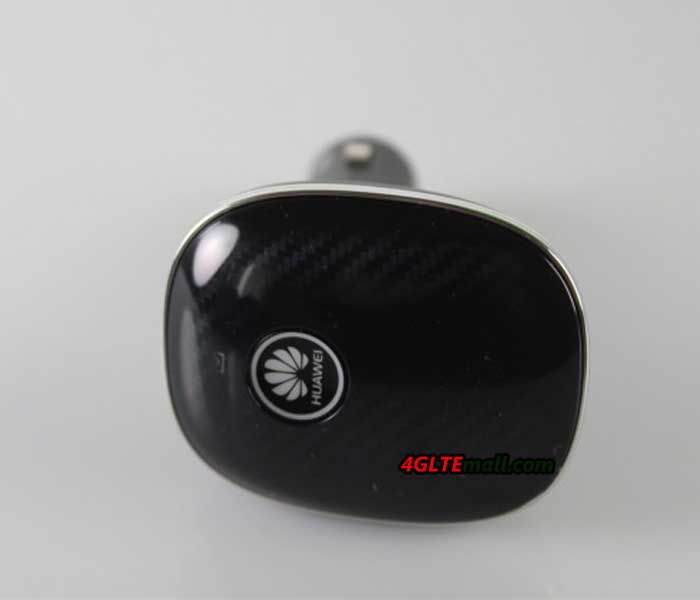
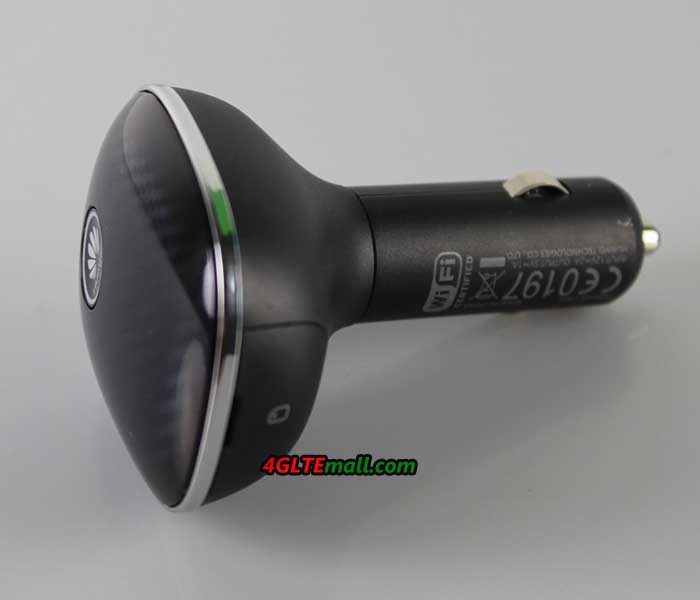
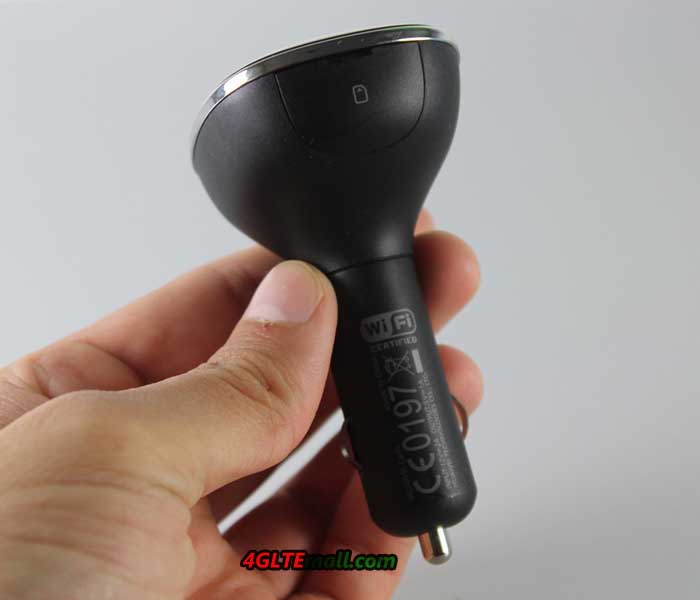
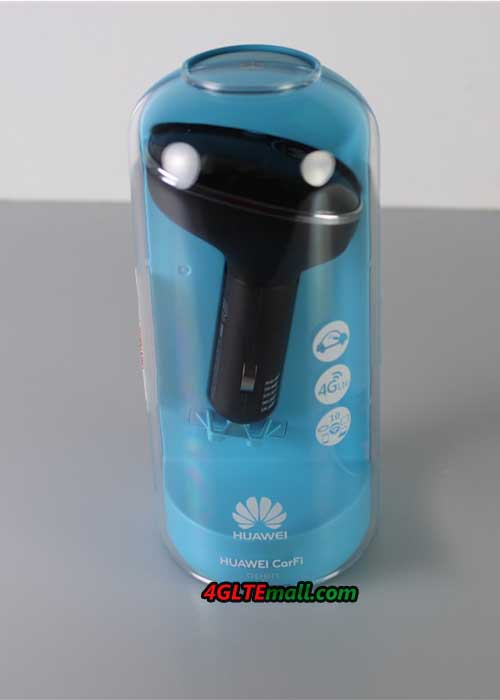
Huawei Carfì Hotspot is conducted under the Model Number Huawei E8377 and comes in a nice package for buyers. The scope of supply is tight, next to the hotspot itself there is  a Quick Start Guide, a brochure with safety instructions and an indication of the Huawei HiLink app included. The Huawei Carfì Hotspot is kept in a matt black plastic and the front is equipped with a carbon look, which is likely to look smart in almost any car. On the front there is also the power button, which simultaneously serves as an indicator of the reception strength by the underlying LED. A yellow LED indicates poor UMTS / LTE receiver while a green LED indicates good reception.


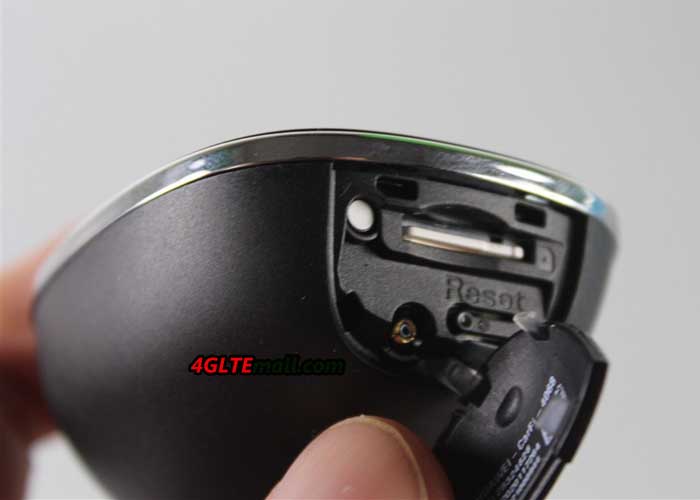
Of course, you need a SIM card with the appropriate data plan for the operation of Huawei Carfì. The card must be in micro-SIM format and is inserted under the side cover in the Carfì hotspot. Under the cover you will find also a reset button and a connector for an external antenna. There is a integrated rechargeable battery; so user can operate Huawei router Carfì in the car and can take the CarFi in a meeting or outdoors.


The maximum speed in the LTE network is 150 Mbit/s over LTE Cat4. According to Huawei, the Huawei CarFi supports frequency bands by 800/900/1800/2100/2600 MHz. If no LTE times are available,  you can also use 3G (up to 42.2 Mbit/s) and 2G. In the test of the handover between the different network technologies, Huawei CarFi can work smoothly while driving. The reception is in both LTE and UMTS, but no better than most smartphones. Those who expect a good reception will be disappointed by Huawei Carfì or possibly should directly connect an external antenna. If you want the antenna for Huawei CarFi, click here: http://www.4gltemall.com/external-antenna-for-huawei-4g-lte-usb-modem.html 


The wireless module operates on the 802.11 b/g/n, ie on the frequency band around 2.4 GHz. The area around 5 GHz is not supported. The signal is strong enough to cover larger cars.  


Control via App


Once you have the Huawei Carfì Hotspot connect it to a cigarette lighter connector, it must be turned on manually before use each time. Before first use you should write down or take a picture of the WLAN key, because as soon as the device is plugged in, it’s different for to read the key. Also, one should previously load the Huawei HiLink app to Android or iOS device, because that is for the establishment and the operation.


Connection parameters like APN or access numbers can’t not be stored. The Huawei Carfì can automatically recognized the SIM card from Vodafone and Orange in the test and the data stored accordingly. Only the PIN code must be entered, if enabled. The Huawei HiLink app allows various settings, for example, you can configure the name and password of the WLAN network. A wireless guest network with a separate name and password can be set up, ideal for guests in the car or for taxi drivers.


Connection information such as data consumption, connected wireless devices and the online time are displayed graphically in the app. The firmware of Huawei Carfì can easily be updated online. A major disadvantage of Huawei HiLink app: the test with Android smartphones, the program fell on extremely high energy consumption. Here Huawei should urgently provide an update for Remedy. In the test, we can find Huawei Carfì has two major disadvantages: firstly, the device must be turned on every time manually, if you want to use it, a start on some cars are not possible, at least for a VW Golf VI, a Ford Galaxy and a Renault Scenic. Second, only the internal antenna is used in the hot spot, whereas fixed-mounted solutions always use the external antenna, thus naturally have much better reception conditions. Nevertheless, the Huawei Carfì Hotspot is recommended as a retrofit solution definitely, because all the promised features are well met. Of course, you could also have a mobile wireless router with battery, the Carfì Hotspot is significantly more convenient.