Wednesday, April 20, 2016

Samsung Galaxy A3 and A5 (2016) Compared

To meet the demand for the middle class smartphones, Samsung offers a new version of its Galaxy A series a few weeks ago. However, most of users may not know what’s difference between the two Samsung devices, and whether the Galaxy A5 worth for the additional cost, today we will show this comparison.
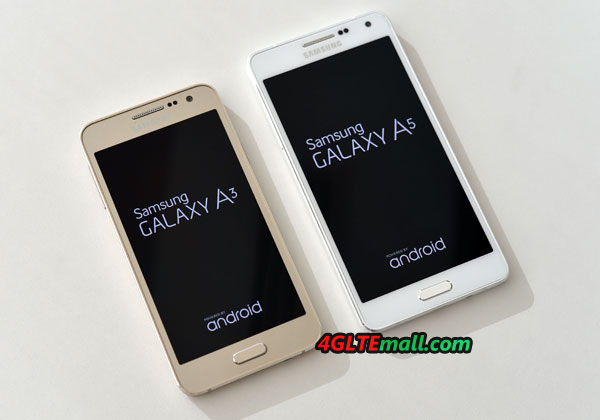
 

Samsung Galaxy A5 VS A3


The Samsung Galaxy A3 2016 and the Samsung Galaxy A5 2016 differs only the size. The design and materials are identical in both devices, the frame is made of metal and the front and rear glass, which is down slightly rounded at the sides. Both units are perfectly finished and make a very high-quality impression. Overall, the Galaxy A3 2016 is due to the smaller size but a bit better in the hand than the Galaxy A5 2016. The smaller unit is also better for single-handed operation.
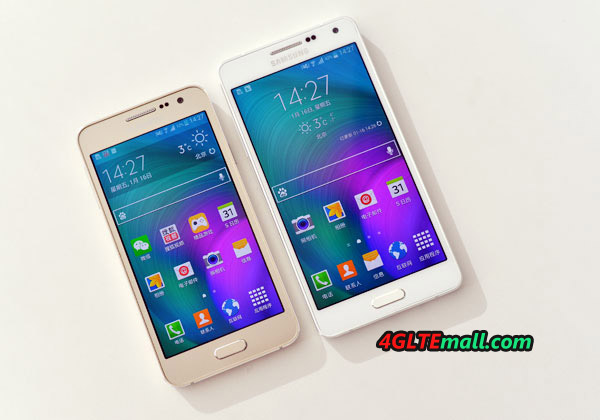
 

Samsung Galaxy A5 VS A3 SIZE


Both smartphones are available in four colors, including black, white, gold and pink. The color is applied to both the back and on the front. Especially with the black version, fingerprints shows very well.

Display and Camera

Both smartphones feature a Super AMOLED display, which is very bright and very angle-stable. The display of the Samsung Galaxy A3 2016 is 4.7 inches and has a resolution of 1280 x 720 pixels, the display of the Samsung Galaxy A5 2016 is 5.2 inches t, and dissolves with 1920 x 1080 pixels. Both displays are good, but that of the Galaxy A5 is in direct comparison better because the higher resolution is quite visible on closer inspection. In daily use, the Galaxy A3 offers sufficiently high resolution for all applications without direct comparison. At the Galaxy A5 2016, there is a practical LED notification above the display, which can display, for example, new SMS or WhatsApp messages. Unfortunately, this LED is missing in the A3 2016.
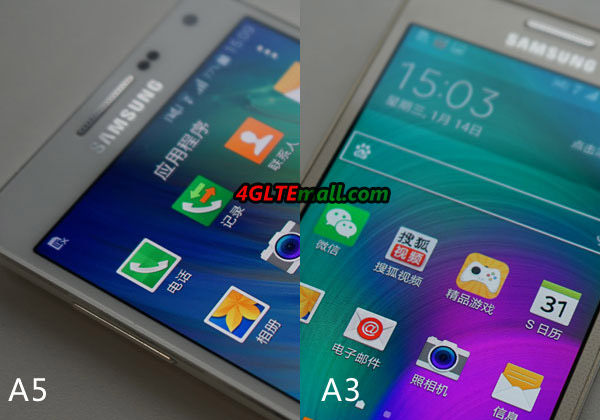
 

samsung galaxy A5 VS A3 UI


The back camera of the A series both devices is 13 megapixels, the quality is really good on both devices. Especially with macro shots surprisingly beautiful pictures are possible. The Galaxy A5 2016 provides a whole but the slightly better camera, as it is with F1.9 aperture light-sensitive than the A3 and also has an optical image stabilizer, which is to prevent blurred images. Videos are possible for both devices with full HD and the front camera for selfies solves both devices made with 5 megapixels.
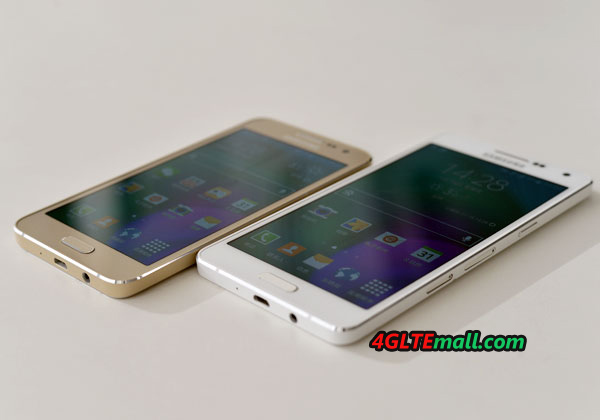
 

Samsung Galaxy A3 VS A5 Screen


Performance and operating system

Both the Samsung Galaxy A3 2016 and the Samsung Galaxy A5 2016 comes with the Android operating system in version 5.1 Lollipop. Whether an update appear on Android 6, is still unclear. The operation is fluid and fast on both devices, a total often but the A5 respond slightly faster to inputs than the A3, possibly due to better hardware. So the Galaxy A5 has built a Octacore processor, while the A3 is delivered only with a quad-core processor. Also, the memory of the A5 is with 2GB slightly larger than the A3, which has only 1.5GB.
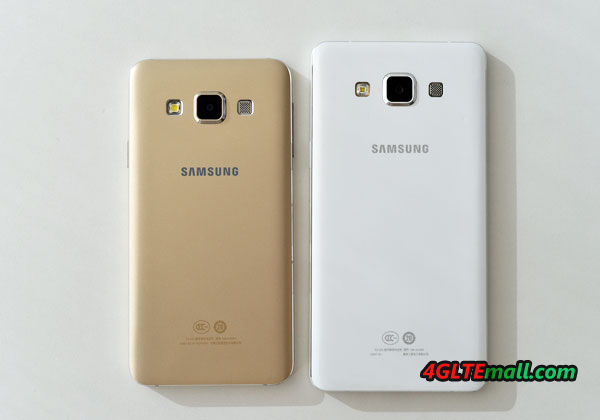
 

Samsung Galaxy A5 VS A3 Camera


The Samsung Galaxy A5 2016 offers excellent radio properties, thanks to LTE Cat6, speeds of up to 300 Mbit/s downstream and up to 50 Mbit/s upload speeds over the wireless network possible. The Galaxy A3 2016 has "only" LTE Cat4 with up to 150 MBit/s. Even with WLAN, the Galaxy A5 has the edge: it supports dual-band WLAN with the latest 802.11ac standard, the A3 contrast, only WLAN 802.11n 2.4 GHz.
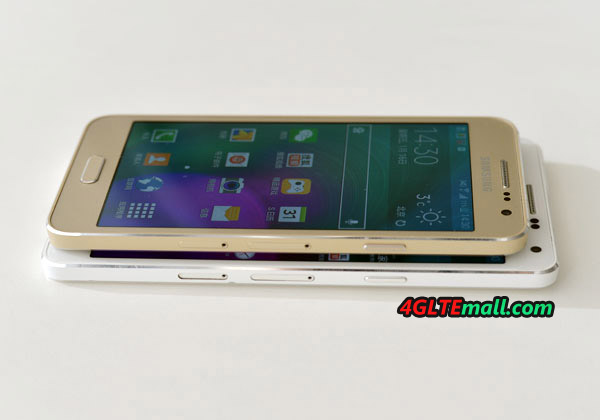
 

Samsung Galaxy A5 VS A3 thickness


Conclusion: Galaxy A3 or A5?

Which of the two Samsung Galaxy A 2016 smartphone should you buy now, the A3 or A5? The A5 is more expensive and provides the better specification in almost every way. The processor is faster, the memory increases, the camera better and Wi-Fi and LTE are significantly more current. The Galaxy A3 is in smaller dimensions and offers an enough specification for common use. If you want a budget smartphone, Galaxy A3 may be a good one, but if you want better experience and can accept high price, Galaxy A5 may be better.

Sunday, April 17, 2016

Huawei Presents P9 Series Smartphone

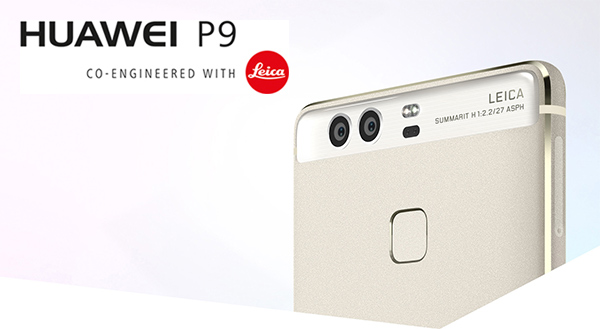
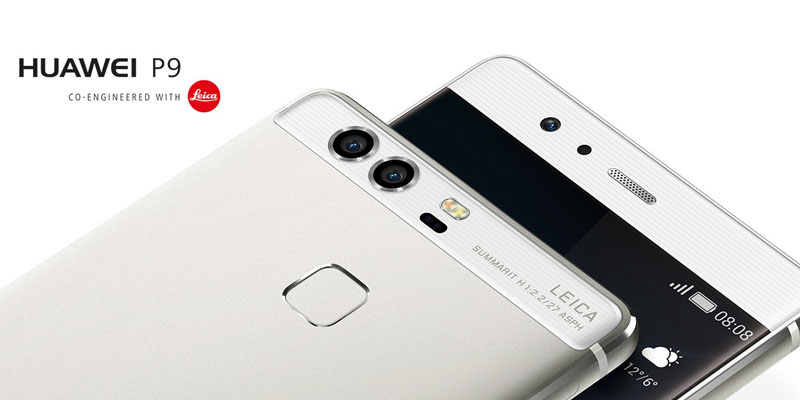
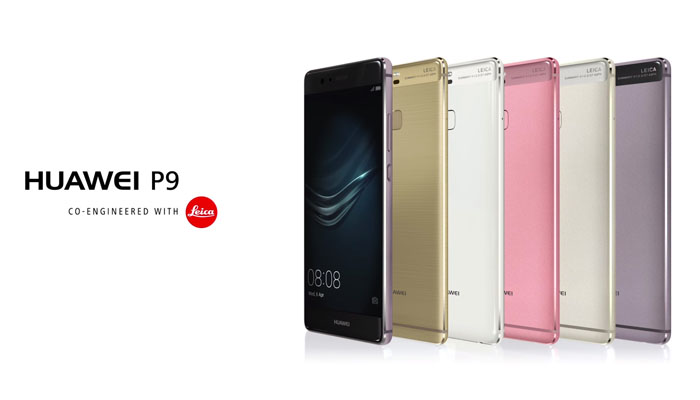
Huawei today unveiled the P9 series at a press event in London. This includes two smartphones Huawei P9 and Huawei P9 Plus. The devices, which can be seen already from the name, are the direct successor of the Huawei P8 series. A highlight of Huawei P9, is the camera; Huawei works with Leica together and relies on a combination of two cameras on the back panel.


huawei-P9


Huawei P9


The Huawei P9 comes with a 5.2 inch full HD display (1920 x 1080 pixels) and has pre-installed operating system Android 6 marshmallow together EMUI interface. The internal memory is 32 gigabytes in size, an expansion via MicroSD card is possible. The RAM is 3GB and the processor is a HiSilicon Kirin 955 octa-core for use (in the Huawei Mate 8 , the predecessor was still Kirin 950 installed). The LTE modem supports 18 different frequency ranges and is therefore also suitable for international use. WLAN is supported on 2.4 Ghz and 5 GHz.


huawei-p9-camera


The Huawei P9 has a metal body which is to be very thin with 6.95 millimeters. The battery is 3,000 mAh strong and not changeable, charging via a USB Type C port. On the back of Huawei P9, you can see the two camera lenses immediately and the Leica logo. The camera has a resolution of 12 megapixels and a f2.2 aperture. Under the camera, the fingerprint sensor is visible. The Huawei P9 comes available in mid-April 2016 on the market, the retail price varies depends on the speciications without contract. The golden color version is initially exclusively at Vodafone available on the open market and for other providers the colors Titanium Grey and Mystic Silver offered.


Huawei-P9-and-P9-Plus


Huawei P9 Plus

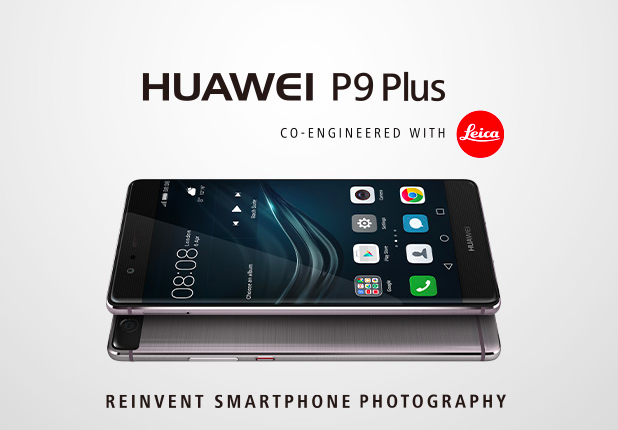
The Huawei P9 Plus is not particularly different from the normal strong P9, it will be available in the middle of May on the market and the price is of course higher than P9 without a contract. It is with 166 grams 20 grams heavier than the normal P9, which is probably due mainly to the change in size: the P9 Plus has a 5.5 inch full HD AMOLED display, which is also sensitive to pressure. The internal memory is 64GB in size and memory 4GB, the processor is identical to the normal P9. The Huawei P9 Plus battery has a capacity of 3,400 mAh and there are stereo speakers for improved sound. The Huawei P9 Plus will be initially available only in the color Quartz Grey.


Huawei-P9-Plus


As the first high end smartphone from huawei, Huawei P9 and P9 Plus plan to compete with iPhone and Samsung S7 series. The market will tell whether this challenge will succeed.  

Friday, April 15, 2016

Netgear AirCard 790s Mobile LTE Hotspot

Since early 2016, the Netgear AirCard 790 Mobile Hotspot with LTE Advanced Cat6 and large touch screen display is available in the market. The device is priced settled in direct comparison with the competitors of Huawei E5786 and Alcatel One Touch Y900. In LTE network, the router can reach up to 300 Mbit/s, the connection to the connected devices runs through MicroUSB 3.0 or Dual Band WLAN ac. We will check the detailed features of Aircard 790s.


Netgear Aircard AC790S (1)


The Netgear AirCard 790 router is supplied in a small cardboard box. In addition to the device itself, you will find a power supply with an output of 5 volts at 1 amp and a USB to Micro-USB 3.0 cable included. The power supply has a modular design and is supplied with an "adapter" for the common use in Europe socket. This of course is useful if you want to make even a holiday or a business trip. Besides the normal USB cable, another short "Jump Boost Cable" can also be found yet in the package. This allows you to connect an ordinary USB charging cable and thus the use of the Netgear AirCard 790 for charging other devices ( "Power Bank").  


Holding the Netgear AirCard 790 hotspot for the first time in his hand, this feels good. The workmanship is good and the weight of 136 grams including battery is completely pocket-fit. Also the large display is on the front, which is easy to read. But more on that later.


Netgear Aircard AC790S (2)


 LTE Advanced Cat6

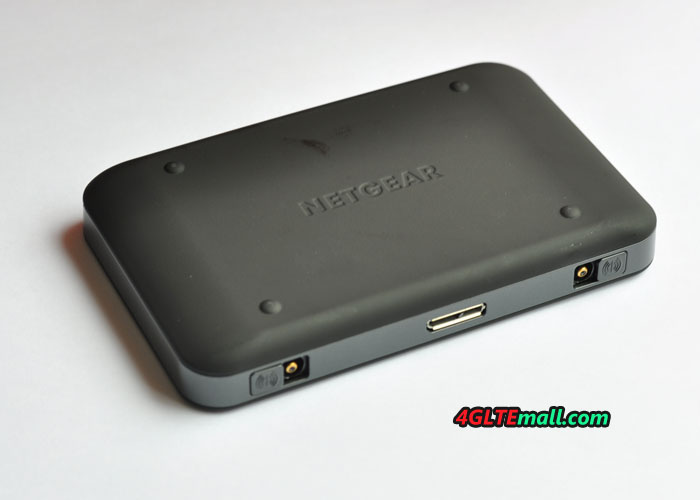
The Netgear AC790 Hotspot has a current LTE multimode modem Qualcomm MDM9230 that for LTE Advanced category 6 ( "Cat6") with up to 300 Mbit/s supported in the downlink. In the uplink up to 50 Mbit/s are possible. In the test with a mobile data plan, around 200 Mbit/s can be achieved, the ping time was on average about 25 milliseconds. The data rates fluctuated quite widely depending on the radio cell and the time of day, but this is quite normal.   The reception at the LTE network on 800 and 1800 MHz was good, better than many smartphones. If necessary, you can receive and data rates with an external antenna optimized to stand side of the AirCard 790 Router (two TS-9 connectors). The terminals are protected by a small sliding mechanism from dust.


Netgear Aircard AC790S (3)


Of course, the Netgear AC790 is also the 3G/UMTS network backward compatible, here are DC-HSPA+ up to 42.2 Mbit/s in the downlink and up to 5.76 Mbit/s in the uplink possible. 2G and the GSM network is not supported, although Netgear advertises on its homepage partially. This is unusual for a mobile hotspot. But since 4G is now the mainstream and 3G is now widely used, 2G may not be necessary now in most areas.

WIRELESS INTERNET ACCESS

Up to 15 devices can be powered wirelessly over WLAN with an Internet connection at the same time from Netgear AirCard 790s router. The connection is made either in the 2.4 GHz or 5 GHz range, thanks to the 2 × 2 MIMO antenna technology and Wi-Fi 802.11 ac, speeds of up to 1,200 Mbit/s. Fast enough to see the full LTE speed to use Cat6. The WLAN range was in the test quite well, the data rates increase - particularly in the 5 GHz band - but very quickly, as soon as a wall is between the router and the terminal. On request, you can also use USB ( "USB Tethering") for connection and the WLAN can be optionally completely disable.


Netgear Aircard AC790S (4)


  The Netgear AC790 supports both multi-SSID as well as a guest-Fi function. So you can, for example, separate the private network from another shared WiFi network. On the maximum number of connected devices that are not altered, the number of 15 devices refers to all wireless networks simultaneously.  

Operation and Software

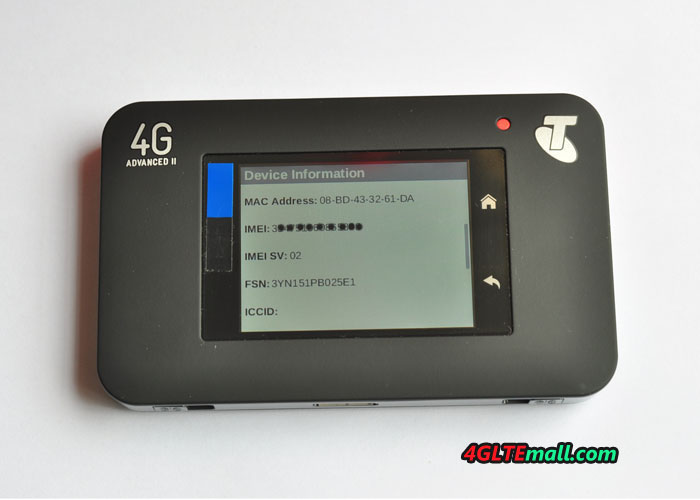
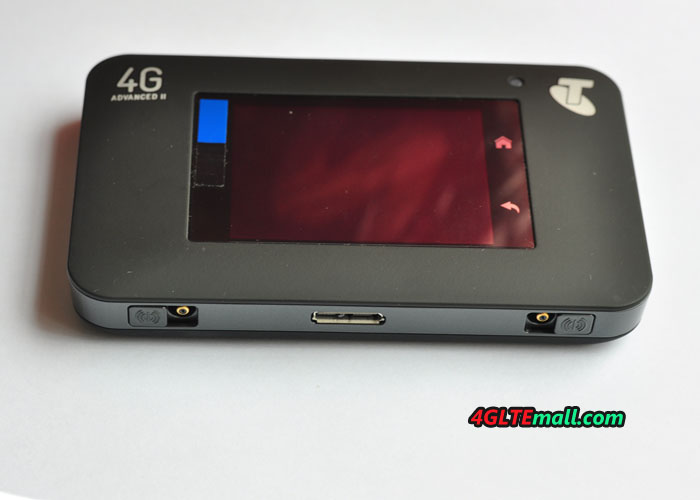
While many mobile LTE routers provide a small display for displaying important information, but the setup and configuration of the device usually requires a computer or at least a smartphone app. When Netgear AirCard 790 hotspot that is different, the router has a large touchscreen display on the front, so that the web interface normally is not required. Operation is self-explanatory thanks to large icons and clear labels, the capacitive display reacts quickly and properly. At the side of the display, there is "back" two soft-touch buttons and "Home", which are also self-explanatory. The display switches off after a short delay and without actuation independently, so that the energy consumption is not too high. A bright LED above the display then informs about the operating status.


Netgear Aircard AC790S (5)


On the home page or the "home screen" all relevant information are clearly displayed, for example, the battery level, the number of connected devices, the used data volume and the network operator. Even the SMS function is easily available on the touch screen display, even if the keyboard is of course advised quite small.

Battery with Power Bank Function

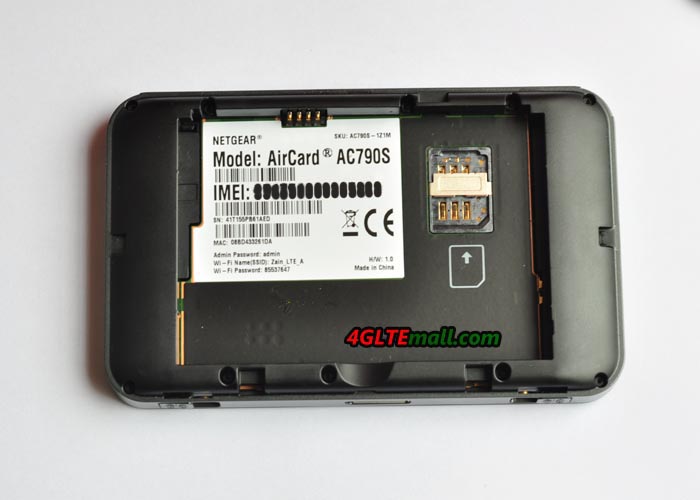
The battery of the Netgear AirCard 790 hotspots has a capacity of 2,930 mAh and is easily replaceable by the user. The Aircard 790s can be charged via USB cable, including power supply, but also easy to charge with a possibly existing smartphone PSU including microUSB port. The operating time is about 11 hours according to Netgear. In the test, this figure could be reached fairly accurate. With the included "Jump Boost cable", the Netgear AirCard 790 hotspot can be also used for charging other devices, such as smartphones. Although this is not very efficient, a full battery charge may not be possible in most smartphones, but the Jump Boost function definitely interesting for a short "recharging".


Netgear Aircard AC790S (6)


Optional Docking Station

Netgear provides for the AirCard Hotspot series of two docks that extend the mobile hotspot to a "real" stationary LTE router. The two devices are called DC112A and DC113A, where currently only the DC113A is available. The Cradle DC112A is significantly better equipped than the DC113A dock, so you get the DC112A as four Gigabit LAN ports, one Gigabit WAN port, two high-performance WLAN antennas and an improved WLAN module. The connections for an external mobile antenna are "looped through", so that one also can connect an external antenna LTE (2x TS-9 connector) at DC112A.


Network Preferences-network mode


Conclusion: Netgear AirCard 790


The Netgear AirCard AC790S Hotspot could convince in the test with a large variety of functions and the latest technology. The modem is fast and the Internet connection even with frequent cell Jump stable, the WLAN module scores with good data rates and many setting options. Some prospective customers will also complain about the lack of WiFi Extender function. The Aircard 790s is offered at good price than its competitors. It’s a recommended 4G pocket router with aggressive price!

Tuesday, April 12, 2016

Samsung SM-V101F 4G Mobile Hotspot Review

Samsung is always known as the top vendors for mobile smartphones, even though it's also very professional in networking solutions. Since the LTE is now the mainstream in the market, there is very few UE from Samsung. We had introduced the Samsung GT-B3730 and GT-B3740, but we had never introduced a 4G mobile hotspot. We had ever heard the Samsung GT-B3800 4G pocket router, but we didn't really get it in hand for test or detail check.

Samsung SM-V101F


Now we get a new Samsung Mobile 4G router, the model number is SM-V101F. It's smart and thin, like a mobile smart phone, but only in size of half of a smartphone. The front and back cover are both in plastic material, from the appearance, you canot imagine it's a mobile hotspot.

Samsung SM-V101F


On the front, there are three LED indicators in a line, the first LED indicates the network signal strength, the second one indicates the WIFI status, and the third one shows the battery status. The Samsung logo is printed below the LEDs. At the top side body the body, the power button and WPS button are listed. The bottom side has a USB port for power charging. Open the back cover, there is a stick which shows the model number Samsung SM-V101F, FCC ID, IMEI and S/N number. on the upper side of the stick, there is a hole for external antenna. Beside the antenna hole, there is a little stick which shows the SSID and WiFi key.

Samsung SM-V101F

The SIM card slot is at below side of the stick. The Samsung SM-V101F uses micro-SIM card. The battery is removable and battery model is B650AE with capacity of 2600mAh. After Sim card and battery are inserted to the SM-V101F, press the power button and it can work now. Usually, the Samsung SM-V101F will automatically connect to the wireless network from SIM card. But if the SM-V101F can’t detect the sim card, you need setup manually via web browser. User can log in the 192.168.1.1 to setup the APN and then connect.

Samsung SM-V101F


After log in the web browser, user can choose the preferred network in the options of LTE/WCDMA/GSM, GSM/WCDMA, WCDMA only, GSM only. And user can reset the admin password and reset the device to factory default. The SM-V101F can receive and send message. The language could also be chosen in English, Germany, French, Italian, Polish, Czech. User can also do the Mac filtering, DHCP server, WiFi name and password, broadcast channel settings. User can see the data usage information, connected devices.

Samsung SM-V101F


In summary, the Samsung SM-V101F is a slim pocket router with cool design. It would be great partner for Samsung mobile smartphones.

Saturday, April 9, 2016

Huawei E5577 E5577C 4G Mobile WiFi Hotspot Review

Following the Huawei E5 classic design, Huawei E5577 looks like the predecessor models such as E5776, E5372, E5377. The E5577 LTE MiFi is in white or black color. It’s now already available for many network providers in Asia and Europe. As the second generation of LTE category 4 mobile hotspot, we will have a look at what’s improved in the new pocket router.

Huawei E5577CS-321


The Huawei E5577 looks smarter than its predecessors, perhaps because it becomes thinner. The body material is made of plastic but touch feel good. On the front, there is Huawei logo and power button which are located at the two sides of the 1.45 TFT LCD screen. On the top side, there is “Menu” button while the USB port and connectors for external antenna are on the bottom side.

Huawei E5577CS-321


The back cover could be removed for battery change. Open the back cover, we can see there are two slots for SIM card and MicroSD storage card. At the left side of the slot, there is a label where the model number, SSID, WiFi key (password), IMEI & S/N number are printed.

Huawei E5577CS-321

After the SIM card and battery is inserted in the E5577 LTE MiFi, press the power button on the front and the E5577 will fast boot in seconds. Huawei E5577 is still using standard 6-pin SIM card. Usually, the device will automatically configure and connect to network in a couple of minutes. But the E5577 will not do that, user need setup the router manually. You can log in the Huawei Mobile WiFI APP though smartphone or via web browser in PC to do that.

Huawei E5577CS-321

When the Huawei Mobile WiFi E5577 is working, user can see many information from the screen such as the network providers, SSID, WiFi key, signal strength, SMS unread, battery status and WiFi connected users. Like other Huawei E5 pocket WiFi, Huawei E5577 could support up to 10 wireless users to access internet simultaneously. And one extra one could be connected with USB.

Huawei E5577CS-321

With LTE Category 4 technology, Huawei E5577 could achieve downlink speed to 150mbps and uplink speed to 50Mbps. When LTE network is not available, it can switch to 3G UMTS or 2G GSM networks. On 3G network, the peak download speed could reach 43.2Mbps. The E5577 could support WLAN 802.11b/g/n with dual-band. If you are located at areas with weak signal, it would be necessary to use the external antenna to improve the signal so that get better surfing experience. You can refer to below the two indoor and outdoor antenna for Huawei E5577 mobile WiFi:


Huawei E5577/E5577C 4G Indoor External Antenna: http://www.4gltemall.com/4g-antenna-two-ts-9-connector.html

4G LTE Indoor Antenna (2 x TS-9 Connectors) for Huawei/ZTE 4G LTE Modems/dongles/mobile hotspots


Huawei E5577/E5577C 4G Outdoor External Antenna: http://www.4gltemall.com/4g-lte-outdoor-antenna-2-x-ts-9-connectors.html

4G LTE Outdoor Antenna (2 x TS-9 Connectors) for Huawei/ZTE 4G LTE Dongles/aircards/modems/mobile hotspots


The Huawei E5577 is also named E5577C. Here now we have Huawei E5577Cs-321 and E5577Cs-603, which could support different LTE network frequency bands. They are for different markets. If you need this mobile hotspot, please check your local network frequency bands and then choose the right one. You can also contact us for help.

Tuesday, April 5, 2016

Difference Between Huawei E5577 and E5573

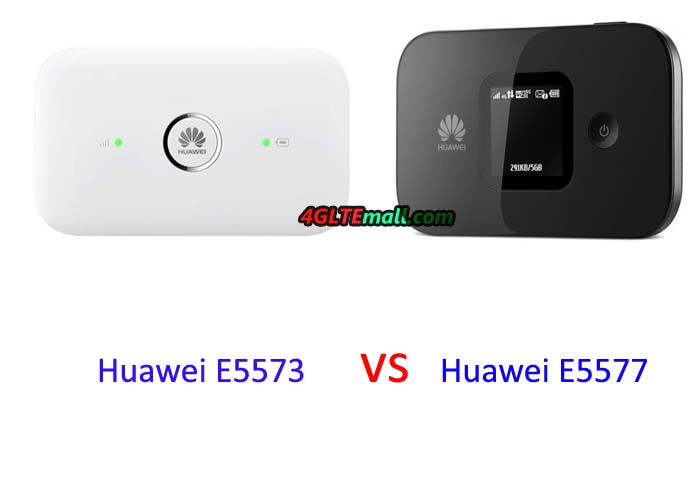
Huawei E5 Mobile WiFi family have new members in the past year. Except the hot Huawei E5786 LTE Category 6 mobile hotspot, we also got the Huawei E5577 and E5573 4G LTE Category 4 mobile hotspot. You may feel puzzled about the name of the two mobile hotspot. They are too similar that we cannot tell what’s real difference between. That’s why we write this article today. Let’s check what’s the real difference and make a clue to the customers who are interested in them. Huawei-E5573 vs E5577 MIFI Appearance If you only hear the name, you don’t have imagination about the two mobile routers. But if you get the two routers in hand, you will see there is obvious difference: Huawei E5577 has a 1.45 inch TFT LCD screen, at the left side of the screen, it’s the logo; and at the right side, the power button. Huawei E5573 has no screen, the power button is at the middle of the top body. At the left side of the power button, it’s the signal strength indicator while the battery indicator at the right side. From this point, Huawei E5577 seems more friendly, because user can read the information about network providers, network signal, WiFi connected users, battery status, WiFi name and password on the screen. Huawei E5577 is thicker than E5573 even though they both has the same battery capacity of 1500mAh. And their battery can be removed so that user can insert the SIM card under the battery.   Technical Specifications Huawei E5577 and E5573 are both LTE mobile hotspots based on LTE Category 4, so they could both support the peak download speed to 150Mbps and upload speed to 50mbps on FDD-LTE networks. While on TD-LTE network, the peak download speed to 112mbps and upload speed to 10Mbps. And they both support up to 11 wireless terminals to access internet simultaneously. Similarly, the 3G UMTS/DC-HSPA+ and GSM/EDGE networks are backward. And the speed on DC-HSPA+ network could reach 43.2Mbps, which is good for most users. Huawei E5573 and E5577 both have the connectors for external antennas. The connector type is TS-9, so if you are located at areas with weak network coverage, an external antenna may be necessary so that to get better surfing experience. Below are the recommended external indoor and outdoor antenna for Huawei E5577 and E5573: Huawei E5577/E5573 4G Indoor External Antenna: http://www.4gltemall.com/4g-antenna-two-ts-9-connector.html 4G LTE Indoor Antenna (2 x TS-9 Connectors) for Huawei/ZTE 4G LTE Modems/dongles/mobile hotspots   Huawei E5577/E5573 4G Outdoor External Antenna:: http://www.4gltemall.com/4g-lte-outdoor-antenna-2-x-ts-9-connectors.html 4G LTE Outdoor Antenna (2 x TS-9 Connectors) for Huawei/ZTE 4G LTE Dongles/aircards/modems/mobile hotspots   From the technical specifications, we can see the two mobile hotspot are too similar that we believe the manufacturer Huawei just re-design the appearance to distinguish them. The core data are kept same for markets demands. So if you are interested in them, we can only tell the Huawei E5577 is more user-friendly. Other features are very similar that you can ignore. huawei E5573 MIFI SIZE One more important note is that the two routers both has many sub-models, which could support multiple LTE(TDD or FDD) bands. You must check carefully if you want to buy them. You need check your local network and then decide which one is for you.
Saturday, April 2, 2016

Difference Between Netgear Aircard AC790s and AC782S

Netgear Aircard 4G mobile hotspots are one series of most popular 4G pocket routers. From the gain of Sierra Wireless, Netgear followed the appearance of the aircards but improved much on the functions and performance. In the aircard family, there are Aircard AC754S, AC770S, AC771S, AC779S, AC778S, AC762S, AC760S, AC763S for LTE Category 3. Now the LTE Category 4 mobile hotspot includes Netgear AC781S, AC782S, AC785S.


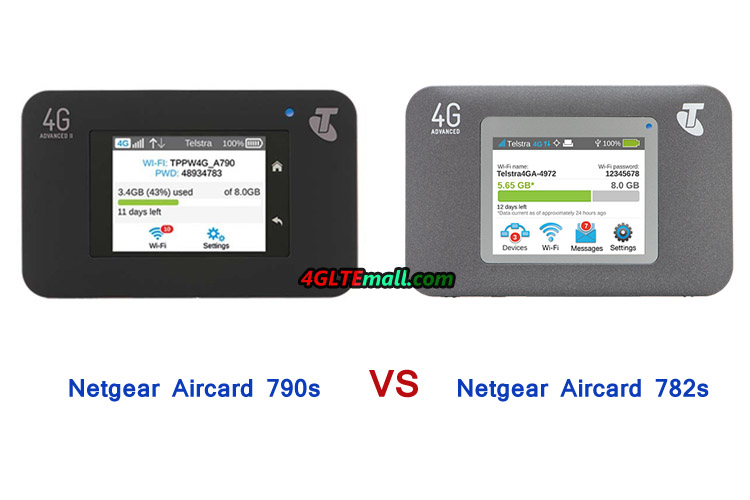
Netgear AC790S VS Aircard AC782s hotspot


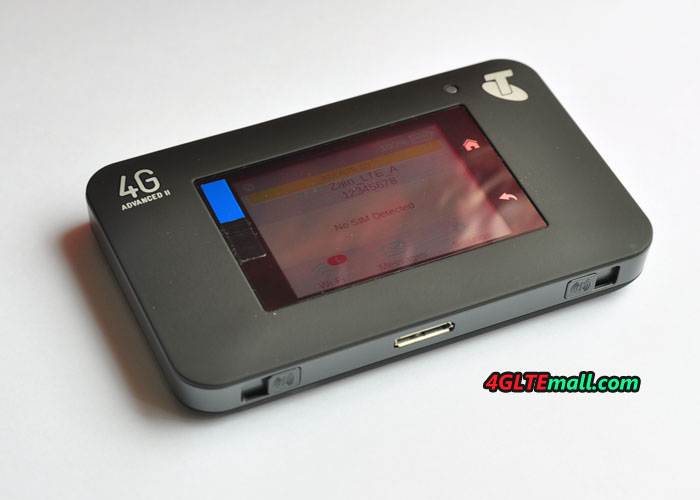
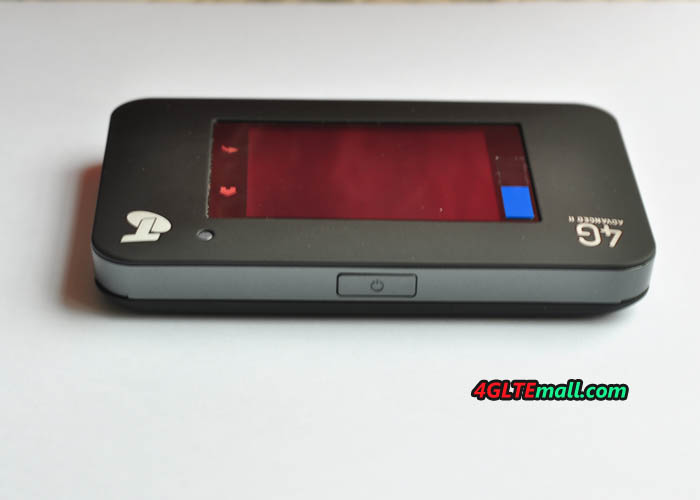
What amazing is that the Netgear had presented the LTE Category 6 mobile hotspots to public. Many customers are already using the new LTE Cat6 router. The model number is Netgear Aircard 790s. If you had used the Aircard 782S, you may found the two 4G mobile hotspot looks very similar. It’s the first impression at a glance. They are both introduced by Australian network provider Telstra. The Netgear AC782S is also named Telstra 4G WiFi Advanced while the Aircard 790s is named Telstra 4G WiFi Advanced II. As two generation mobile 4G Router for Telstra, we will have a look at what’s the difference between the two models.


Telstra 4G WiFi Advanced & II compasion


Appearance   Even though the Aircard 790s and 782s look similar, there are obvious model named printed on the device. The 4G Advanced is on the 782s and 4G Advanced II on the 790s. The Telstra logo is  at right top side. The body color of 782s is in grey. The body color of Netgear AC790s is darker than 782s, it’s in black color. The thickness of the two models are very similar to 15mm. On the front center, there are 2.4 inch QVGA capacitive LCD screen, where user can operate the settings and read information about the network status, providers, WiFi name and password, battery status etc.


The power buttons are at the top edge of the body. The USB port and two antenna connectors for external antenna are at the bottom edge. If one user is located at areas with poor signal, external antennas may be necessary to get better surfing experience. Both the AC782S and AC790s has removable battery. The AC782S has battery of 2500mAh while AC790S has battery of 2930mAh.  


Technical Specifications  


Based on Qualcomm Qualcomm MDM9225 & WTR1605L chipset, Aircard 782s could support 4G LTE Band 1/3/7/8 and the peak download speed up to 150mbps. The Aircard 790s is on Qualcomm MDM9230, it could support multiple LTE bands 1/3/7/8/28 with peak download speed to 300Mbps, which is double speed than Aircard 782s. They are both back compatible with qual-bands UMTS/WCDMA networks, and GSM/EDGE network is also supported.     As a 4G mobile router, Netgear 782s could support up to 10 wireless terminals simultaneously. The Aircard 790s is more powerful on this function, up to 15 wireless users could be connected at the same time. Aircard 790s supports WLAN 802.11 ac which is missed in 782S. But dual-band WiFi and 2 X 2 MIMO are both available on the two mobile routers. And they both use Micro SIM(3FF Format).


Telstra WiFi 4G Advanced II Aircard 790s battery


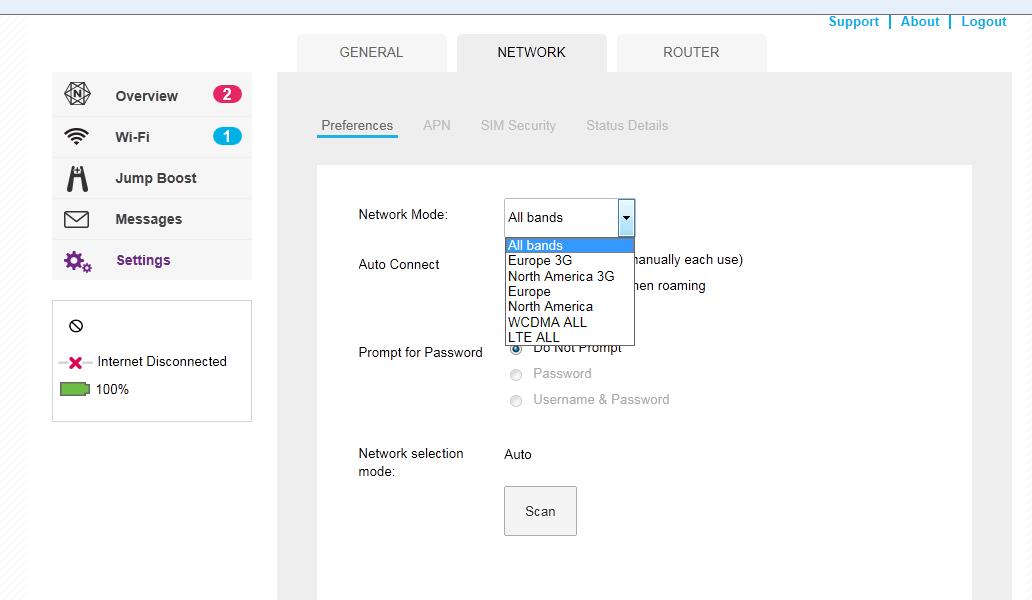
Operation   The two mobile hotspots could both be easily operated via the LCD screen. User could choose network mode, do the factory reset, update software by clicking the screen. If user want to do more settings, it can be done via web browser or via the Netgear management APP.


Telstra WiFi 4G Advanced II Aircard 790s


Price  


There is no doubt that the Aircard 790s is in higher price than 782s because AC79S is in higher specifications and better performance. For most users, the Netgear Aircard 782s is enough for common use on daily life, but if you want to surf in amazing speed, Netgear Aircard 790s would be better. But first of all, user must make sure the LTE category 6 carrier aggregation is already available at your location.