Monday, July 10, 2017

3neo 4G WiFi Router(ZTE MF287) Features Review

If we talk about 4G router, you may think of a 3G wireless router with external antennas or other features. Today, we will offer a presentation of a LTE router which doesn’t look like a common router but very special and beautiful! The Austrian telecommunications operator "3" makes the router available to its subscriber’s package named it as "3neo". Actually, it’s from the Chinese manufacturer ZTE and the model number is MF287.
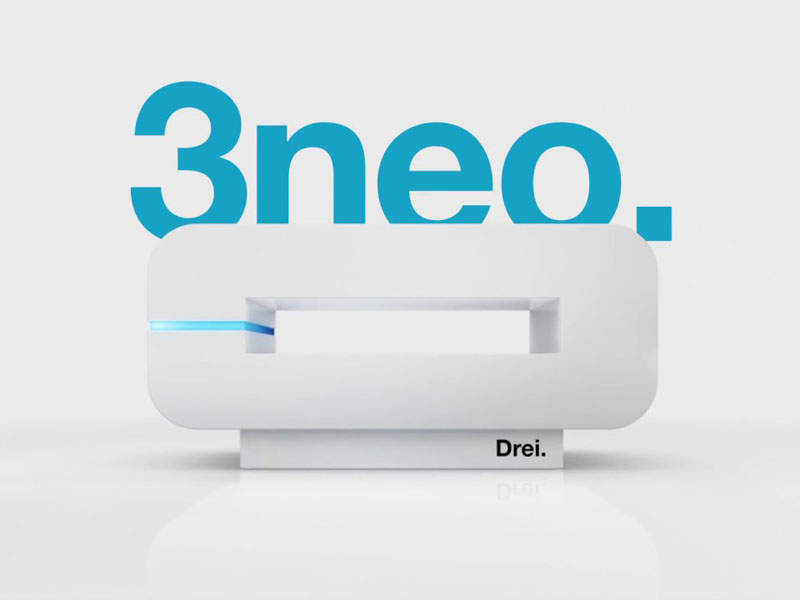
 

This 3neo MF287 router is a LTE category 6 device that allows download speeds of 300 Mbps and uploads of 50 Mbps. At this time, this router is exclusively marketed by operator 3 and, in fact, the wireless router is simlocked on its networks. However, it can be expected that it will soon be marketed directly by ZTE. Aesthetically speaking, the router has a wide band of light on the left side that displays the status of the device and on top side, a LED that tells you the type of active connection.
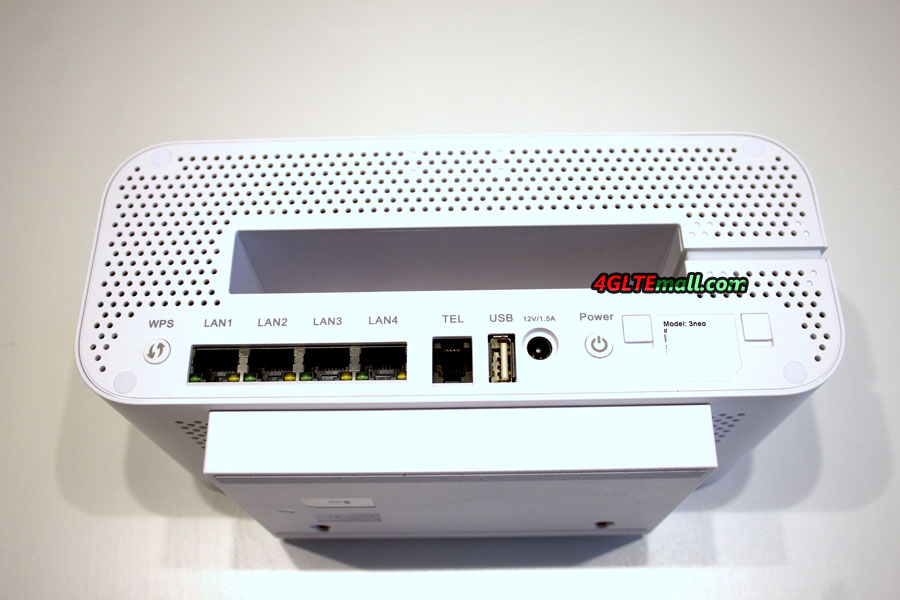
 

Concerning the connection, you will see the connection possibility on the back. You will find:

* WPS activation button

* 4 gigabit LAN Ethernet ports

* 1 RJ11 port for the phone

* 1 USB port (only for manufacturer's diagnostic operations in this version)

* The supplied 12V 1.5A power port.

* The Power button  


You will also find the 2 covers of the external antenna connectors in TS-9 format. We recommend below the external antenna for the 3Neo/ZTE MF287 Router: http://www.4gltemall.com/4g-antenna-two-ts-9-connector.html


4G LTE Indoor Antenna (2 x TS-9 Connectors) for Huawei/ZTE 4G LTE Modems/dongles/mobile hotspots


Regarding the power supply, as you can see, this is a 12 volt source for 1.5 amps, which makes the ZTE MF287 3Neo router can work in a vehicle. What’s more, unlike other LTE category 6 router such as Huawei E5175, this router features an internal removable battery. This 3,080 mAh Li-ion battery allows the router to run independently for up to 5 hours of operation. So user can take the 3NEO Router on the go for outdoor activities.
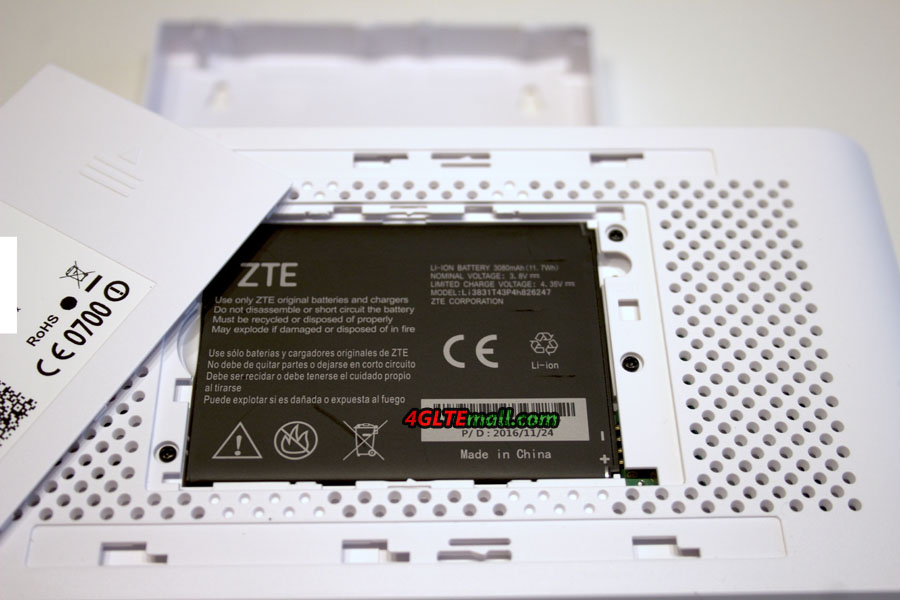


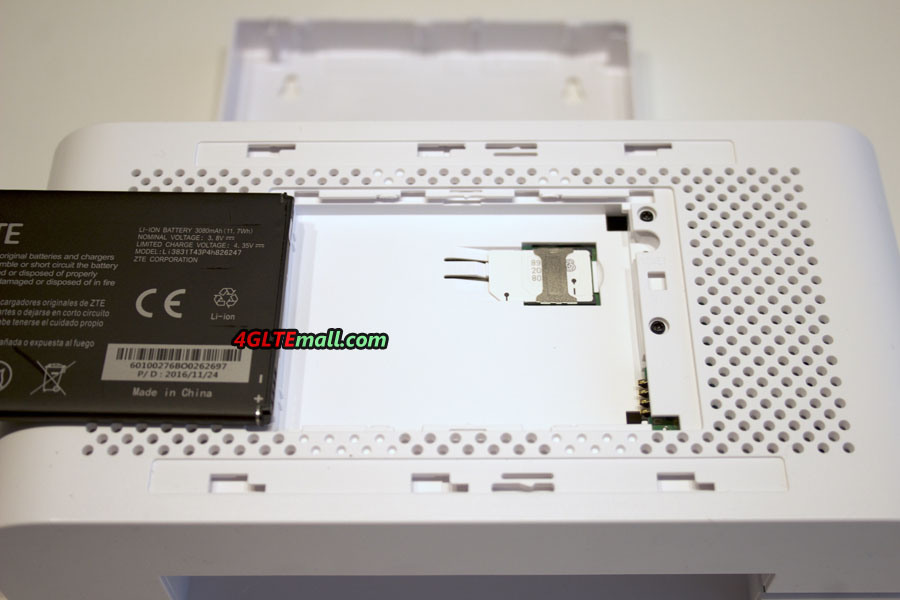
The dimensions of 3Neo ZTE MF287 are 220 x 110 x 106 mm with a weight of 730g. It is a portable network solution for weekend or camping and is subject to recharge via a cigarette lighter socket. Finally, you will find the location of the SIM card in micro format under the battery. On the WiFi side, the 3neo has the WLAN feature of 802.11a/b/g/n/ac with the dual band in 2.4 & 5 GHz. The 3Neo router accepts the connection of up to 64 users. The similar LTE Category 6 router Huawei E5186 could also supports same quantity of users. The ZTE MF287 can also support 3G and 2G networks if 4G/LTE network is not available. The 3neo router interface offering the features of DMZ, Port forwarding, Firewall, DHCP services with filtering, network selection and setting of the APN. However, the function of bridge mode is not supported.


At this time, we do not have accurate information about the support LTE bands and the aggregated frequency. However, Austria uses the same 4G bands as France, at least band 3 (1800), 7 (2600) and 20 (800), and operator "3" uses B3 & B7. And we suppose the cat6 aggregate is done in band 3 + 7. But this need re-confirm.  


Finally, user can control the ZTE MF287 router with the 3 home application on your smartphone, after flashing the QR code located on the router. We would take further test after getting the ZTE MF287 in hand. If you can’t wait to get a new LTE cat.6 router, you may try Huawei E5186 or latest Huawei B618 LTE Router.

Saturday, July 8, 2017

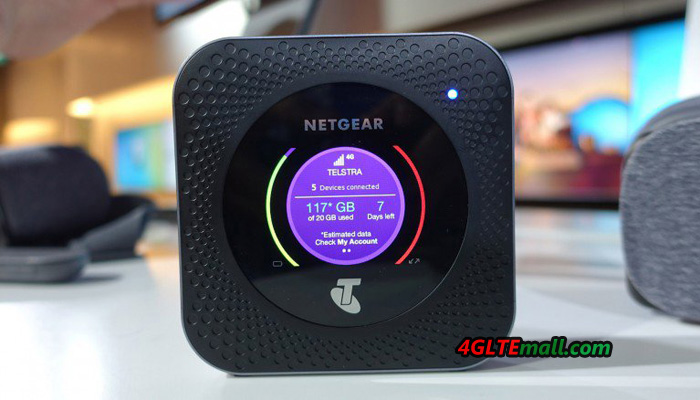
Netgear Nighthawk M1 LTE Cat.16 Mobile Router

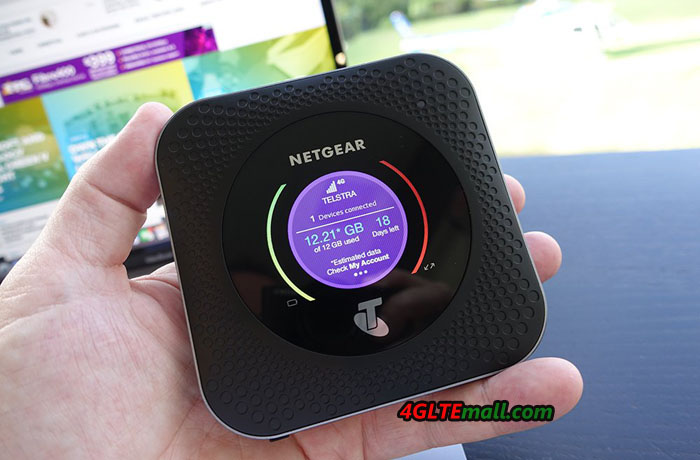
Netgear has confirmed the distribution of Nighthawk M1 in Europe from mid 2017. It is obvious that many European operators will not be ready to deliver Gigabit on their networks, but as stated above, things are progressing. Nevertheless, the Netgear M1 has many advantages and can, in the meantime, work on aggregated networks of carriers that deliver high speeds, pending the 1 Gbps.  

Netgear Nighthawk M1 MR1100 4GX Gigabit LTE Mobile Router


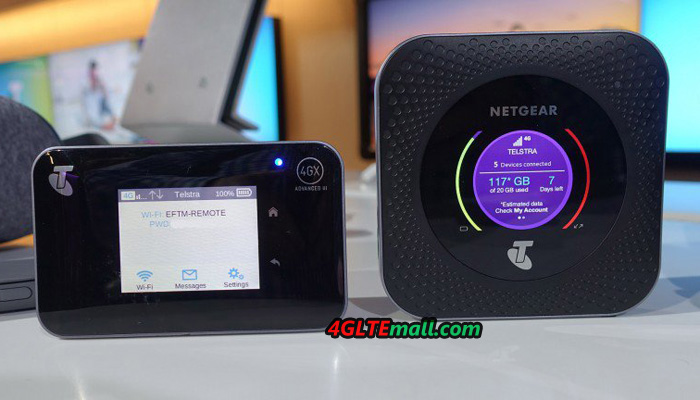
The Netgear M1 implements several technologies, starting with the aggregation of 4 carriers, a 4X4 MIMO technology, and a QAM-256 modulation. Here now, this Nighthawk M1 router will only be used on the 4G LTE network of the Australian operator TELSTRA, which has an operational network for this technology. Moreover, the development and testing of the product were carried out by TELSTRA in association with ERICSSON and NETGEAR. Of course, this equipment will be distributed in other regions as soon as the operator networks are able to implement this type of transmission.


Netgear Nighthawk M1 MR1100 4GX Gigabit LTE Mobile Router


Technical features and specifications  


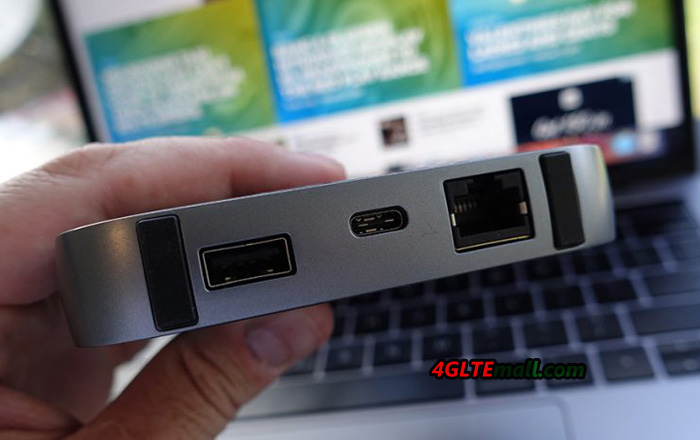
The Netgear Nighthawk M1 is rather well equipped, notwithstanding these networks performance (not to mention that the Gigabit LTE remains a theoretical throughput), the device presents: * 2 external antenna connectors (type TS-9, Buy Netgear Nighthawk M1 external antenna) * A USB Type A port * A USB Type C port * An Ethernet port  


Netgear Nighthawk M1 MR1100 4GX Gigabit LTE Mobile Router


If a fixed broadband brings an Internet connection in the houses, which can’t provide network support outdoor, The Netgear M1 Nighthawk will not make you disappointed because it’s equipped with a battery of 5000 mAh offering continuous working time up to 24 hours. You can take the Netgear M1 for outdoor activities or business travel. The battery can work like a mobile power bank as an emergency backup to a mobile device such as a smartphone if necessary. It should be noted that this battery is removable, which makes it possible to replace it and therefore to dispose of a charged one beforehand for the displacements.   It offers a WiFi 802.11ac standard on dual-Band 2.4GHz/5GHz. The Nighthawk M1 can support up to 20 simultaneously connected clients. It also has a Micro SD card slot, for storing and sharing media. Finally, its Ethernet port offers the possibility to connect it to equipment such as switches for example, to redistribute the link to peripherals with wired link. This features are very similar to the latest Huawei Mobile WiFi Pro 2 E5885.  


Netgear Nighthawk M1 MR1100 4GX Gigabit LTE Mobile Router


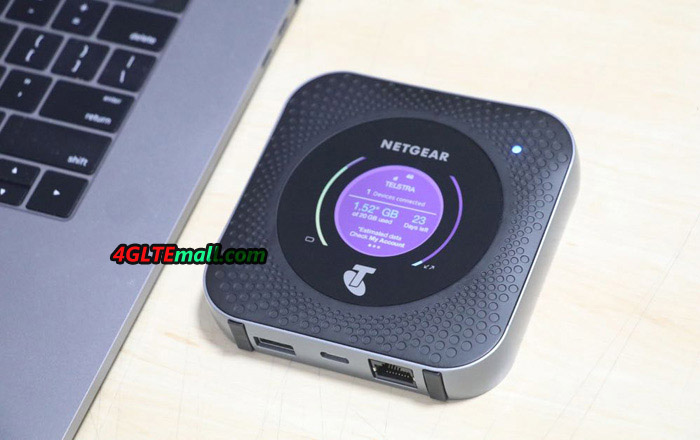
As you can see, connectivity is important for this router, which can accommodate many devices such as NAS, printers, USB devices. A 2.4 "LCD display is present on the top and gives all the connectivity and bit rate information.  


On the network side, therefore, the Netgear M1 proposes a LTE-A link of category 16 using an aggregation of 4 carriers (4X4 MIMO) for a theoretical maximum rate of 1Gbps in download and 150 Mbps in upload. Below are the supported frequency bands (at least for this Australian Telstra version):

* 4G/LTE: 700/900/1800/2100/2600 MHz

* 3G UMTS/WCDMA:  850/900/1900/2100 MHz


Netgear Nighthawk M1 MR1100 4GX Gigabit LTE Mobile Router


The covered frequency bands make it use in almost all the areas over the world. But user have to unlock the Netgear M1 and then travel to other countries or areas. The dimensions of the M1 Nighthawk are 105,5 × 105,5 x 20,35 mm with a weight of 240 grams.  


Summary


This high performance 4G router is very well equipped, and offers the latest technology and has a really rich connectivity. With the functions of a fixed use for an underserved area in high flow rates, or for mobile use in any desired situation, the Netgear Nighthawk M1 seems to be the perfect 4G routers and we look forward to testing it fully.  

Friday, July 7, 2017

ZTE MF980 4G LTE Category 9 Mobile Hotspot

With the development of the LTE technology and deployment of LTE-advanced networks, the manufacturer offer new 4G mobile gadgets to meet the market required. The ZTE MF980 Hotspot is a 4G mobile hotspot that offers LTE Category 9 carrier aggregation technology. The specifications for ZTE MF980 makes it’s dominates in the mobile hotspos in the market.

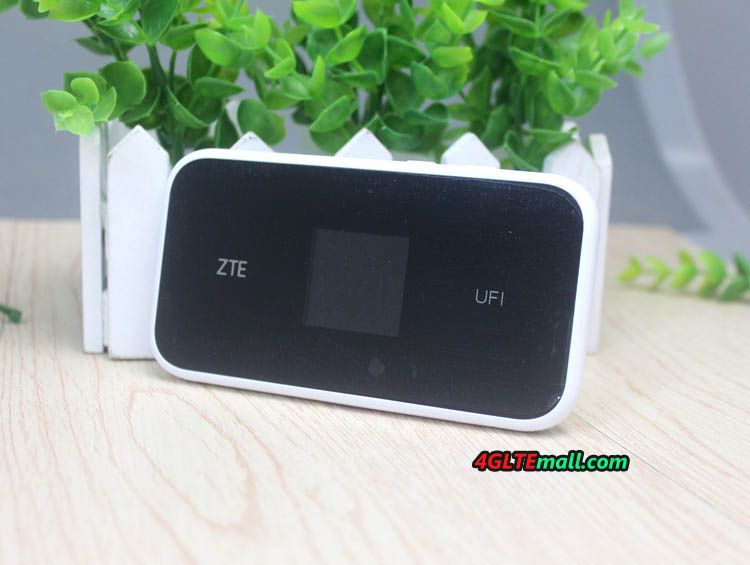
ZTE MF980 front logo


Technical Specifications 

 This 3-band technology allows reach a download speed of 450 Mbps and 50 Mbps in upload. The bands supported in FDD are: B1 / B3 / B5 (26) / B7 / B8 / B20 / B28 / B32 For Europe area, the bands that concern in 4G are therefore B3, B7, B20 but also the B28 which supports the 700 MHz of Free Mobile. For the rest the supported bands are: * TDD-LTE: B40 (or B38 or B41) * UMTS: B1 / B5 / B8 / B2 * GSM: 850/900/1800 / 1900MHz A fairly wide coverage therefore, makes the ZTE MF980 mobile hotspot a good partner for traveling. We do not have exactly the carrier aggregation of supported 3 bands, but we remain optimistic for a support in France (B20 + B7 + B3 or B28 + B7 + B20).

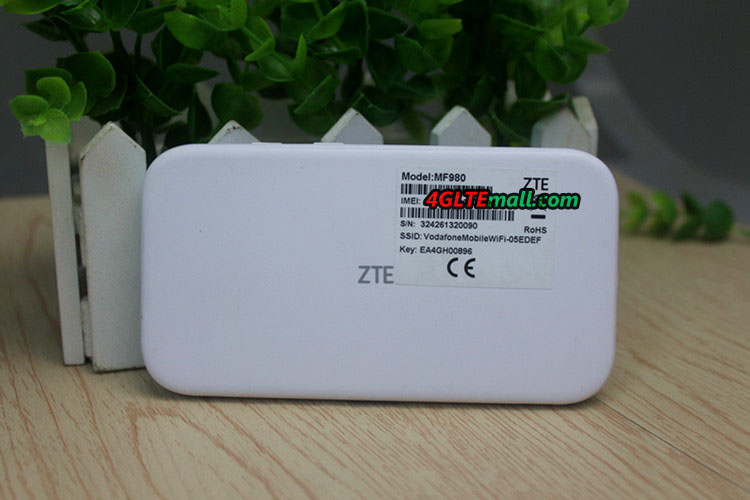
ZTE MF980 back


Wireless Features 

 The ZTE MF980 also offers Wi-Fi 802.11 ac running dual-band 2.4 GHz and 5 GHz simultaneously. And up to 32 users can connect to the MF980 hotspot for internet access. It is of course also compatible with the 802.11b/g/n and it also offers a 2 × 2 MIMO technology.   The 1.44-inch color TFT screen allows you to view the usual information such as the operator, connection type and level, battery level, number of users connected and data consumption.


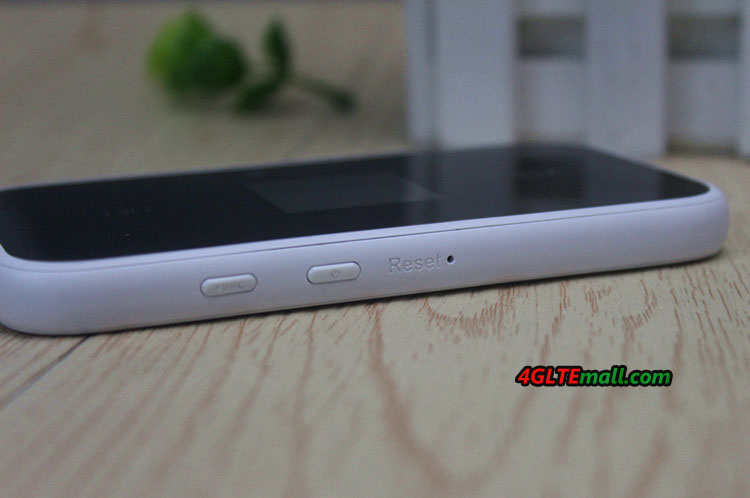
ZTE MF980 power button


The ZTE MF980 is small enough to fit easily in the pocket or in a bag. What’s more, it has 2 connectors for external antennas, which makes it possible to connect external antenna to improve the signal strength so as to get faster surfing speed. The connector type is TS-9, we recommend below the external antenna for ZTE MF980 mobile hotspot: http://www.4gltemall.com/4g-antenna-two-ts-9-connector.html
4G LTE Indoor Antenna (2 x TS-9 Connectors) for Huawei/ZTE 4G LTE Modems/dongles/mobile hotspots


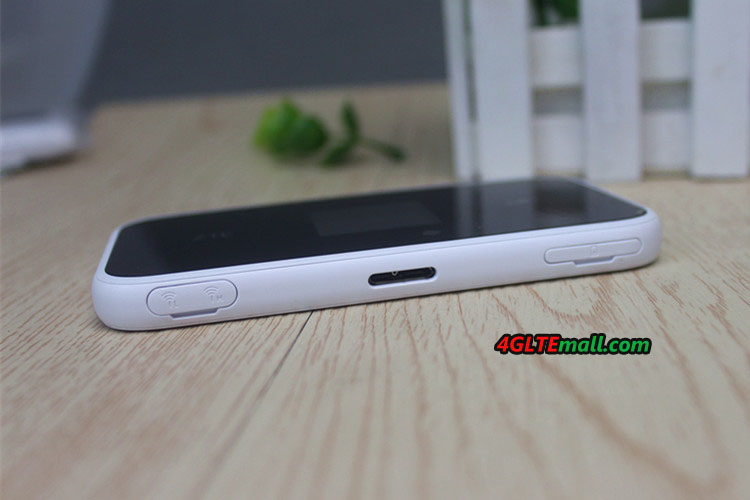
It has a micro-USB port and a slot for micro-SIM. Equipped with a 2200 mAh battery, it can keep working for up to 10 hours according to the manufacturer. It is compatible with the Android application (or IOS) ZTELink APP.   Summary With the support of LTE Cat.9 and 3 band carrier aggregation, ZTE MF980 supports fast download speed to 450Mbps while currently the LTE Cat.6 up to 300Mbps is the mainstream. Up to 32 wireless users could access internet with the ZTE MF980 and large battery of 2200mAh, which makes MF980 a powerful partner for outdoor activities. The possibility of connecting external antenna and control via ZTELINK app is also very useful for operation.

ZTE MF980 USB port

Actually, there are many LTE cat.9 and cat.11 mobile hotspots in the market now, such as the Netgear Aircard 810s hotspot etc. They already get great fame from the end-users. We suppose the ZTE MF980 would also be a good star for LTE-A networks.

Thursday, July 6, 2017

Huawei Panoramic Camera Original New for Huawei Smartphones

Huawei Panoramic Camera Original New for Huawei Smartphones


Huawei Panoramic camera is capable of taking 360 ° panoramic photos and videos and can be plugged directly into a smartphone. For this function, it has a USB Type-C port and it is compatible with smartphones which are USB OTG-enabled. The camera comes with two lenses, one at the front and the other at the back. So, you get a 360 ° x 360 ° shot. Both lenses have 13MP sensors and apart from panoramic shots, they are capable of taking wide-angle shots. It is a plug and play camera which makes it easy to use without the need for a special app. The images captured can also be shared through the phone.

Huawei Honor VR Panorama Camera For Smartphones

Huawei Honor VR Panorama Camera For Smartphones


Huawei Honor VR Camera is a 360-degree clip-on camera that can be used along with smartphones. Honor VR Panorama Camera supports 3K photography (due to their 360-degree lenses), it can be used for live-streaming events and comes with an app developed by Insta360 that enables us to save and share all of our beautiful 360 degree videos. It has other phone clip-ons that plug into a phone’s micro-USB port on the market for both iOS and Android devices.
Honor VR Camera could be used with Huawei Honor V9, Honor V8, Huawei Mate 9, Honor 8, Huawei Nova, Huawei P9, Huawei P9 Plus and Honor Magic.

Tuesday, July 4, 2017

Huawei Honor 9 New Flagship Smartphone

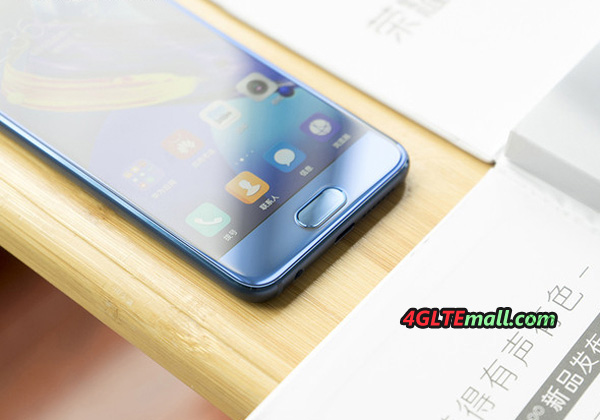
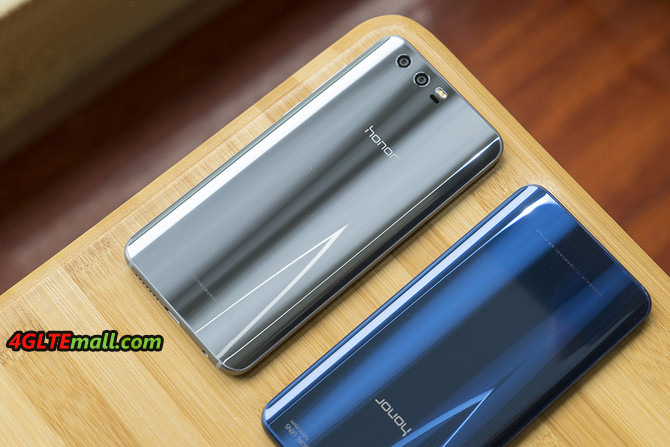
A few weeks earlier, Honor has presented its new flagship smartphone - the Honor 9 . The device comes with dual camera, HiSilicon Kirin 960 chipset and high-quality glass body and will be available without contract in many countries or areas. It is offered in the colors blue, grey and gold, a black version is to come later.


Honor 9 Specifications


The Honor 9 has an internal user memory of 64 gigabytes, an expansion via MicroSD memory card is possible. The working memory is 4 GB, as operating system Android 7 is used. The chipset uses the HiSilicon Kirin 960, which is also used in latest new flagship smartphone such as the Huawei P10 and the Huawei Mate 9. The processor integrated in the chipset has 2 x 4 cores, which work with 2.4 GHz and 1.8 GHz respectively. The Honor 9 would certainly work in a very good performance.


Like the previous models, the Honor 9 Dual SIM is capable, so you can use two nano-SIM cards at the same time. In addition to GSM and UMTS, LTE is also supported, and Honor 9 has not yet published any information on the maximum possible speed. Besides the frequency range around 2.4 GHz, Huawei Honor 9 also supports the 5 GHz range.


The LCD display of the Honor 9 is 5.15 inches large and resolves with 1920 x 1080 pixels, so the device is comparatively compact for today's conditions. The glass, which protects the display, is rounded to the sides (2.5D glass), so the Honor 9 is more comfortable in the hand. Compared to the predecessor, the fingerprint sensor has now been placed on the front side, more precisely under the display. Many users should see this as an advantage, because you can use the sensor even when the device is on the table. The battery is 3,200 mAh strong, and is charged via USB type C.


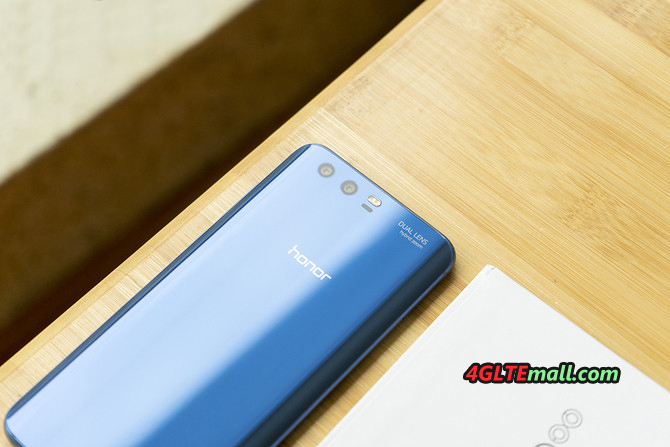
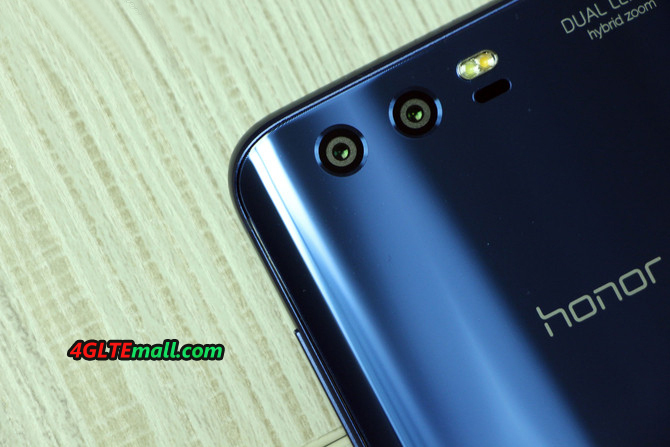
Dual camera on the back


The Honor 9 has two camera sensors on the back, the one sensor with 20 megapixels and can only take only monochrome images; the second sensor captures images with 12 megapixels and shoots in color. The aperture is at f2.2, so the Honor 9 is not quite as bright as a Samsung Galaxy S8 (f1.7). Videos takes on request in 4K resolution, synonymous, this is an improvement to the previous model Honor 8, which could shoot a maximum of 1080p Full HD. The huawei Honor 9 is now available at www.4gltemall.com, you can also check Huawei other new smarpthones on this website.

Saturday, July 1, 2017

Huawei B528s-23a(Vodafone GigaCube) Features and Test

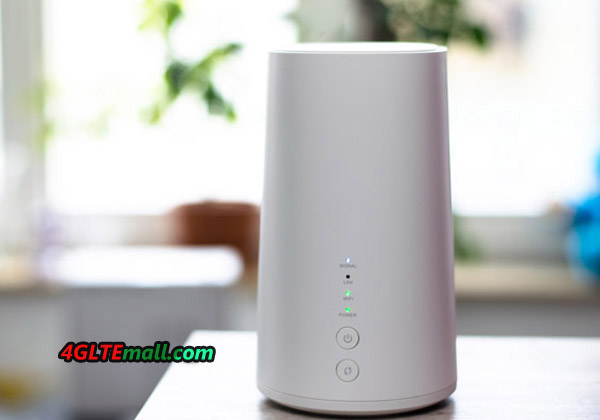
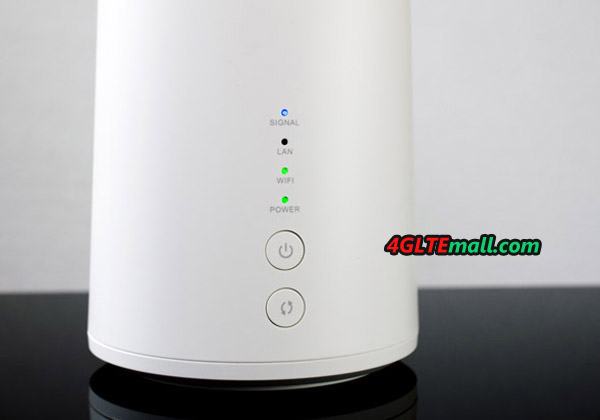
The Huawei-built Vodafone Giga Cube (model number Huawei B528s-23a) is a mobile LTE router that brings Internet-enabled devices in the vicinity to the Internet. As known from the domestic WLAN router, users can use their smartphone, tablet or computer to enter a password into the Giga Cube network and thus connect to the device. The Giga Cube, in turn, connects to the Vodafone LTE mobile network. This is the case with speeds of up to 150 MBit/s on the Internet.


Fast WLAN ac, LTE theoretically with 300 Mbit/s The Vodafone GigaCube


supports the LTE Cat.6 standard  and is therefore theoretically designed for download rates of up to 300 Mbit/s. In the Giga Cube tariff from Vodafone, however, the actual maximum data rate is limited to 150 Mbit/s in the download. In the future, Vodafone should screw the LTE speed up in the tariff and the maximum upload is 50 Mbps. Thanks to the WLAN specification 802.11 b/g/n/ac, the Giga Cube uses the latest state-of-the-art WLAN technology to provide the best possible data transmission. The transmission in the frequency ranges runs at 2.4 GHz and 5 GHz. The range of the Giga cubes depends, of course, on the local conditions and, for example, on separating walls; In an open environment, LTE routers of this type reach up to 250 meters.


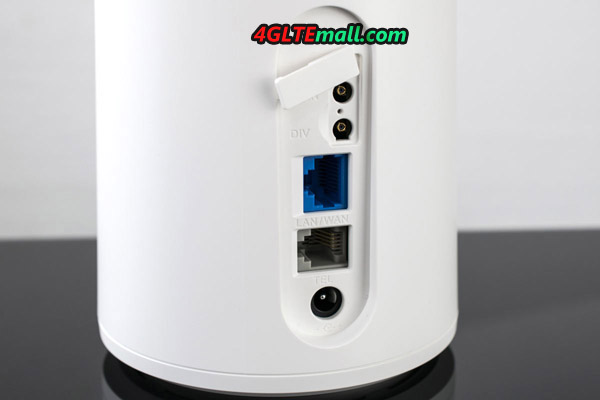
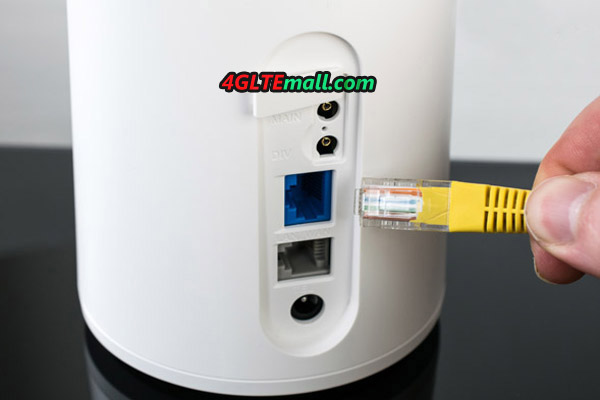
Up to 64 internet-capable devices such as smartphones, tablets or notebooks can be connected to the Giga Cube at the same time via WLAN. Alternatively, a Gigabit LAN port is also available on the back of the device. A TV, a computer or a game console can also be connected to the LTE router via LAN cable.


Surfing only with power supply


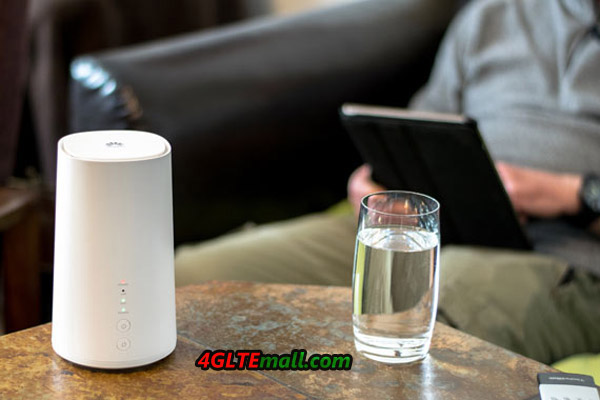
For use, the Vodafone Giga Cube is dependent on a permanent power connection. Anyone who wants to be online via the router needs a power supply nearby. At home, in a hotel or in a holiday apartment, this should not be a problem. At the campsite, a power connection is usually also possible. Even if the Giga Cube LTE router does not have a battery, the WLAN from the outlet is nevertheless very flexible.  


Installation


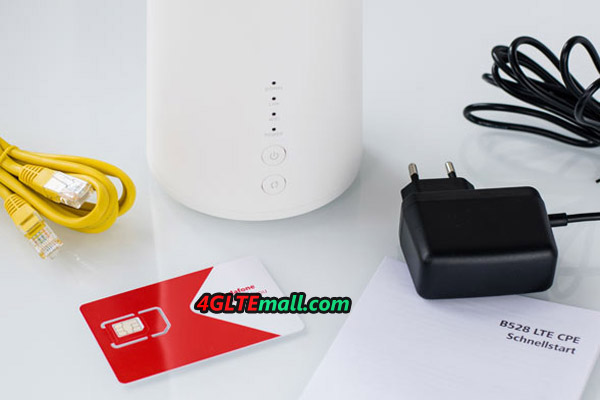
Installation of the Vodafone Giga Cubes is actually very fast: simply insert valid SIM card into the SIM card slot on the back. Then the Giga Cube is still plugged into the socket. The Giga Cube then automatically dials into the Vodafone mobile network to establish the Internet connection. After that, of course, the used Internet-enabled device must be connected to the LTE router. This is usually done by entering the WLAN password - as is the same as used by the domestic WLAN router.


LTE network Keeping Upgrade


Vodafone has significantly expanded LTE in its mobile network in the last few years and is continuing this expansion on an ongoing basis. The LTE network cover is correspondingly high for Vodafone customers, but there are still areas where no LTE coverage exists. In addition, the maximum possible data rates vary from place to place. Speeds of up to 50 Mbit/s are already available in many places, but higher speeds of up to 150 Mbit/s are more rare. Where no LTE is available, the cube accesses the 3G network (UMTS) or GSM (2G) in an emergency.


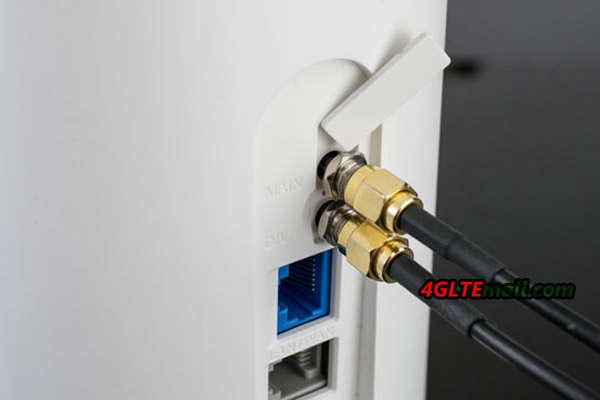
All in all, the Internet speed usable with the Vodafone Giga Cube depends on the conditions on site. But even a data rate of 10 Mbit/s and more offers a neat surfing. It is also recommended to set the router for better reception close to the window. Actually, if you use unlocked Vodafone Gigacube or Huawei B528 Cube, you may get much faster speed to 300mbit/s on your own network provider rather than Vodafone.  


Vodafone GigaCube Test


The Vodafone Gigacube is easy to use. First, the SIM card must be inserted, as soon as the GigaCube is powered, it can then go directly. The Vodafone "WLAN from the socket" is ready. The Internet speed in the Praxistest was quite high. Although we did not reach the maximum possible speed to 150 Mbit/s, the average available is more than 50 Mbps, which is always comfortable Internet surfing. The good LTE network availability in the state capital of Baden-Wuerttemberg does not distort the test result by any means, because Vodafone scores with a high network quality throughout Germany. Currently, more than 90% of the population can use Vodafone LTE.


The LTE network availability fits with the Vodafone GigaCube, in the daily use we had always a very good Internet line available. We also have nothing to complain about in the setup, WLAN-enabled devices can easily be integrated into the home network. This works either by entering a password or by using the WPS button. And Vodafone has also thought of the domestic PC, by means of network cable, the PC can also access internet easily.


If you want, the GigaCube can assign its own network name. After the first time the internet browser is started, the login area for the GigaCube user interface is automatically activated. Here you should also assign your own password directly. After this is done, the current data volume can be viewed here. This is possible on the smartphone or tablet alternatively also by app.


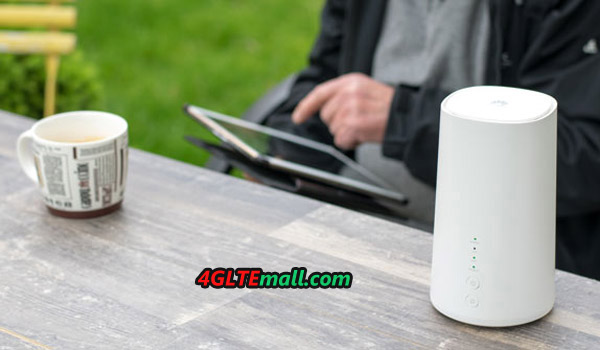
A great advantage of the GigaCube is the flexible use. This allowed us to put the LTE router into operation practically anywhere, only one power supply must be available on site. In the house or apartment it is recommended to place the GigaCube at the place with the best net quality.  


Summary


Vodafone Gigacube is a good home router needing a power supply when working. It supports fast wireless surfing speed while the Ethernet cable connection is also possible for PC. The Gigacube is easy to setup and connect; management via APP or web interface is possible. If you are considering changing the DSL router, you may consider the Huawei B528 or Vodafone Gigacube for network upgrade with much faster speed.