Saturday, October 13, 2018

Alcatel EE60 4G LTE MiFi Hotspot Review

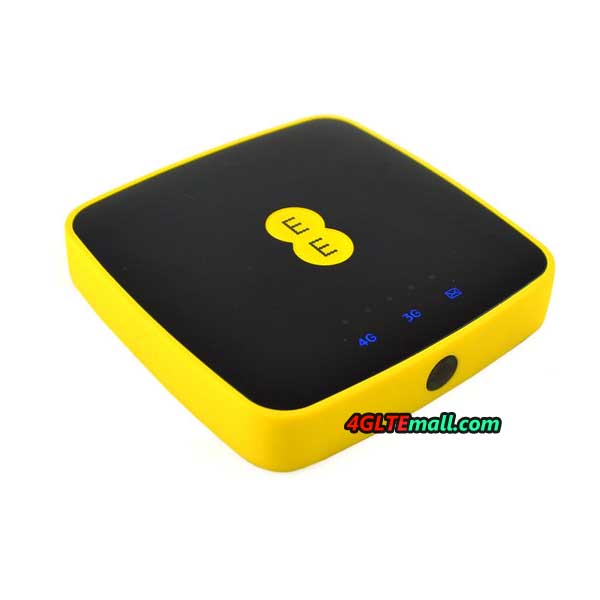
If you looking for a 4G mobile WiFi router for use with your data sim card and the 4G MiFi must have a low price and small size, we recommend you to consider the latest Alcatel EE60 Mobile WiFi. If you are unfamiliar with the Alcatel EE60 MiFi, you can proceed to read more about the Alcatel EE66 review in this article.


Why we need an LTE MiFi when the smartphone has the hotspot function?


Many people may ask, why do I need a MiFi device while the smartphone is equipped with hotspot function? MiFi (Mobile WiFi) supports WiFi data sharing with many other devices. Usually, a MiFi support 5-15 users at a time depending on the model and the MiFi brand. MiFi usually would not become very hot and does not consume the battery fast compared to when using a smartphone as a hotspot. WiFi signal access from a mobile WiFi is also extensive and the MiFi also can usually extend the signal better than smartphones and provides faster internet. If you only use 2-3 devices like 1 smartphone and 1 laptop, MiFi is not required. But if you use more than 3 devices and share data with many people then a MiFi is highly recommended. 


Alcatel EE60 Review


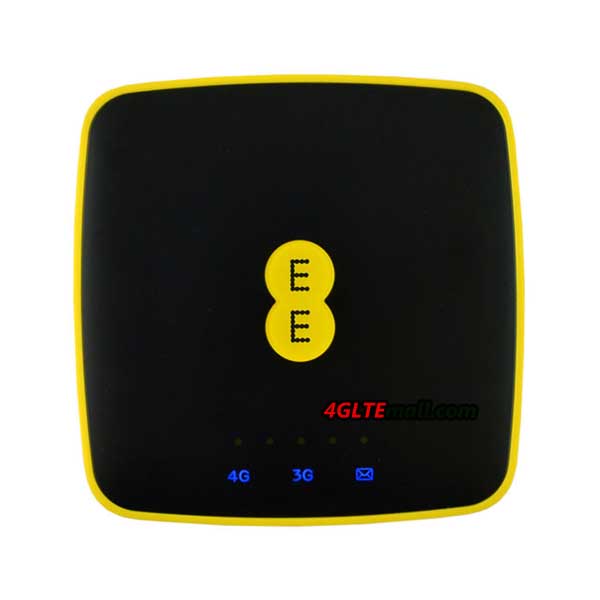
We get the Alcatel EE60 MiFi a couple of days ago, comparing with other mobile device models such as Huawei E5577, TP-link M7350 and so on, the Alcatel EE60 is most budget one. The highlight of Alcatel EE60 is the large battery capacity, which can not only keep it working for a long time but also charge other devices if needed. 


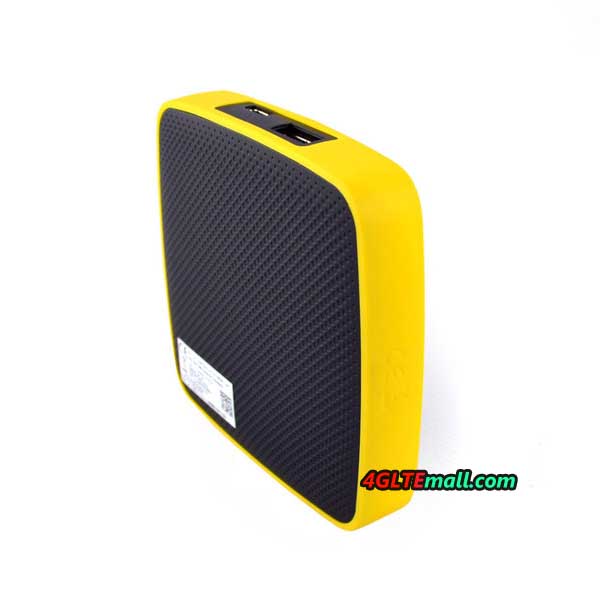
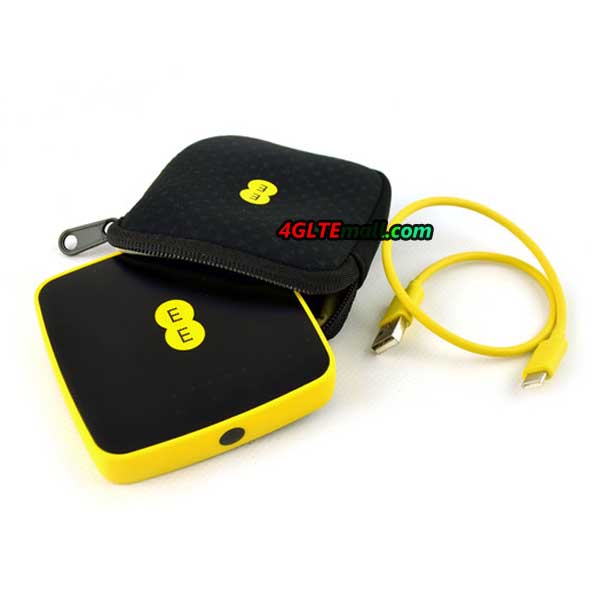
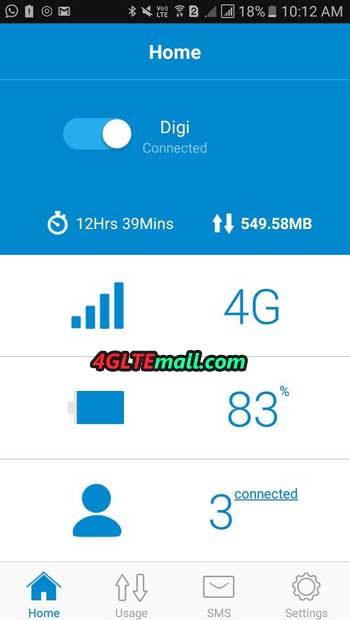
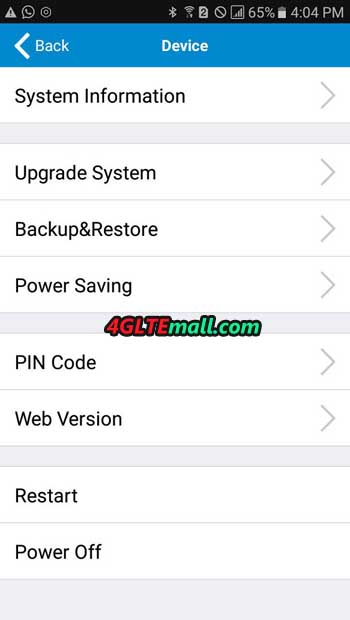
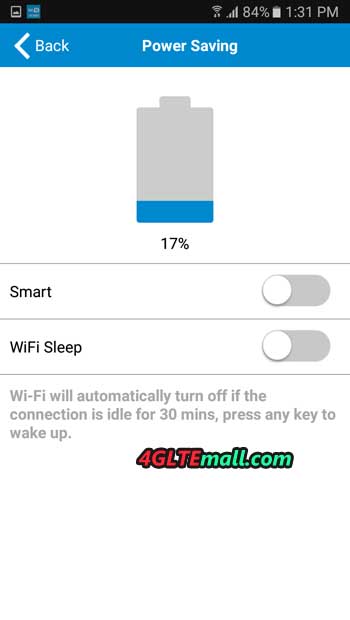
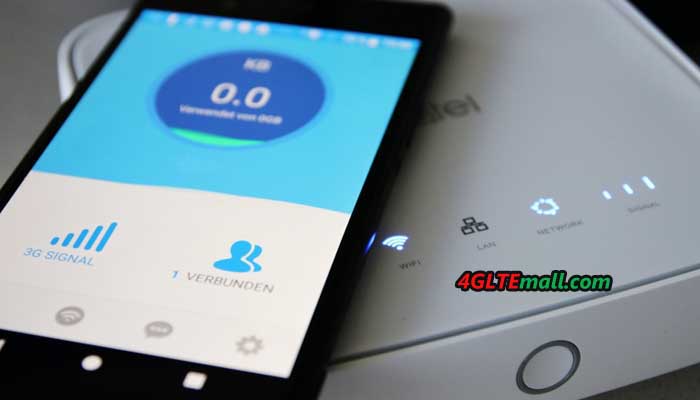
The size of the Alcatel EE60 is quite compact and can fit in the pocket. The USB type-c cable is provided for you to charge. The battery capacity of the EE60 is 5150mAh, quite large compared to most other MiFi which usually have a battery of about 1500 mAh - 3000 mAh only. You can also use this MiFi as a power bank using the USB port.   Unlike other Alcatel 4G routers, Alcatel EE60 uses Nano SIM card. And LTE signal access is also very good, if we place a SIM card in Android smartphones, we can only get 1-2 bar signals but using the Alcatel EE60, it can get full signal. Most functions can be accessed using the Alcatel Link app on Android and iOS. 


Alcatel EE60 Settings

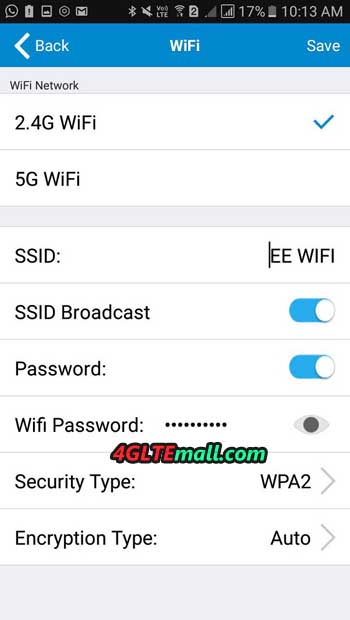
The Alcatel EE60 is also very easy to setup. For starters, you just need to login to 192.168.1.1 and setup the parameters if you need. You can only use 5Ghz WiFi in AC wireless mode, while 2.4Ghz wifi only in wireless mode b/g/n. No dual-band function.


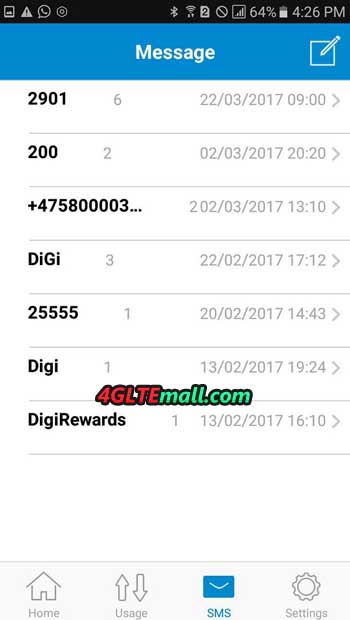
This EE60 MiFi can also receive SMS using this Link application, just in case you want to use data SIM card to receive TAC or SMS verification from Whatsapp etc.   


The Alcatel EE60 MiFi manual promotes the use of a charger that supports Qualcomm Quick Charge 2.0 for fast charging. If you use a normal charger adapter, it will take a long time to charge the battery for 5150 mAh full. In addition to the Quick Charge 2.0 charger, the iPad charger (Apple 12W charger) is also suitable for charging this MiFi. Make sure to remove pouch MiFi bags before charging to avoid accumulating heat and heat up. 


Alcatel EE60 MiFi Highlights:

  • Unlocked model - supports all the network providers in Asia and Europe
  • Battery life throughout the day - 5150 mAh
  • A strong data signal, WiFi area
  • Supports wireless AC
  • Compact size
  • Can work as a mobile power bank
  • Supports Qualcomm Quick Charge 2.0 for fast charging


Alcatel EE60 MIFI Configuration

  • Does not support dual band wifi 2.5 GHz and 5 GHz simultaneously
  • Not sold in regular stores but online
  • Some users reportedly difficult to play PS4 online using this Mifi (NAT limitation).
  • The latest firmware version EE60_00_05.00_31 does not support the Alcatel Link App app on iOS and Android
  • Does not have Micro SD card slot
  • The size of a large MiFi battery means you cannot use a low adapter/charger output as the charge will take a long time and hot fast. Please use high adapter/charger output such as iPad charger


Alcatel EE60 Firmware Update


Avoid Alcatel EE60 Mifi firmware updates to the EE60_00_05.00_31 version because this firmware does not support the Alcatel Link App app on iOS and Android. Some users report the latest EE60 firmware more stable, fast and less hot but Link App app is not accessed at all. If you have updated to this new firmware and need Link application, we recommend email to this application developer to support EE60 Mifi again.    


You can contact the app developer of the Link app on the Play Store site> Scroll down> Developer> Send email> specify app does not support firmware EE60_00_05.00_31. Based on our search, firmware EE60_00_05.00_31 launched for security fixes.     Since the MiFi EE60 is already an old model, we also recommend this TP-Link M7450 MiFi if you need advanced functionality like Cat 6 LTE with Carrier Aggregation and download speed up to 300Mbps. If you only plan to get a MiFi device at an affordable price, you can get the EE60 because of the many exciting functions with a budget price.

Thursday, October 11, 2018

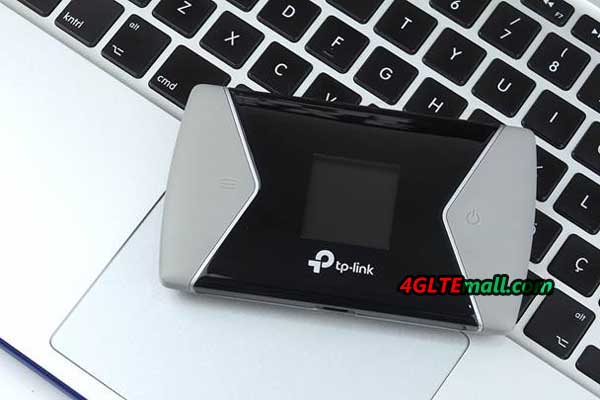
TP-Link M7650 LTE-A Pro Mobile WiFi Hotspot Test

We had introduced the TP-Link M7650 mobile WiFi hotspot a few days ago and somebody asked about the performance of this new 4G LTE WiFi Router. We will take a test today to see what the TP-Link M7650 mobile hotspot can bring to us. 


TP-Link M7650 Specifications and Package

As the most advanced 4G mobile WiFi hotspot, TP-Link M7650 supports LTE Cat.11 with theoretically up to 600 MBit/s in the download and 50 MBit/s in the upload. Simultaneous surfing is possible with up to 32 devices, namely via dual-band WLAN IEEE802.11a/b/g/n/ac with theoretically up to 300 MBit/s on the 2.4 GHz and up to 867 MBit/s on the 5 GHz band. The 3000 mAh battery is designed to provide power for up to 15 hours of operation. A microSD card slot donates up to 32 GB of additional storage space, provided you plug in an additional memory card. The TP-Link M7650 router is controlled either via the display and two pushbuttons, via the tpMiFi app or a web interface. 
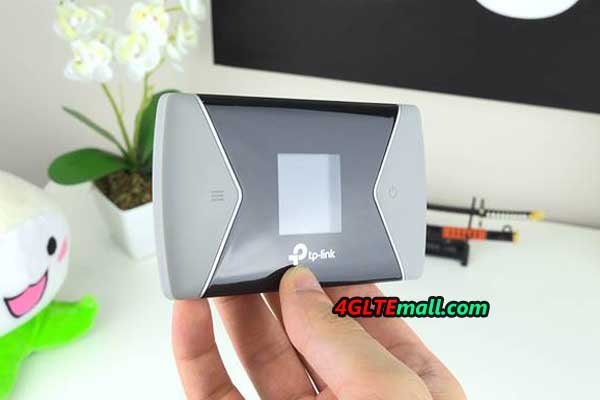


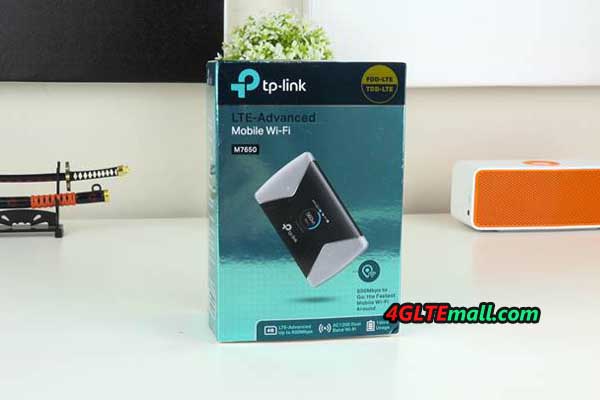
The TP-Link M7650 mobile WiFi is supplied in a blue metallic shiny cardboard packaging. The dimension is 6.7 x 1.6 x 11.2 cm and fits into the jeans pocket. The light gray case is slightly gummed, so the router does not slip easily out of hand. On the top there is a glossy black plastic surface around the display that magically attracts dust and fingerprints. At the left of this area is the menu button for the display, and the right of it is the power button, on a long narrow side the microUSB port for charging the battery.   


In the package, we found a USB cable, various short instructions and an adapter from Nano-SIM to Micro in addition to the 3000 mAh battery. In the TP-link M67650 router, users can insert a micro-SIM, with adapter for a nano-SIM, but if with an old mini SIM, the router cannot be operated. And TP-Link also provides a plug-in power supply for the router, which can be charged on the USB port.


TP-Link M7650 Power on 

After unpacking, you should first take a look inside the small LTE router and, if necessary, make a note of some details or take pictures with your mobile phone. Because the address and the password for the administration interface are located under the battery on the nameplate. And on the inside of the lid, the password for the Wi-Fi hotspot is printed, which is also required for use. The removal of the lid we found to be somewhat difficult because you actually need long fingernails and some strength to reach into the notch of the lid on the device corner and then can lever up the lid.  
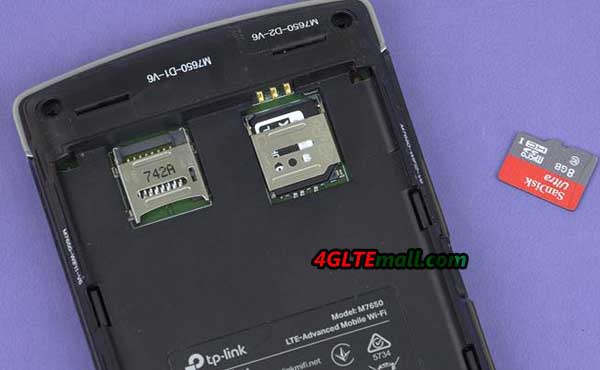


The micro-SIM slot reminded us a bit of old Nokia phones. First, the lock must be released and folded up. After inserting the SIM, the lock is folded down again and locked. If desired, a memory card can still be inserted, for the operation of the TP-link 4G router as an Internet access device that is of course not necessary. Now the battery is inserted, the lid is closed and the hotspot is switched on or the battery is charged first. 
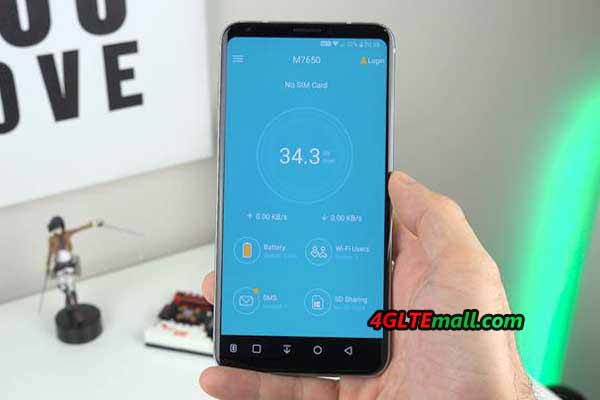


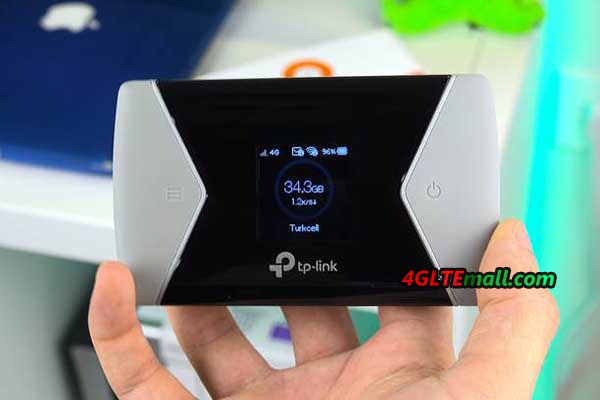
In our test, the TP-Link M7650 recognized our LTE SIM card within a few seconds and connected to the mobile network. The PIN query we had already disabled before inserting the SIM, if you do not do that, if necessary, enter the PIN. On the 1.44-inch display, the top left of the power indicator is showing the technology used (in our case 4G). In the middle above, the WLAN icon indicates how many devices are logged into the network. At the top right is the battery level, in the middle of the display is the already used data volume and below is the network operator. Now we could couple different devices via WLAN and surf. 


TP-Link M7650: Settings, App, Speedtest, Battery & Conclusion 


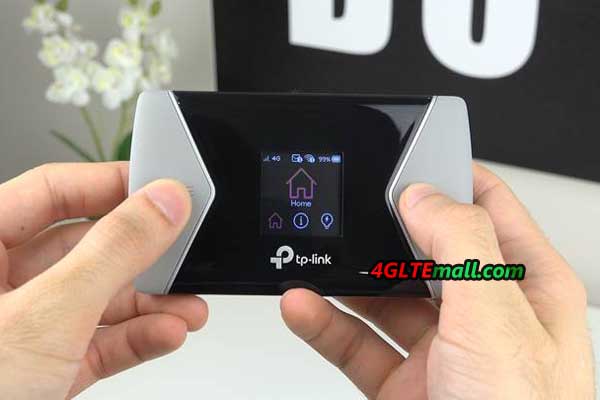
The TP-Link M7650 can be administered in three ways: Some of the settings can be changed via the display and the two pushbuttons. The menu is navigated by pressing the menu key several times. Under "Device Info" users can display the WLAN password in plain text. "Power Saving" allows to switch the energy saving mode on and off. "WPS" couples the router to compatible devices, and "Wifi Band" allows switching between 2.4 and 5 GHz bands. In "Network Mode" manual, switching between 3G and 4G is possible; 2G cannot be selected explicitly. "Data roaming" allows the use of the router in data roaming; by default this feature is disabled. 
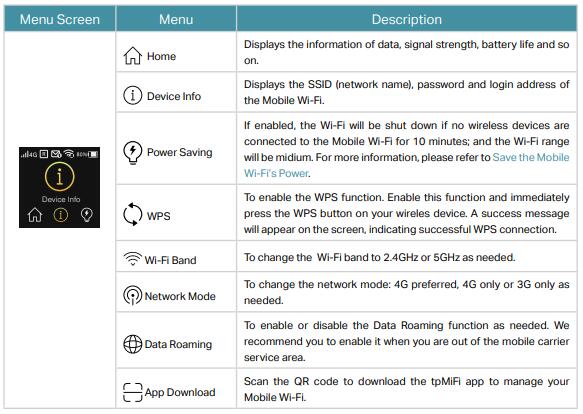


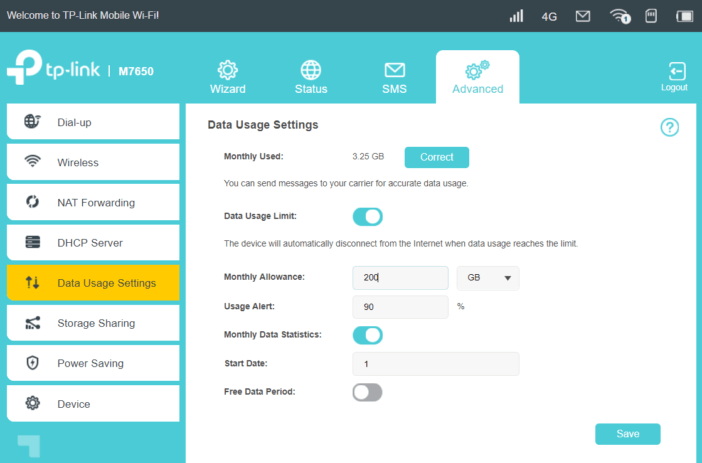
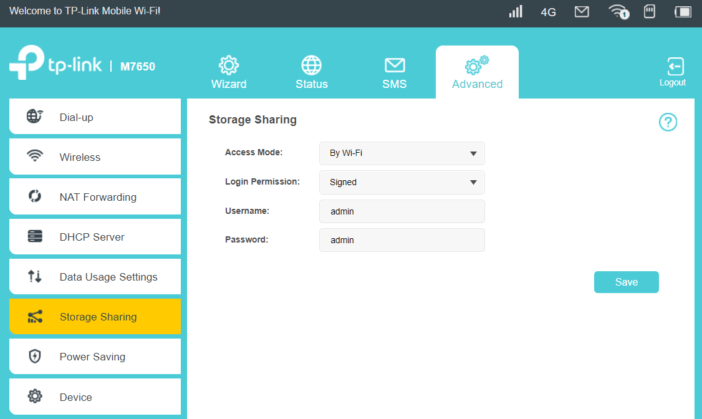
The web interface of the TP-Link M7650 router address http://tplinkmifi.net on a paired device, the default password is admin. The third administration option is the app tpMiFi, which is available for Android and iOS. Via the app or the web interface, more extensive settings can be made than via the pushbuttons and the display. For example, it can be turned off that the Wi-Fi password appears on the display. If the tariff allows it, SMS can be sent and received via the hotspot. In addition, the administrator can set a data limit that can be maximized. Unwanted WLAN clients can be locked out. 


TP-Link M7650 Performance


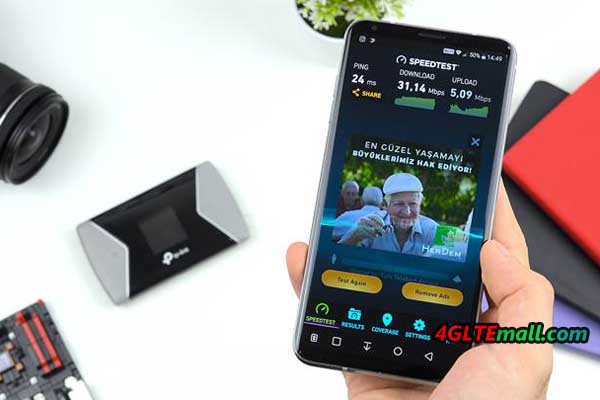
In the speed test, the TP-Link M7650 scored very well in our test measurements. We went to many places, where we knew that the mobile network reception is possible under almost optimal conditions. There, the TP-Link M7650 effortlessly managed to reach the maximum possible 50 Mbps downstream with our SIM card, even several times. For some test measurements, the value was even more than 60 Mbps downstream. The upstream, which is actually limited to 10 Mbit/s at our tariff, several times was even 12 Mbit/s. The ping was also very low with values of around 20 ms. 


But even in poorly supplied areas, the router showed that it can "tickle out" the maximum available locally from the network. Stagnations or dropouts we did not notice. In normal operation, the TP-Link M7650 router should not be warm, but in the blazing sun you should not operate it for a long time, as this could damage the plastic body and the battery. 


TP-Link M7650 Battery

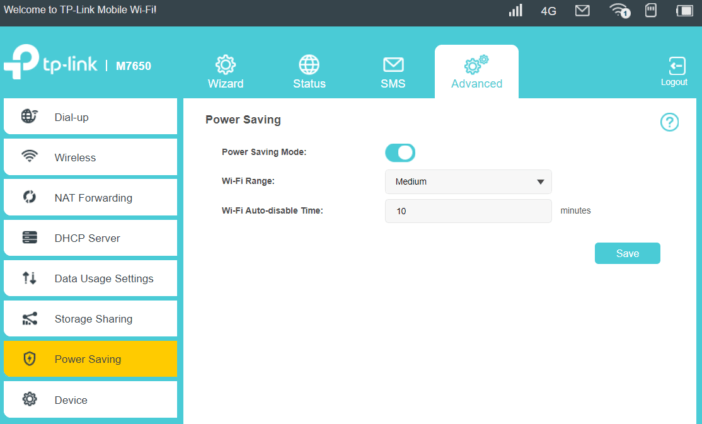
In terms of battery life, TP-Link promises that the M7650 Router can last around 15 hours on a single charge. In our experience, this value should be seen as the maximum value and ultimately it depends on the setting: If you turn off the power saving mode, the Wi-Fi hotspot is constantly on, and not only when a device requires a connection. Of course, this sucks on the battery as well as any additional wireless client that contacts the LTE router for synchronization or data traffic. Also, the operation in the car can "gnaw" at the battery capacity when the hotspot must "overcome" the metal shell of the car body to make contact with the mobile network and hold. 
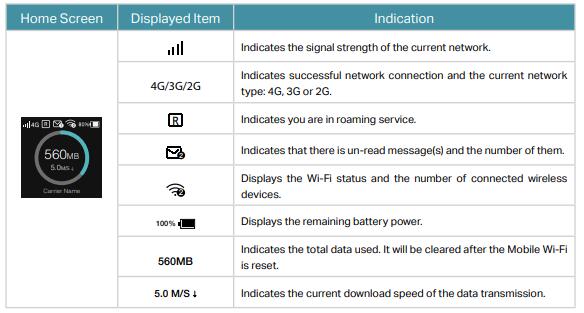


If the battery is fully charged, the energy-saving mode is switched on and about five to ten devices are connected to the M7650 hotspot, which is not more than ten meters away, the battery should in our estimation without problems last ten to twelve hours, so a whole working day. In a building, you can also operate the router permanently at the socket - the battery problem is in any case only in one operation on the road. 


Conclusion: Good Portable LTE router for Wireless Connection


The TP-Link M7650 proves to be a portable and robust router in the test, which can be easily put into operation and administered. Depending on the mobile phone tariff used, fast surfing with up to 32 devices is possible. The battery lasts around ten to twelve hours. However, the LTE hotspot price is not a bargain and the quickly smeared plastic surface around the display is visually unattractive.   Actually, there are many options of Portable LTE router available which can provide even faster speed such as the Gigabit LTE router Netgear Nighthawk M1 and Huawei E5788. You’d better check more before making the buy decision.
Tuesday, October 9, 2018

Huawei B715 VS Huawei B612

Since 4G LTE is becoming the mainstream, many people abandoned their ADSL router to change to LTE 4G Wireless routers for their home or offices. As the top network equipment worldwide, Huawei 4G LTE Router has gained a great reputation from the thousands of worldwide users. However, there are many Huawei 4G LTE Routers available in the market, if someone wants to buy one Huawei 4G LTE router, which one to buy? Today, we would like to recommend two latest Huawei 4G Routers: Huawei B612 and Huawei B715 WiFi Router. You may ask: What’s the difference between the B612 and 715? Then read the following content and we suppose you will find the answer. 


Huawei B612 VS Huawei B715 Appearance and Interfaces


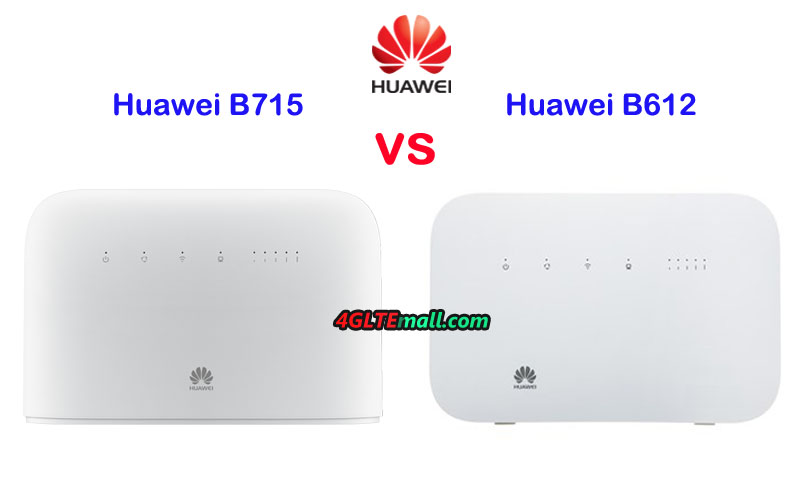
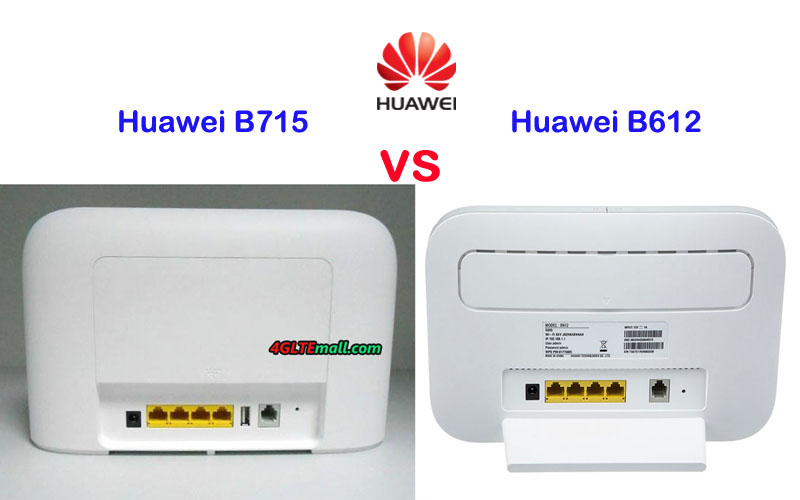
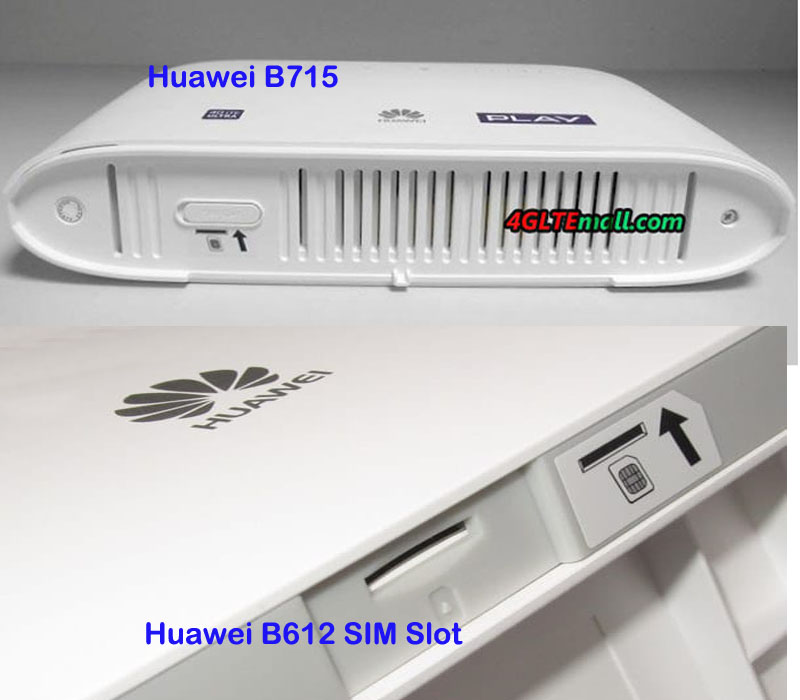
The Huawei B612 and B715 are both in traditional Huawei design like predecessor model Huawei E5186 and B593. On the front, there are few indicators to show the status of Power, Mode, WiFi, LAN and Signal. Huawei logo is located below the indicators. On the back, there are four RJ45 ports for Ethernet connection, actually, 3 ports for LAN and one is for both LAN & WAN. They also both have the RJ11 port for a telephone. The Huawei B715 has one more USB port but B612 doesn’t have the USB port.   They both have two SMA connectors for external LTE antennas which are located at the top back and covered by a cover. Users need to open the cover to see and connect antennas. And they both have the SIM card slot located at the bottom of the router. The difference is on that modem Huawei B612 has an angled backrest, which makes it stand stably. 


Huawei B715 VS B612 Specifications and Features


From the appearance, we can see the Huawei B715 and Huawei B612 WiFi routers are very similar. Then let’s have a comparison of Huawei B715 specs and Huawei B612 specs:


Model Huawei B612 Huawei B715s-23c
Product type Huawei WiFi Router with Ethernet port Huawei WiFi Router with Ethernet port
Category LTE Cat.6 LTE Cat.9
Chipset HiSilicon LTE Cat6 Chipset ?
Data rates DL 300Mbps/UL 50Mbps DL 450Mbps/UL 50Mbps
Supported 4G LTE frequency bands Huawei B612s-25d:  B1/B3/B7/B8/B20/B38/B40/B41/B42/B43 Huawei B612s-51d: B2/B4/B5/B7/B41 LTE B1, B3, B7, B8, B20, B28, B32, B38
WLAN 802.11 b/g/n/ac, single-band 2.4GHz 802.11a/b/g/n/ac, dual-band 2.4GHz & 5GHz
Max supported users 32 users 64 users
MIMO 4 x 4 MIMO 4 X 4 MIMO
Connector for external antenna Two, SMA-female jacks Two, SMA-female jacks
Buy Antenna Huawei B612 external antenna Huawei B715 External Antenna
App management Huawei Hilink APP Huawei Hilink APP
SIM Size Micro SIM Micro SIM
Battery NO NO
Dimensions 240 × 155 × 78 mm 240mm × 448mm × 47mm
Interfaces * 3 x LAN port(RJ45) * 1 x LAN/WAN port (RJ45) * 1 x telephone port(RJ11) * Two external LTE antenna ports (SMA-female) * One micro-SIM card slot * 1 x USB 2.0 port * 1 x power adapter port * 3 x LAN port(45) * 1 x LAN/WAN port (45) * 1 x telephone port(RJ11) * Two external LTE antenna ports (SMA-J1.5) * One micro-SIM card slot * 1 x USB 2.0 port
Datasheet Huawei B612 Datasheet(PDF) Huawei B715 Datasheet(PDF)
User Manual Huawei B612 User Manual(PDF) Huawei B715 User Manual(PDF)
Other features  Firewall, CS Voice, VoIP, VoLTE, IPv6/IPv4 dual stack, NAT, DHCP, VPN, DMZ, UPnP, ALG,  VPN, VoLTE, IPv4 /IPv6 dual stack, DMZ, Port forwarding
Firmware download Huawei B612 firmware Huawei B715s-23c firmware
Driver Huawei B612 driver Huawei B715s-23c driver
Reviews Huawei B612 Review Huawei B715s-23c Review
Price/USD 399.00USD 399.00USD


Summary 

From the specs table, we can see even though the two Huawei LTE routers has the similar appearance. They are different in the specs. Huawei B715 is more advanced in the specs, it could support LTE category 9 and could achieve download speed up to 450Mbps while the Huawei B612 modem supports LTE Cat6 and achieve download speed to 300mbps. Huawei B612 has two variant models: B612s-25d and B612s-51d while Huawei B715 has only one model now. The variant models make the unlocked B612 could work in more widespread areas with more possible network providers. We suppose there will be new variant models available for the B715 router in future like Huawei B593 Router.   


The Huawei B715 could support up to 64 wireless devices while Huawei B612 could support only half to 32 users simultaneously. Actually, in most cases, the support of 32 users would be enough for daily use. Since the Huawei B612 is the latest 4G+ Cat6 router, the Huawei B715 price is very close to it. But we suppose the price of Huawei B612 would be down soon when there is the mass supply of the unit. In our opinion, the Huawei B715 and B612 are both very good WiFi router for home and office use. Their functions are very similar and even though they support different LTE Category, in real use, you may not find the real difference in connection speeds.

Monday, October 8, 2018

Quectel EM05 EM05-CE EM05-CML EM05-E LTE Cat4 M.2 NGFF Embedded Module

Quectel EM05 EM05-CE EM05-CML EM05-E LTE Cat4 M.2 NGFF Embedded Module


Quectel LTE module optimized for broadband IoT applications


* Worldwide LTE and UMTS/HSPA+ coverage


* Standard M.2 (NGFF) form factor


* LTE DL 150Mbps/UL 50Mbps


* USB 2.0 high speed interface


* Three variants: EM05-CE, EM05-CML and EM05-E

Saturday, October 6, 2018

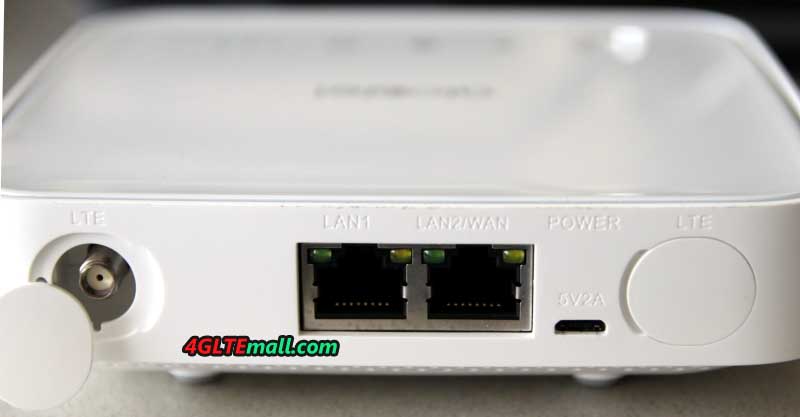
Alcatel Linkhub HH40 WiFi Router Review

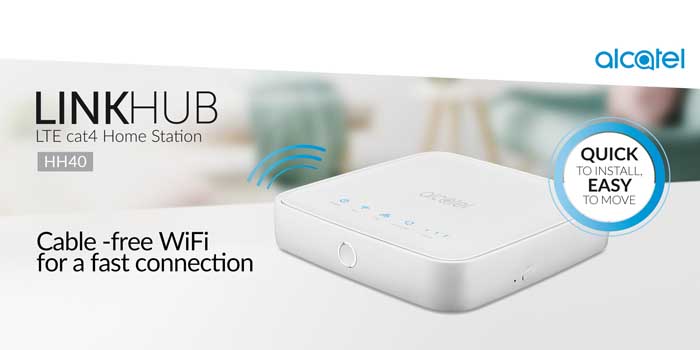
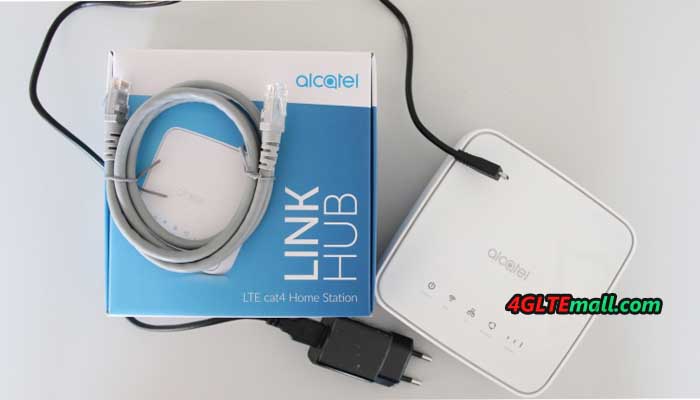
Since more and more 4G Mobile WiFi Hotspots are with Ethernet ports, the network equipment supplier Alcatel also presented a new 4G Mobile Hotspot with Ethernet port. The model number is Alcatel Linkhub HH40. It was available for some network providers in Europe, such as A1 Austria and re-named it as “A1 Net Cube 2”, which is following the first generation A1 Net Cube Plus B528. For carrier congstar in Germany, it got a new name as "Homespot WLAN Router". Then what the new WLAN router could bring to us, let’s have a check the Alcatel linkhub HH40 Specifications and features.


Alcatel Linkhub HH40 Specs and Features
Manufacturer and model Alcatel Linkhub HH40
chipset Qualcomm MDM9207
LTE Category Cat. 4
Download rate 150Mbit/s
Upload rate 50 Mbit/s
Supported LTE bands 800, 900, 1800, 2100, 2600 MHz
Backwards compatible with UMTS, EDGE, GPRS
Support for LTE-Advanced No
MIMO Support Yes
Connection for external antenna: Yes, two SMA connectors(Buy Alcatel LinkHub HH40 Antenna)
Telephone
With integrated telephone system: Yes
Connection for ISDN phones: No
Connection for analogue phones: No
DECT: No
integrated answering machine: No
Network | LAN & WLAN
LAN ports: 2x 100 Mbit LAN (RJ45)(One for LAN/WAN)
WLAN standards: WLAN 802.11 b/g/n
5 GHz WLAN support: No
encryption: WEP, WPA, WPA2
WLAN hotspot function: Yes
Others
Battery pack No battery available
Dimension and Weight 134 x 134 x 31.5 mm / 310g
USB unavailable
Memory card expansion No
Release 10/1/17
Price: 169.00USD
Available at: www.4gltemall.com (unlocked version)
File download
Manual as PDF Alcatel Linkhub HH40 User manual
detailed data sheet: Alcatel Linkhub HH40 Datasheet


Alcatel Linkhub HH40 – Fast Speed Connection but not the best


Alcatel Linkhub HH40 could support LTE category 4, which means it could achieve maximum 150 Mbit/s in the download and up to 50 Mbit/s in the upload. For most applications, this speed should be enough, but in fact, this router is even closer to the data highway in reality. Neither the LAN port nor the WLAN interface of the Alcatel Linkhub HH40 actually provides the 150 Mbit/s. However, there are many LTE-A pro mobile routers with Ethernet port, which could support peak download speed to 1Gigabit/s, such as Netgear Nighthawk M1 or Huawei E5788u-96a. So Alcatel Linkhub HH400 is just decent WiFi router for normal daily use.  


Alcatel states that up to 32 users can contact the HH40 router simultaneously, but then the bandwidth would (at best) be around 3.1 Mbps. After all, an optimal reception is ensured because the network device uses the multi-antenna technology 2 × 2 MIMO. In addition, external LTE antennas can be connected via the two SMA connectors. In terms of frequency diversity, Alcatel linkhub HH40 could support all the popular LTE frequency bands in Europe, including B1, B3, B7, B8, B20. The unlocked Linkhub HH40 could work with all the network carriers in Europe without any limit.  


Alcatel Linkhub HH40 – Easy to take but no battery pack


If you want to take the 4G lte broadband router with you on the road, for example, to be able to control the Internet with your laptop while on the move, you will not need much space with this Linkhub HH40 router. The three centimeters thick and the 13 centimeters dimensions ensure high mobility. And the low weight of only 310 grams makes it easy to take in bag or pocket. What Useful are the indicators for connection status and reception.   However, unlike other Alcatel 4G mobile WiFi routers, there is no battery pack with the device, the power of the Linkhub HH40 is supplied via a standard micro USB connection. Therefore, if you want to use the Linkhub on the move, you’d better to take a mobile power bank for it. It’s really a negative feature: The manufacturer has not thought of a battery.


Other features of the Alcatel Linkhub HH40


The Alcatel Linkhub HH40 can be configured not only via a web interface from the computer and mobile phone, but also by means of an app. For these, a smartphone with an operating system from iOS 5.0 or Android 4.2 is required. What has to mention with such a compact LTE router is the RJ45 connection. One RJ45 is for both LAN/WAN and the other is for LAN. A convenient convenience feature is the WPS button, so the annoying entry of the network key is not necessary when connecting a device for the first time.  


Actually, here now there are many advanced Alcatel LTE Routers supports high-level LTE technologies. If you don’t have great demand for internet speed, Alcatel Linkhub HH40 is good to consider.

Thursday, October 4, 2018

Huawei B618 VS Huawei B612

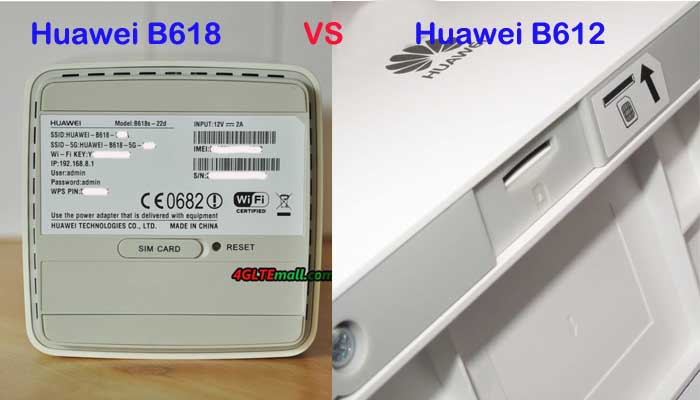
Since more and more Huawei LTE WiFi routers are available in the market, sometimes they had the similar name which may confuse the customer. At the beginning of 2018, Huawei presented a new 4G modem router Huawei B612, following the Huawei B618 router. As you can see, the Huawei B612 and Huawei B618 router names are very similar. For those who are unfamiliar with Huawei routers, they may don’t know what the difference is between the Huawei B618 and B612 LTE router. If they want to buy one of the two routers, they may be in trouble to make the decision which one to buy. Today, we will compare the two routers specs and features so the customers may get some reference.


Huawei B612 VS B618 Appearance and Interfaces


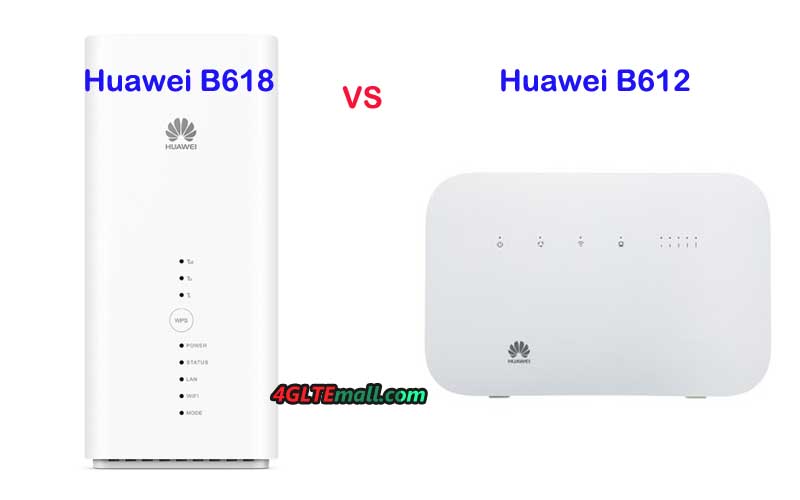
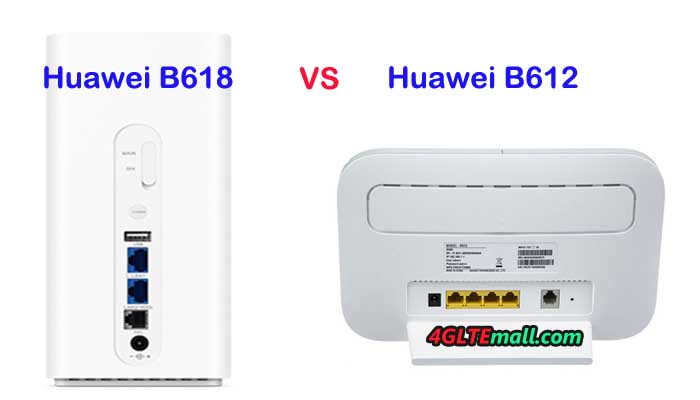
Simply from the router name, it may not be easy to identify the two routers, but if you see them, it would be easy to recognize. The Huawei B612 4G LTE Modem is in a traditional router shape, on the front, there are indicators for Power, Mode, WiFi, LAN and Signal. On the back, there are 3 LAN ports and One port for both LAN & WAN. And there is also a telephone port with the Ethernet ports. Like other Huawei 4G wireless routers, there are two SMA-male connectors at the back of the router and the connectors are covered by a long cap. The special design of the Huawei B612 router has an angled backrest for stand stability.  


Huawei B618 LTE is not in a usual router design. It’s in a shape of cube, which looks cool like home furniture. Like Huawei B612, Huawei B618 Cube is also in white color. On the front face, there are indicators for Power, Status, Lan, WiFi, Mode and Signal. The WPS button is in the middle of the indicators. On the back of Huawei B618 WiFi router, there is One USB port, one LAN port, one telephone port and One WAN/LAN port. The power button is above the USB port. And there are also two connectors are for external antennas. The connectors are TS-9, not the common SMA connectors. The SIM card slot is at the bottom of the router.


Huawei B618 VS B612 Specs and Features


The appearance of Huawei B618 and Huawei B612 are very different, then let’s have a comparison of the Huawei B618 specs and Huawei B612 specs:


Model Huawei B612 Huawei B618
Product type Huawei WiFi Router with Ethernet port Huawei WiFi Router with Ethernet port
Category LTE Cat.6 LTE Cat.9/ Cat.11
Chipset HiSilicon LTE Cat6 Chipset HiSilicon Balong 750
Data rates DL 300Mbps/UL 50Mbps DL 600Mbps/UL 100Mbps
Supported 4G LTE frequency bands Huawei B612s-25d:  B1/B3/B7/B8/B20/B38/B40/B41/B42/B43 Huawei B612s-51d: B2/B4/B5/B7/B41 Huawei B618s-22d: Band 1/3/7/8/20/38 Huawei B618s-65d: 1/3/5/7/8/28/40
WLAN 802.11 b/g/n/ac, single-band 2.4GHz 802.11a/b/g/n/ac, dual-band 2.4GHz & 5GHz
Max supported users 32 users 64 users
MIMO 4 x 4 MIMO 4 X 4 MIMO
Connector for external antenna Two, SMA-female jacks Two, TS-9 jacks
Buy Antenna Huawei B612 external antenna Huawei B618 external Antenna
App management Huawei Hilink APP Huawei Hilink APP
SIM Size Micro SIM Micro SIM
Battery NO NO
Dimensions 240 × 155 × 78 mm 95 × 95 × 208mm
Interfaces * 3 x LAN port(RJ45) * 1 x LAN/WAN port (RJ45) * 1 x telephone port(RJ11) * Two external LTE antenna ports (SMA-female) * One micro-SIM card slot * 1 x USB 2.0 port * 1 x LAN port(45) * 1 x LAN/WAN port (45) * 1 x telephone port(RJ11) * 1 x USB 2.0 port* Two external LTE antenna ports (TS-9)
Datasheet Huawei B612 Datasheet(PDF) Huawei B618 Datasheet
User Manual Huawei B612 User Manual(PDF) Huawei B618 User Manual
Other features  Firewall, CS Voice, VoIP, VoLTE, IPv6/IPv4 dual stack, NAT, DHCP, VPN, DMZ, UPnP, ALG, DHCP Server, DNS RELAY and NAT, VoLTE, IPv4 /IPv6 dual stack
Firmware download Huawei B612 firmware Huawei B618 firmware
Driver Huawei B612 driver Huawei B618 driver
Reviews Huawei B612 Review Huawei B618s-22d Review
Price/USD 399.00USD 449.00USD


Summary


From the specs table, we can see the new Huawei B612 is just a 4G+ Cat6 router, the Huawei B618 LTE is with more advanced technology, which could achieve download speed up to 600mbps and upload speed to 100Mbps. The Huawei B612 could support only LTE Cat6 up to 300Mbps. They both have two variant models for difference LTE frequency bands. Huawei B618 seems to be more suitable for home use but Huawei B612s-25d supports LTE B42 and B43, which are usually for industrial applications. Huawei B618 supports up to 64 wireless users while Huawei B612 support only half to 32 users. But they both use 4 X 4 MIMO technologies. Of course, the more advanced Huawei B618 price is higher than Huawei B612 price. Considering the LTE frequency bands at your location and your network providers, and the price & interfaces, you can easily make the decision which one to buy now.


Sourcing from https://www.4gltemall.com/blog/huawei-b612-vs-huawei-b618/

Tuesday, October 2, 2018

Huawei 5G Modem Router Review

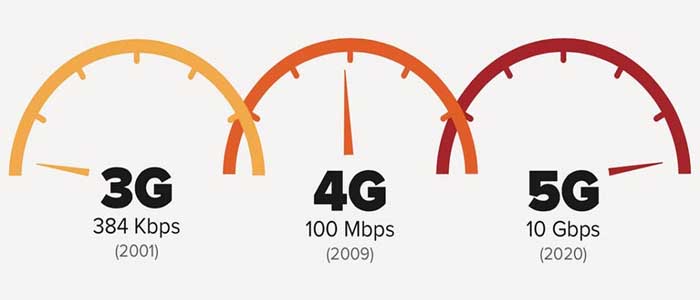
More and more countries are starting the 5G trial since 2018, even though 5G commercial networks have not yet been launched, many people are keen to know the latest new 5G routers and some network carriers want to get 5G routers for network test purpose. Huawei, as the 5G standard maker and the top network equipment vendor for worldwide network providers and end-users, is, of course, dominating the 5G trend. Based on the success on 4G Router, Huawei 5G router is also attracting many potential users.


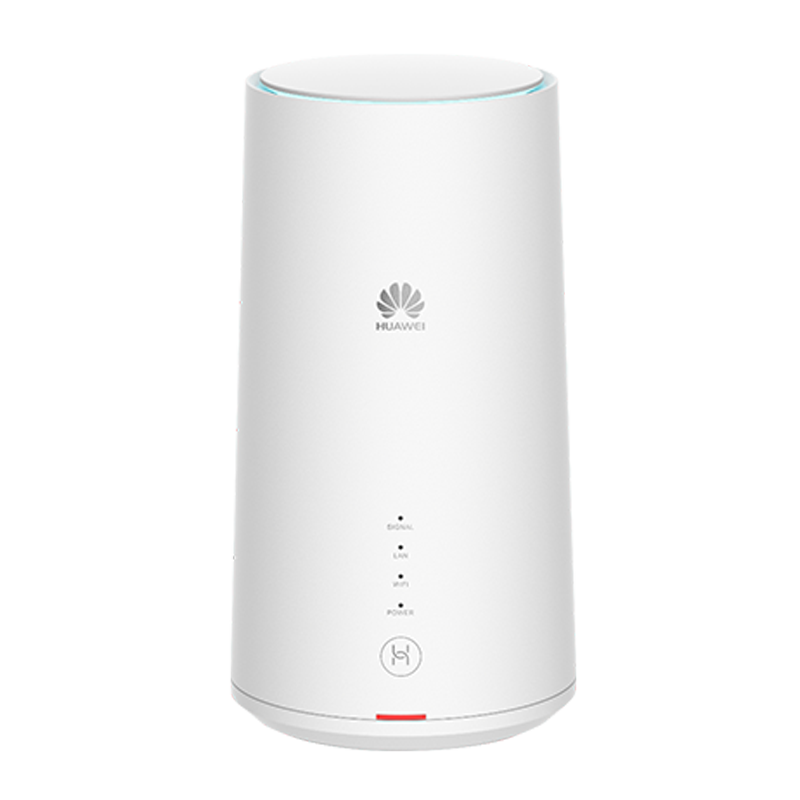
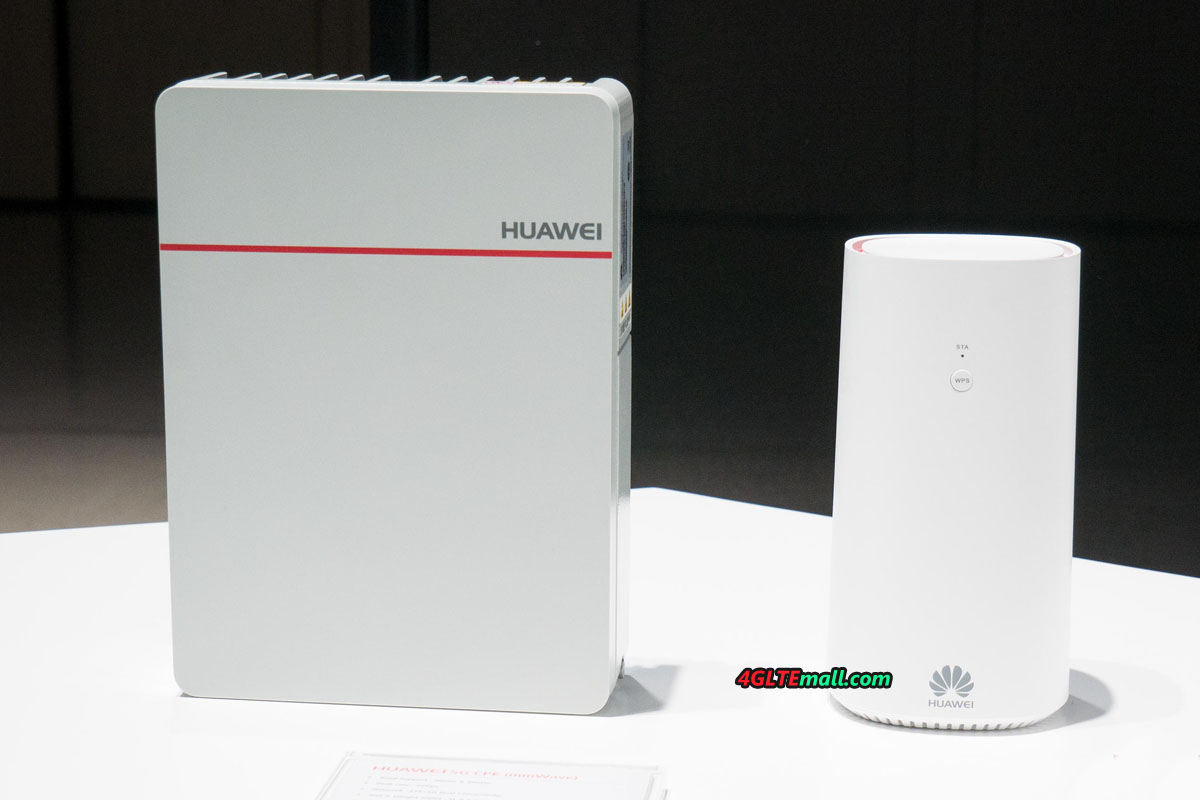
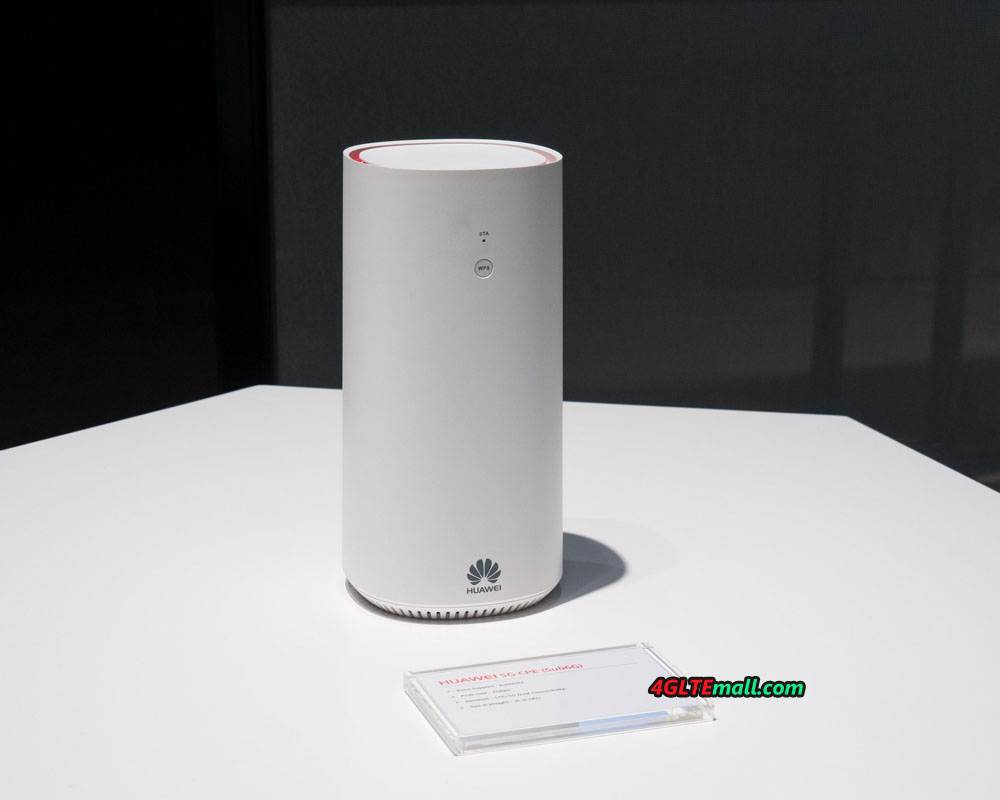
Huawei had presented the world’s first 5G chipset to the public since the beginning of 2018 at MWC and based on this 5G platform, Huawei released two new 5G CPEs: Huawei 5G CPE mmWave and 5G CPE sub6GHz. Just like the Huawei 4G Routers, the two Huawei 5G Routers also support difference 5G frequency bands. Actually, Huawei also released a new Huawei 5G Router named Huawei B818 on official site. Here now we can’t tell which one is the best 5G router because the details specifications about the three Huawei 5G routers are very limited. We list the general specs of the three Huawei 5G routers as below.


  1. Huawei B818 5G Router

  1. Huawei 5G Router mmWave
  • * World's first 3GPP Commercial CPE
  • * Chipset: Huawei Balong 5G01
  • * Peak rate 2Gbps
  • * Supports mmWave multi-frequency
  • * 4G/5G dual connectivity
  • * Supports Power Over Ethernet(POE)


Check more details about Huawei 5G Router mmWave: https://www.4gltemall.com/huawei-5g-cpe-mmwave.html


  1. Huawei 5G Router sub6GHz
* World's first 3GPP Commercial CPE
* Peak rate 2Gbps
* Supports Sub6GHz multi-frequency
* 4G/5G Dual connectivity


Check more details about Huawei Router 5G sub6GHz: https://www.4gltemall.com/huawei-5g-cpe-sub6ghz.html  


We suppose there will be more Huawei 5G routers available as time goes and we will keep updating the list for your reference about the latest 5G routers and 5G development news.