The
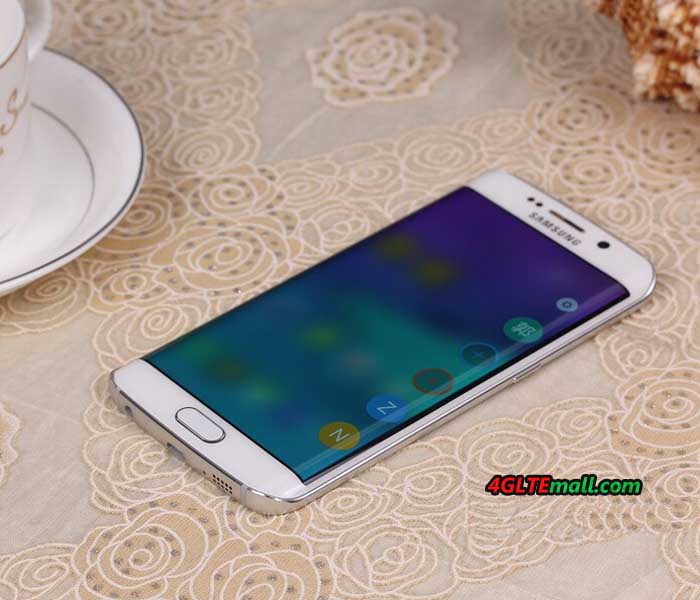
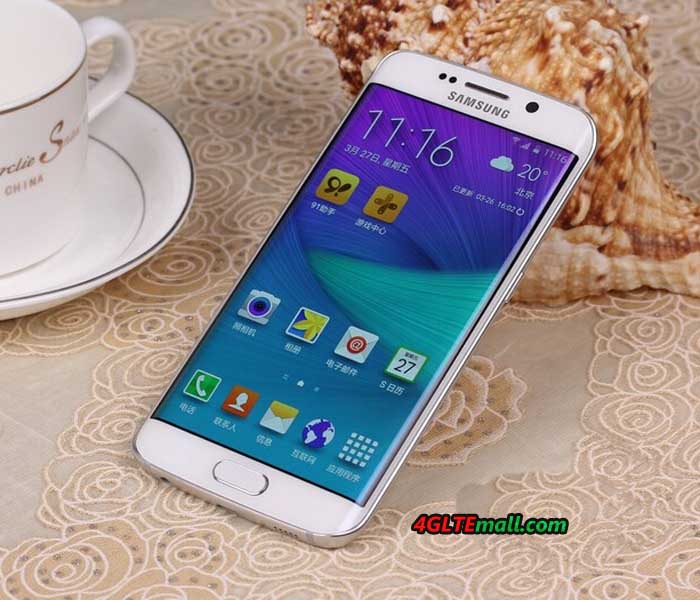
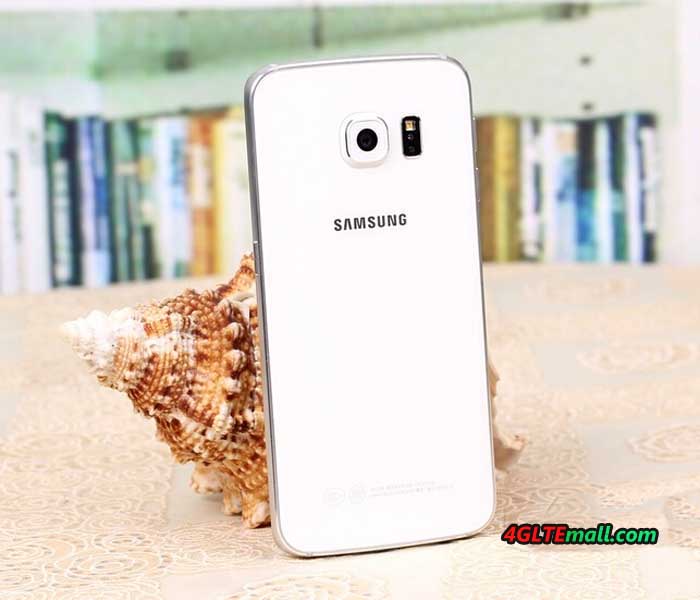
Samsung Galaxy S6 Edge is unique: it’s the first smartphone on the market to have both sides curved display. In addition, it’s a very good technical equipment, which is second to none. Camera, processor design and feel - in almost all important features, the new Samsung smartphone presents the top craftsmanship. Of course there may also be a recent LTE Cat6 modem (up to 300 Mbit/s). We have the Samsung Galaxy S6 Edge last week to test in detail and would like to report in this review about my experience with the device.

The Samsung Galaxy S6 Edge comes in a rather unspectacular package with the standard smartphone accessories included. In the accessories, only the power supply is worth: this can load not only with 5V/2A, but also supports a rapid charger function with 9.6V/1.67A. This unit is actually charged beautiful afloat and the remaining charging time is indicated in the status bar. If you had used the previous models of Samsung smartphones, you may know the body of
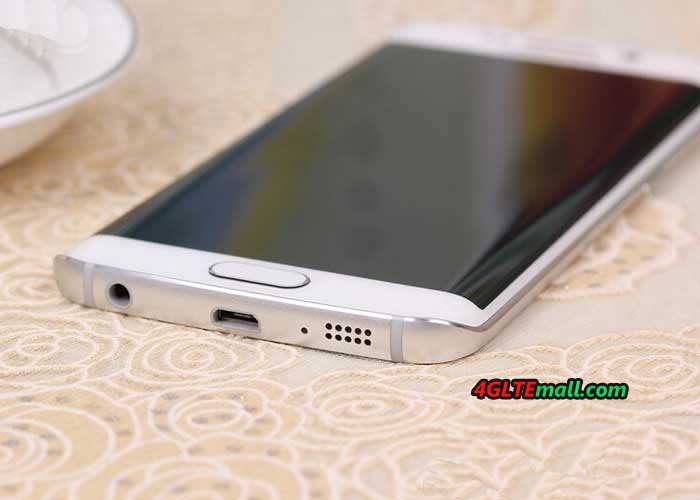
Samsung Galaxy S5 was made of much plastic material; the Samsung Galaxy S6 Edge is now glass and metal. The Galaxy S6 edge is extremely in high quality, it feels great at the sides curved.

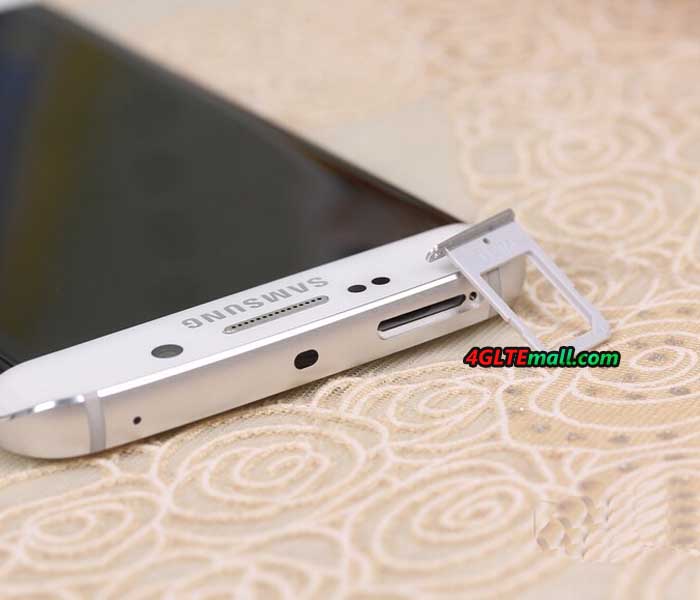
Unfortunately, the new design of the Galaxy S6 Edge also has two disadvantages: user cannot replace the battery, as it was still possible in previous generations and also the memory expansion via memory card is no longer possible. Since the permanently installed battery is now widely used and becomes the main stream, the lack of microSD bay is still very annoying, especially since Samsung has integrated the Galaxy cheaper models with metal housing such a manhole.
 Bent AMOLED display
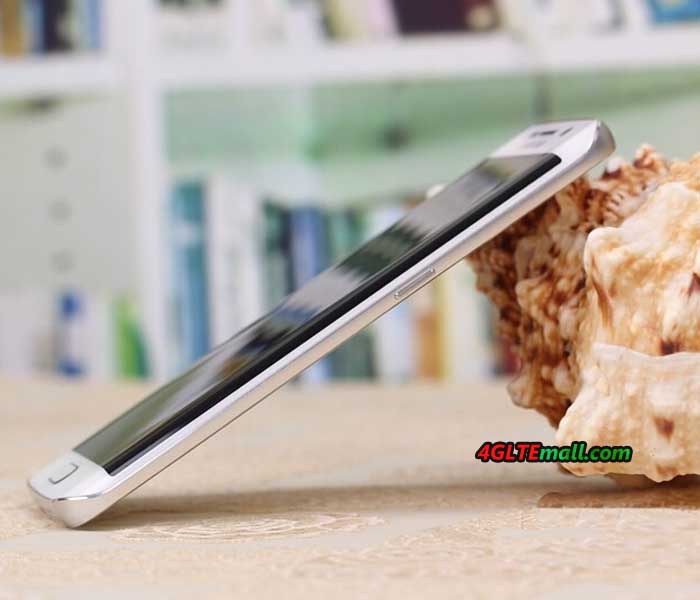
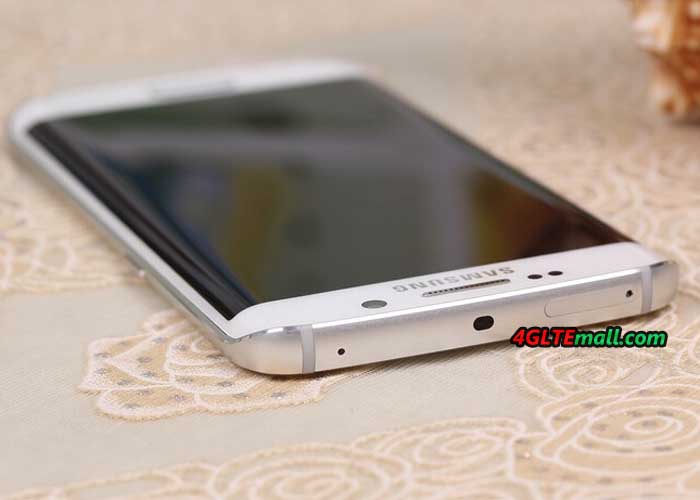
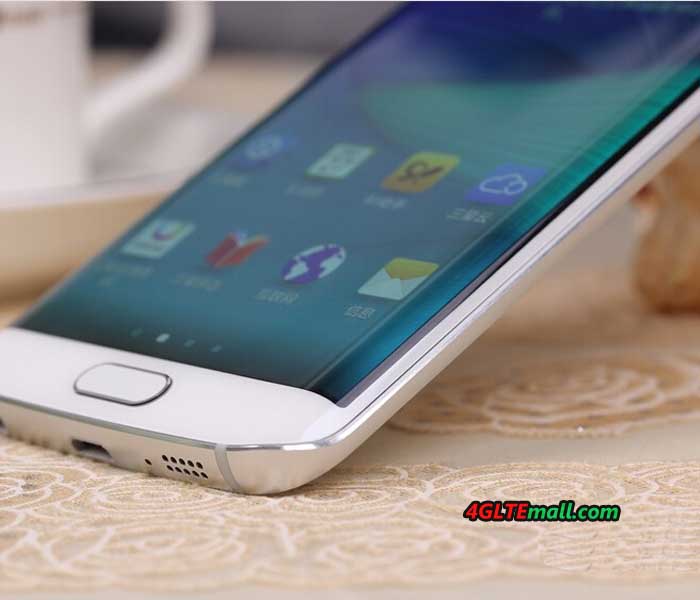
The highlight of the Samsung Galaxy S6 Edge is the display. It is slightly curved towards either side and looks very futuristic. The resolution is 2560 x 1440 pixels (QHD), in all the major disciplines such as sharpness, brightness and color fidelity, the display is the best thing I've ever seen in a smartphone. However, the interesting questions are whether it’s necessary to the curved display? What are the benefits and features?

After two weeks of intensive use I can say that the display has fascinated me every day. It is not the function. There are much more the feel and appearance that make up the curved display: the missing edge is an excellent sensation during use and it looks really great. Particularly in the presentation of images, it is an interesting, new experience. Whether the curved display is well worth the price charge, you have to decide for yourself, personally, I would pay it well!
 Excellent camera
In this review, I will not imagine every single feature of the Samsung Galaxy S6 edge, but the camera deserves a separate chapter, because it is definitely one of the best smartphone cameras, which you can get at present. In my Galaxy S6 Edge, a 16 megapixel sensor from Sony IMX240 was installed, and it also provides Samsung Isocell sensors in Galaxy S6.
Overall, the camera takes very nice photos. In daylight you can achieve great defocus effects at dusk and nightfall depending on the subject and situation. The tripping time is top and to start the camera, a twofold pressure on the home button reaches. Of course, 4K videos recordings are possible in Galaxy S6 Edge. It’s not a problem.
 Technology and software
on the Samsung Galaxy S6 Edge runs Android version 5.0 Lollipop, an update to Android 5.1 is coming shortly . Overall, the operating system looks much tidier than previous Samsung devices with TouchWiz interface, but most of the well-known and appreciated features have been retained. By the Exynos 7420 Octa-Core processor, the operating system is very fast, the energy consumption nevertheless remains limited: the 2,600 mAh strong battery lasts even with intensive use for a whole day.

The internal memory of the Samsung Galaxy S6 edge is either 32GB, 64GB or 128GB in size, with each memory level extra money to be paid. But an extension of the internal memory is unfortunately not possible, as already mentioned earlier in the test. The fingerprint reader is integrated as standard in every Galaxy S6 and usually provides a very fast and reliable way to unlock your device. If you work a lot in the garden or on the construction, you’d better not use the sensor: very light soiling, damage or moist areas on the skin may cause that the fingerprint is no longer detected.
Fast LTE Cat6
The modem of the Samsung Galaxy S6 Edge could support EDGE and UMTS with the data accelerator DC-HSPA+ (up to 42.2 Mbit/s in the downlink), of course LTE network is also supported. As LTE category 6 is supported, up to 300 MBit/s can be achieved in the downlink via carrier aggregation. In practice test the Samsung Galaxy S6 Edge impressed with a very good reception on LTE 800 MHz and a really good wireless reception. The speed in the LTE network achieved up to 220 Mbit/s in the downlink and 46 Mbit /s in the uplink; however, the speeds often fluctuate between 50 and 120 MBit/s. On WLAN, the speed reached up to 866 MBit/s based on AC standard.
 Conclusion:
The Samsung Galaxy S6 Edge is a true flagship. I could write a lot more about the device, but I think with this review, I have summarized the most important experience for Galaxy S6 edge. When did you get the phone, you will see what’s really amazing!
 The Samsung Galaxy S6 Edge comes in a rather unspectacular package with the standard smartphone accessories included. In the accessories, only the power supply is worth: this can load not only with 5V/2A, but also supports a rapid charger function with 9.6V/1.67A. This unit is actually charged beautiful afloat and the remaining charging time is indicated in the status bar. If you had used the previous models of Samsung smartphones, you may know the body of Samsung Galaxy S5 was made of much plastic material; the Samsung Galaxy S6 Edge is now glass and metal. The Galaxy S6 edge is extremely in high quality, it feels great at the sides curved.
 Unfortunately, the new design of the Galaxy S6 Edge also has two disadvantages: user cannot replace the battery, as it was still possible in previous generations and also the memory expansion via memory card is no longer possible. Since the permanently installed battery is now widely used and becomes the main stream, the lack of microSD bay is still very annoying, especially since Samsung has integrated the Galaxy cheaper models with metal housing such a manhole.
 Bent AMOLED display
The highlight of the Samsung Galaxy S6 Edge is the display. It is slightly curved towards either side and looks very futuristic. The resolution is 2560 x 1440 pixels (QHD), in all the major disciplines such as sharpness, brightness and color fidelity, the display is the best thing I've ever seen in a smartphone. However, the interesting questions are whether it’s necessary to the curved display? What are the benefits and features?
Bent AMOLED display
The highlight of the Samsung Galaxy S6 Edge is the display. It is slightly curved towards either side and looks very futuristic. The resolution is 2560 x 1440 pixels (QHD), in all the major disciplines such as sharpness, brightness and color fidelity, the display is the best thing I've ever seen in a smartphone. However, the interesting questions are whether it’s necessary to the curved display? What are the benefits and features?
 After two weeks of intensive use I can say that the display has fascinated me every day. It is not the function. There are much more the feel and appearance that make up the curved display: the missing edge is an excellent sensation during use and it looks really great. Particularly in the presentation of images, it is an interesting, new experience. Whether the curved display is well worth the price charge, you have to decide for yourself, personally, I would pay it well!
 Excellent camera
In this review, I will not imagine every single feature of the Samsung Galaxy S6 edge, but the camera deserves a separate chapter, because it is definitely one of the best smartphone cameras, which you can get at present. In my Galaxy S6 Edge, a 16 megapixel sensor from Sony IMX240 was installed, and it also provides Samsung Isocell sensors in Galaxy S6.
Overall, the camera takes very nice photos. In daylight you can achieve great defocus effects at dusk and nightfall depending on the subject and situation. The tripping time is top and to start the camera, a twofold pressure on the home button reaches. Of course, 4K videos recordings are possible in Galaxy S6 Edge. It’s not a problem.
Excellent camera
In this review, I will not imagine every single feature of the Samsung Galaxy S6 edge, but the camera deserves a separate chapter, because it is definitely one of the best smartphone cameras, which you can get at present. In my Galaxy S6 Edge, a 16 megapixel sensor from Sony IMX240 was installed, and it also provides Samsung Isocell sensors in Galaxy S6.
Overall, the camera takes very nice photos. In daylight you can achieve great defocus effects at dusk and nightfall depending on the subject and situation. The tripping time is top and to start the camera, a twofold pressure on the home button reaches. Of course, 4K videos recordings are possible in Galaxy S6 Edge. It’s not a problem.
 Technology and software
on the Samsung Galaxy S6 Edge runs Android version 5.0 Lollipop, an update to Android 5.1 is coming shortly . Overall, the operating system looks much tidier than previous Samsung devices with TouchWiz interface, but most of the well-known and appreciated features have been retained. By the Exynos 7420 Octa-Core processor, the operating system is very fast, the energy consumption nevertheless remains limited: the 2,600 mAh strong battery lasts even with intensive use for a whole day.
Technology and software
on the Samsung Galaxy S6 Edge runs Android version 5.0 Lollipop, an update to Android 5.1 is coming shortly . Overall, the operating system looks much tidier than previous Samsung devices with TouchWiz interface, but most of the well-known and appreciated features have been retained. By the Exynos 7420 Octa-Core processor, the operating system is very fast, the energy consumption nevertheless remains limited: the 2,600 mAh strong battery lasts even with intensive use for a whole day.
 The internal memory of the Samsung Galaxy S6 edge is either 32GB, 64GB or 128GB in size, with each memory level extra money to be paid. But an extension of the internal memory is unfortunately not possible, as already mentioned earlier in the test. The fingerprint reader is integrated as standard in every Galaxy S6 and usually provides a very fast and reliable way to unlock your device. If you work a lot in the garden or on the construction, you’d better not use the sensor: very light soiling, damage or moist areas on the skin may cause that the fingerprint is no longer detected.
Fast LTE Cat6
The modem of the Samsung Galaxy S6 Edge could support EDGE and UMTS with the data accelerator DC-HSPA+ (up to 42.2 Mbit/s in the downlink), of course LTE network is also supported. As LTE category 6 is supported, up to 300 MBit/s can be achieved in the downlink via carrier aggregation. In practice test the Samsung Galaxy S6 Edge impressed with a very good reception on LTE 800 MHz and a really good wireless reception. The speed in the LTE network achieved up to 220 Mbit/s in the downlink and 46 Mbit /s in the uplink; however, the speeds often fluctuate between 50 and 120 MBit/s. On WLAN, the speed reached up to 866 MBit/s based on AC standard.
The internal memory of the Samsung Galaxy S6 edge is either 32GB, 64GB or 128GB in size, with each memory level extra money to be paid. But an extension of the internal memory is unfortunately not possible, as already mentioned earlier in the test. The fingerprint reader is integrated as standard in every Galaxy S6 and usually provides a very fast and reliable way to unlock your device. If you work a lot in the garden or on the construction, you’d better not use the sensor: very light soiling, damage or moist areas on the skin may cause that the fingerprint is no longer detected.
Fast LTE Cat6
The modem of the Samsung Galaxy S6 Edge could support EDGE and UMTS with the data accelerator DC-HSPA+ (up to 42.2 Mbit/s in the downlink), of course LTE network is also supported. As LTE category 6 is supported, up to 300 MBit/s can be achieved in the downlink via carrier aggregation. In practice test the Samsung Galaxy S6 Edge impressed with a very good reception on LTE 800 MHz and a really good wireless reception. The speed in the LTE network achieved up to 220 Mbit/s in the downlink and 46 Mbit /s in the uplink; however, the speeds often fluctuate between 50 and 120 MBit/s. On WLAN, the speed reached up to 866 MBit/s based on AC standard.
 Conclusion:
The Samsung Galaxy S6 Edge is a true flagship. I could write a lot more about the device, but I think with this review, I have summarized the most important experience for Galaxy S6 edge. When did you get the phone, you will see what’s really amazing!
Conclusion:
The Samsung Galaxy S6 Edge is a true flagship. I could write a lot more about the device, but I think with this review, I have summarized the most important experience for Galaxy S6 edge. When did you get the phone, you will see what’s really amazing!

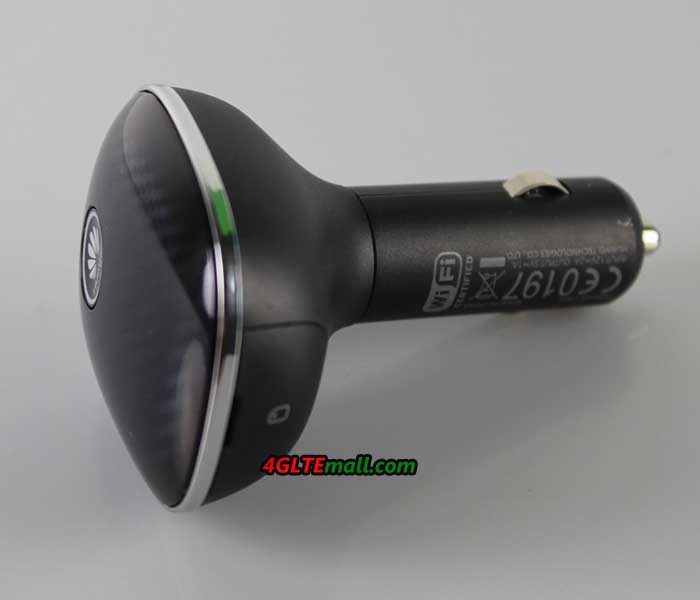
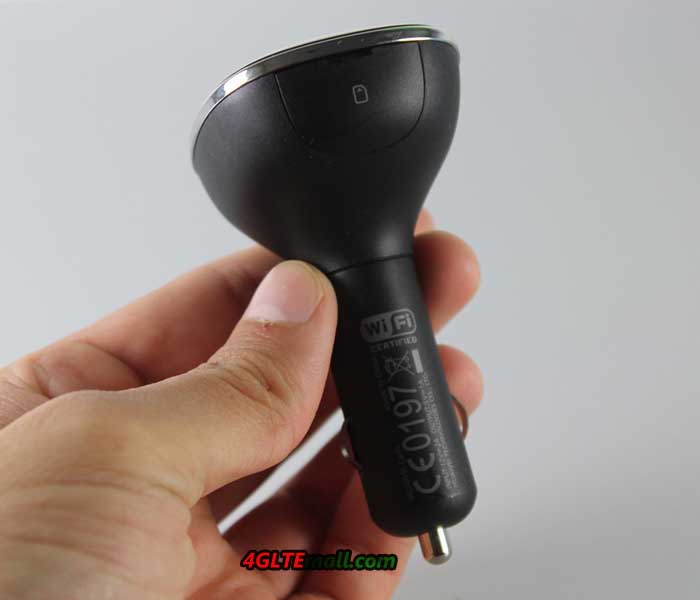
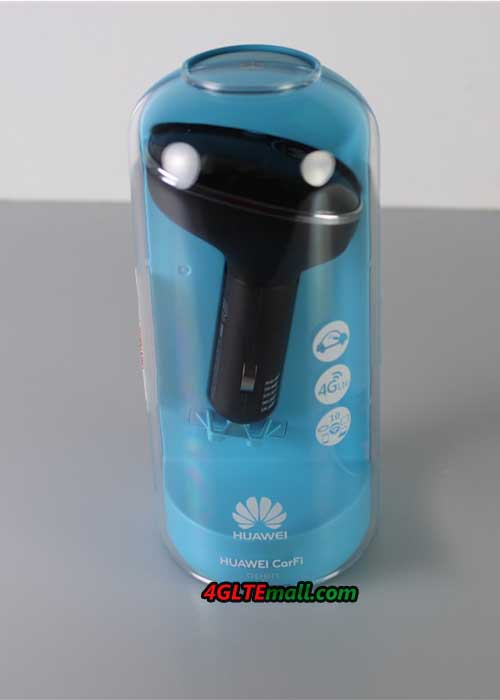
 With the Carfì E8377 router, user can access internet via the mobile Wi-Fi hotspot. The CarFi could work on 3G or 4G LTE and up to 150 Mbits per second download speed are possible here. The concept is not entirely new. Huawei had brought a car Stick named
  The packaging looks quite classy and looks like a clock-bell. After opening the box, there is only a mini-manual next to the device. In addition, a tiny leaflet-list is available for installation. The user manual (sweet 6.5 x 5 cm) available in several languages and there are short Tips for settings.
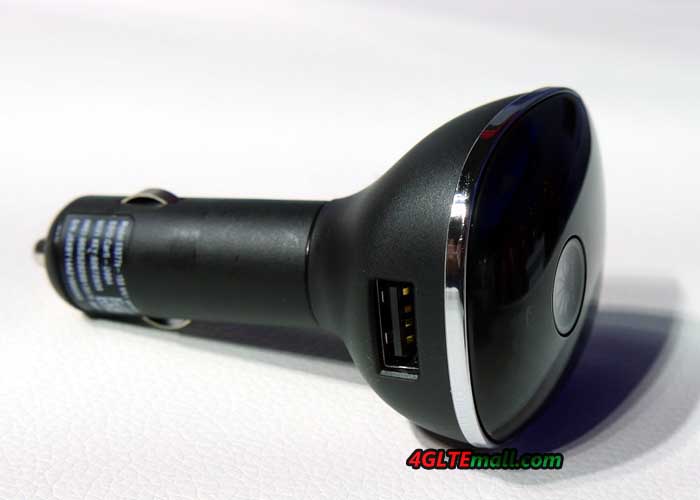
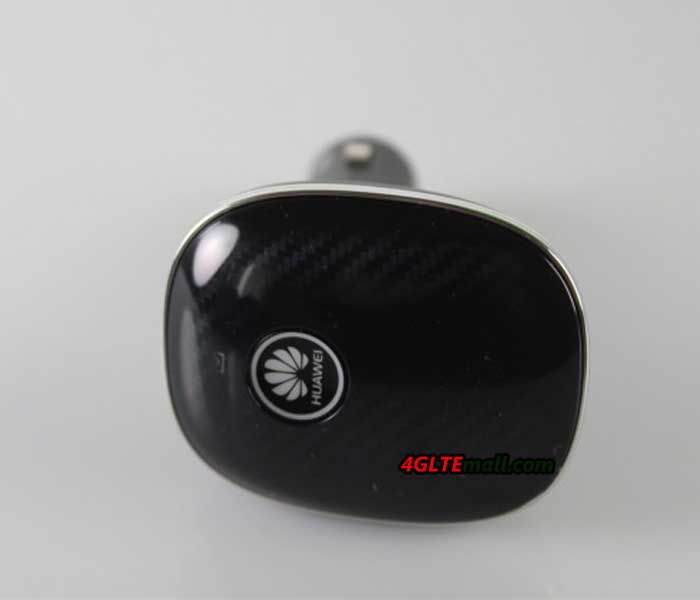
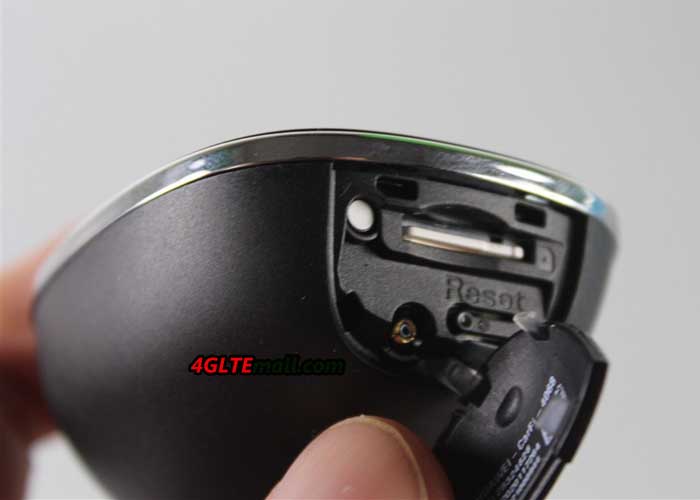
 The egg-shaped head of CarFi E8377 gives only a start switch, a notification LED and laterally a SIM card slot (Micro SIM) together with the reset button. Directly to the head connects to the cigarette 12-volt port. From a processing perspective, the device is "appropriate". The specially adapted to use in the car shape design, the E8377 hardly looks like a foreign body in any case.
Now, let's consider technical data. The mobile module initially supports LTE in all major bands at 800, 900, 1800, 2100 and 2600 MHz. Thus, the Car-stick can easily use in Europe. Based on the LTE Cat4 modem, it can reach up to 150 Mbps for download and up to 50 MBit for upload in connection with a matching LTE tariff. In addition to LTE/4G, the CarFi still has support for more mobile phone standards. Among them are as UMTS 900 and 2100 MHz 3G Turbo DC-HSPA+ (up to 42 Mbps) and 2G (GSM, EDGE, GPRS). So even in very poor regions with weak signal, user can still have the chance of a slow connection. The WLAN module supports 802.11 b/g/n and thus can provides data rates up to 300 Mbps.
The egg-shaped head of CarFi E8377 gives only a start switch, a notification LED and laterally a SIM card slot (Micro SIM) together with the reset button. Directly to the head connects to the cigarette 12-volt port. From a processing perspective, the device is "appropriate". The specially adapted to use in the car shape design, the E8377 hardly looks like a foreign body in any case.
Now, let's consider technical data. The mobile module initially supports LTE in all major bands at 800, 900, 1800, 2100 and 2600 MHz. Thus, the Car-stick can easily use in Europe. Based on the LTE Cat4 modem, it can reach up to 150 Mbps for download and up to 50 MBit for upload in connection with a matching LTE tariff. In addition to LTE/4G, the CarFi still has support for more mobile phone standards. Among them are as UMTS 900 and 2100 MHz 3G Turbo DC-HSPA+ (up to 42 Mbps) and 2G (GSM, EDGE, GPRS). So even in very poor regions with weak signal, user can still have the chance of a slow connection. The WLAN module supports 802.11 b/g/n and thus can provides data rates up to 300 Mbps.
 The router Carfì measures 5.9 x 4.9 x 8.8 inches and weighs only 50 grams according to the manufacturer. However, our weight measurement yielded 146 grams. Huawei will also indicate that the E8377 has an integrated battery, which has a capacity of 1900 mAh. However, we were able to connect Carstick for long hours of use on the current port, without connecting the CarFi to the cigarette slots. Thus, we believe that the battery only serves to maintain the operation as soon as the energy source is gone suddenly.
 A USB port is located on the side. This port is not a data interface, but as a kind of adapter. Huawei has considered that many people use the car's cigarette lighter as a charging station for mobile phones and other devices, when the cigarette port is used. No more space will be available without adapter for third-party devices. Through the USB port on the side, you can now connect there and load it. Beside the SIM slot, there is a TS9 connector for connecting an external antenna. However, only 1 port, users have to give up 2x2 MIMO. But at least there is a possibility! It is precisely when traveling, for example with a camper, the reception is weak and need external antenna.
To make user understand well about the color shining in Huawei CarFi, here are some codes about the colors:
A USB port is located on the side. This port is not a data interface, but as a kind of adapter. Huawei has considered that many people use the car's cigarette lighter as a charging station for mobile phones and other devices, when the cigarette port is used. No more space will be available without adapter for third-party devices. Through the USB port on the side, you can now connect there and load it. Beside the SIM slot, there is a TS9 connector for connecting an external antenna. However, only 1 port, users have to give up 2x2 MIMO. But at least there is a possibility! It is precisely when traveling, for example with a camper, the reception is weak and need external antenna.
To make user understand well about the color shining in Huawei CarFi, here are some codes about the colors:


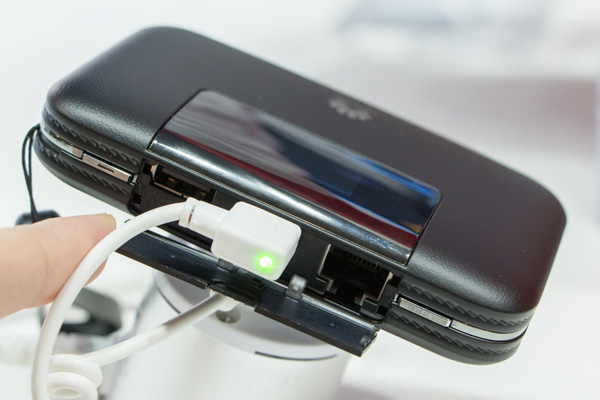
 First MiFi hotspot with LTE Cat4 and RJ45 interface
The Huawei E5770 is the first mobile wireless router from Huawei, which is combined LTE Category 4 with a RJ45 LAN interface and a powerful battery. As we know before, the fastest 3G mobile Wi-Fi hotspot was
First MiFi hotspot with LTE Cat4 and RJ45 interface
The Huawei E5770 is the first mobile wireless router from Huawei, which is combined LTE Category 4 with a RJ45 LAN interface and a powerful battery. As we know before, the fastest 3G mobile Wi-Fi hotspot was