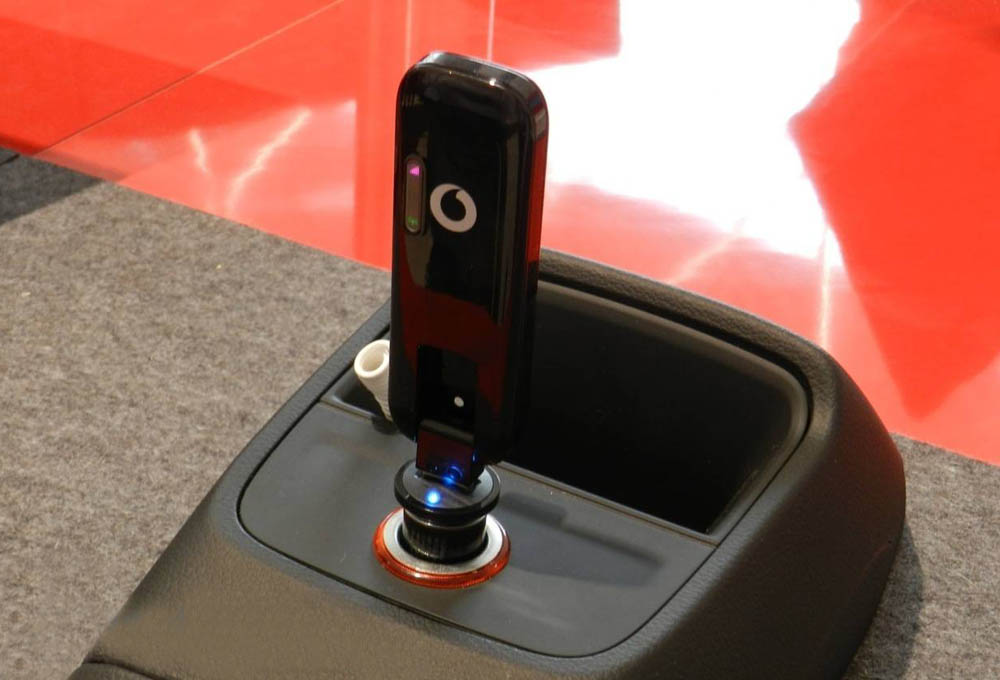
Named the Speed Stick LTE IV, the German Telekom has brought their fourth LTE stick at the end of 2013. Since the first LTE Speed Stick was able to score above all with excellent reception and great features (and therefore still is very popular), so
Speed Stick II LTE was thought rather unspectacular and not as known as entry-level model. The Speed Stick LTE III arrived in May 2013 on the market and represents the current top model, which is as good as the first Speed Stick LTE, this model is made by Huawei.
When Speed Stick LTE IV is again a device from the manufacturer TCT Mobile now like Speedstick LTE II, better known under the brand name Alcatel. The modem of the Speed Stick LTE IV is with a special feature which highlights this surf stick from the other three models on an integrated WLAN module which provides up to 10 devices connected wireless to the Internet. How well this works in practice and how to beat the rest of the functions with extended use, you can read in this review.
 Package and setup
The Telecom Speed Stick LTE IV comes in a small cardboard box in a typical telecom style. In addition to the surf stick itself (it is a branded
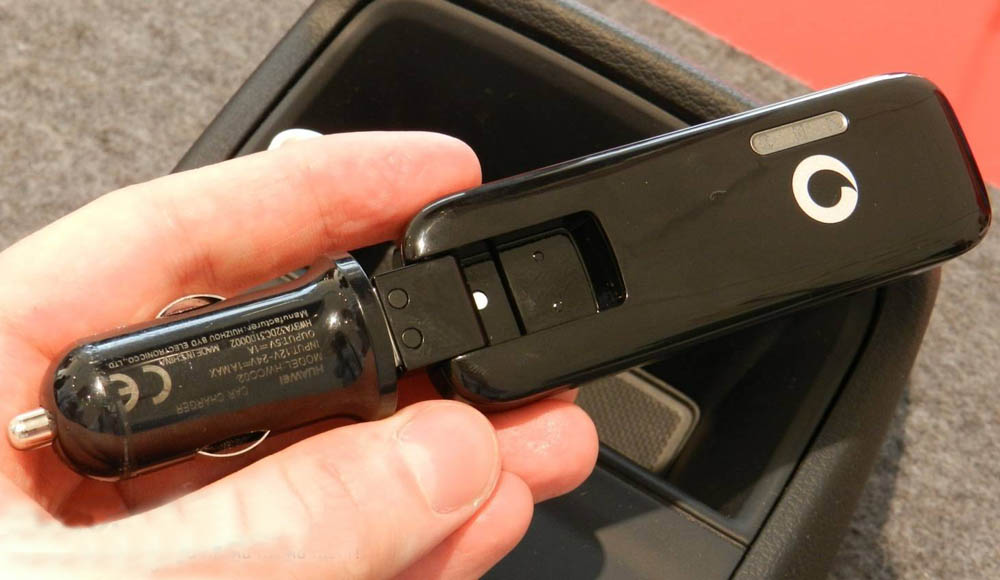
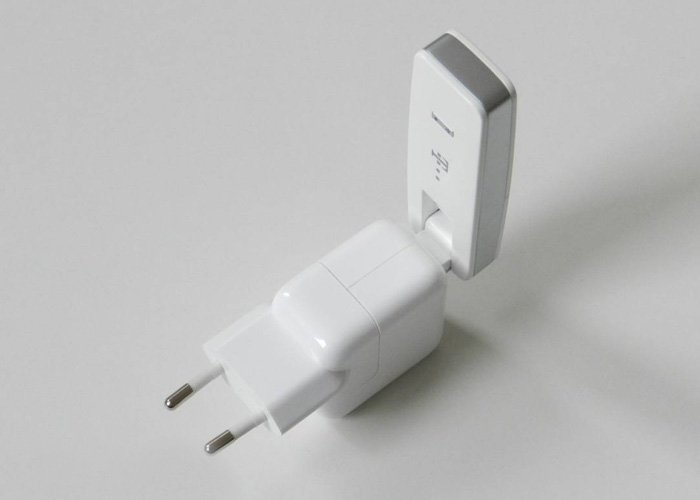
Alcatel One Touch W800Z stick by TCT Mobile), you can still find a quick start guide and a Y-USB cable for power supply in case the computer cannot supply sufficient USB port. Generally you could use the Telekom Speed Stick LTE IV without computer, a simple power supply with USB port just fine. Unfortunately, no AC adapter is included, but any commercially available power supply of smartphones (with USB port) is working properly as an energy supplier.
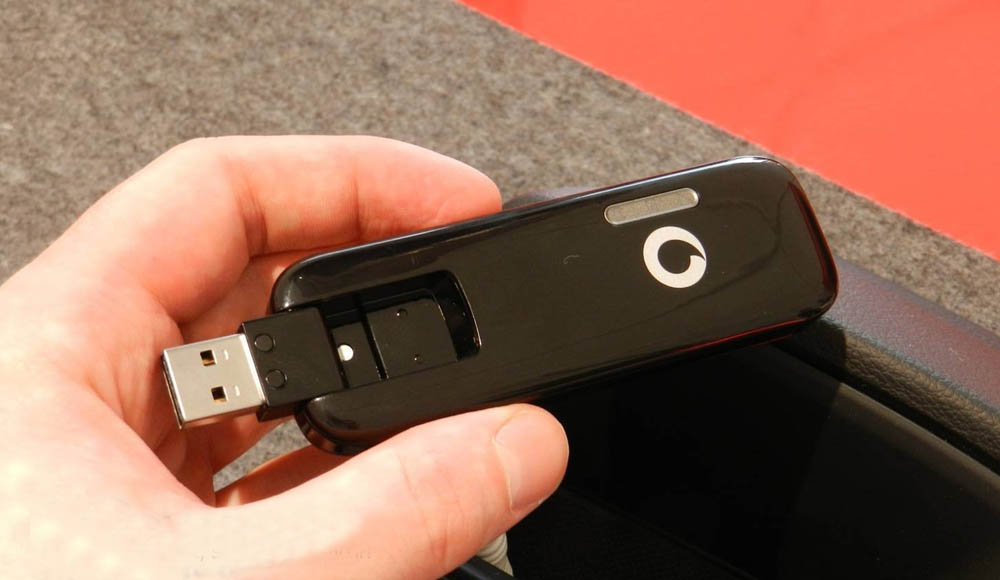
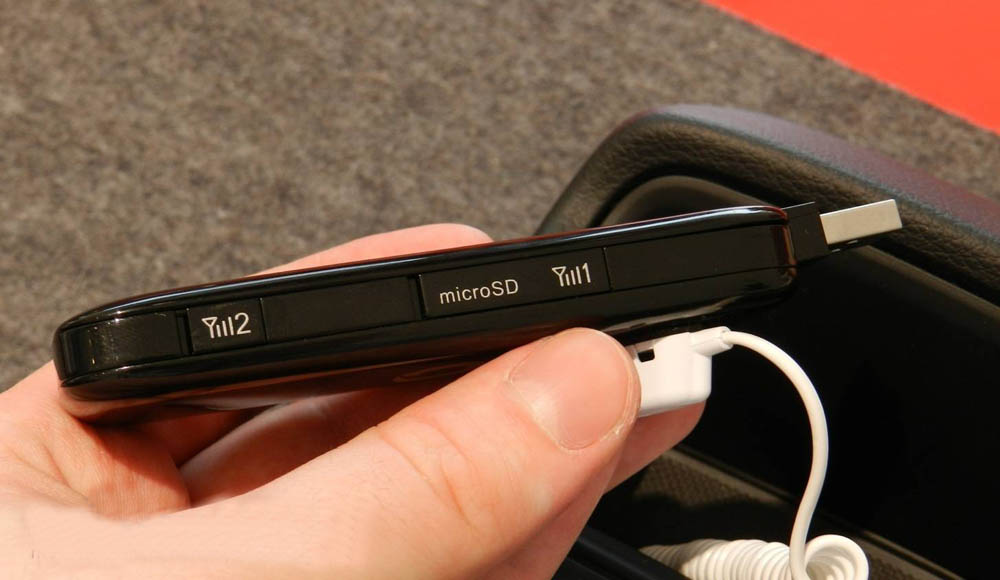
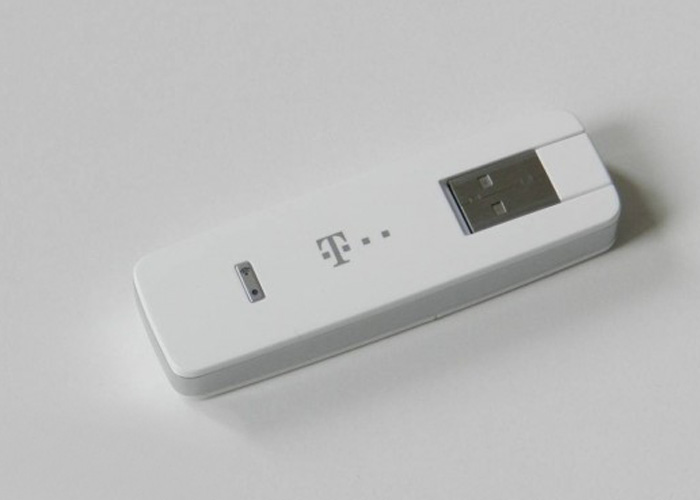
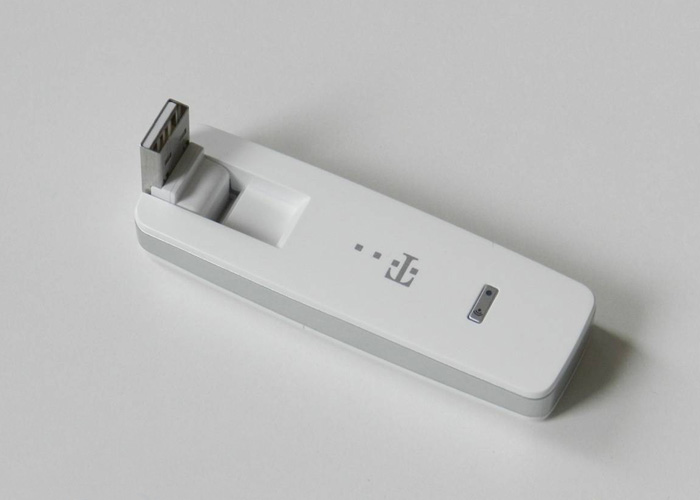
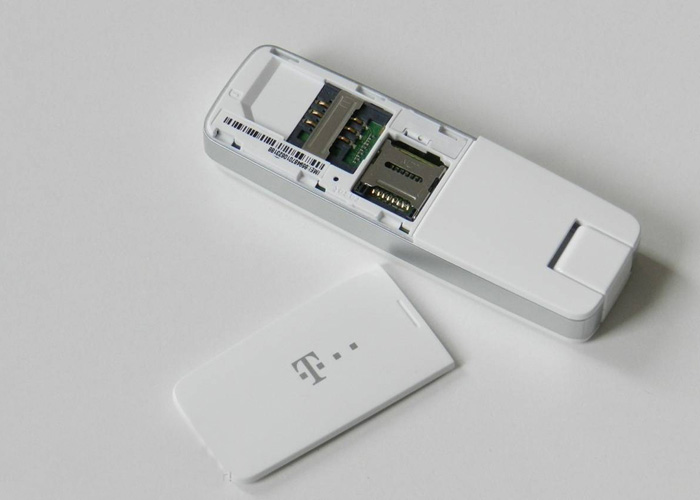
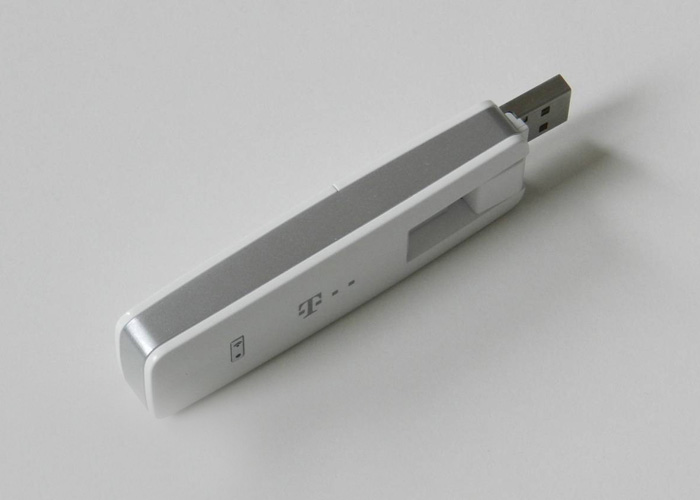
At first glance, the Speed Stick LTE IV makes a good impression: the white-silver plastic case is well made, the USB port is turned by 180 degrees and the lid that covers the slots for SIM and MicroSD card is firmly seated. Two LEDs on the front indicate the operating condition, the wireless status and the connection status. Unfortunately there is no external antenna connector in this Alcatel W800Z, so there is no way to improve the reception performance if working in low signal area.

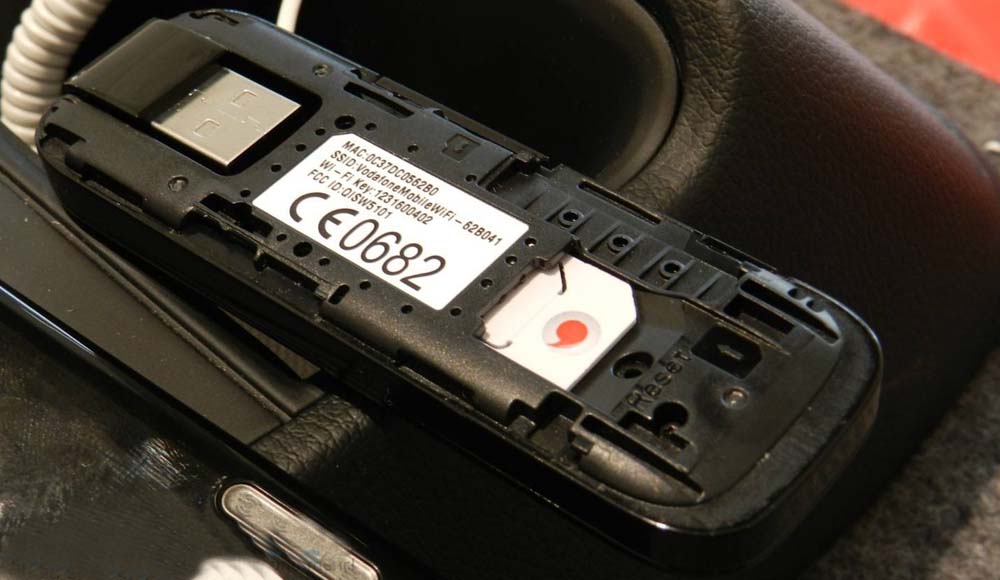
The usage of the Alcatel W800 is very easy. Either one connects via Wi-Fi with the Speed Stick LTE IV (the password is required for this purpose in the cover over the SIM slot), or you plug your surf stick into a computer, whereupon the driver and a link to install the Web Interface. Unlike in most other surf sticks, separate software is not required; the operation is done completely via a web interface. This is accessible from any web browser under "speedstick.lte".
Software and settings
The operation runs almost automatically, in the normal case, the user must make any other settings, except possibly enter the PIN code after purchasing. If you want the wireless password, the wireless SSID or change the access to the web interface, so a wizard helps you through the configuration. The whole web interface is extremely fast and reliable. On request, detailed statistics on data consumption are available, as well as the receiving and sending of SMS messages is possible.
Further settings are possible via the tab "Connection" where you can, for example, create a new connection profile, unless the configuration is not based on the SIM card and has already been made independently. Also, the network mode is selectable, so you can choose a specific network technology, for example "LTE only" or "3G only".

In the settings, you can also configure the WLAN module as you wish. For example, the number of wireless devices limit (1 to 10 wireless clients are possible) or select the wireless channel. If you want to update the Speed Stick IV LTE to a new firmware version, so this must also be on the "Settings" tab to be made.
Speed and reception
We tested the
Telekom Speed Stick LTE IV for a week under the Germany Telekom network. These reception and speed tests were carried out in the UMTS network 2100 megahertz, and in the LTE network of 800 and 1800 megahertz, with both wireless and via the USB port. Compared with the
Huawei E398 (
Speedstick LTE I)and Huawei E3276 (
Speedstick LTE III), the Speed Stick LTE IV is definitely something back. The situation is that the two models mentioned could find a LTE network and data rates of 8-10 Mbit/s achieved in the download, in contrast, the Speed Stick LTE IV could not find a LTE network despite a long web search. In such situations it is of course particularly unfortunate that the stick does not have connectors for external antennas.

Once reception is available, the Speed Stick LTE IV can also score with good data rates. So in the Telecom LTE network at 1800 megahertz, data rates could reach up to 85 megabits/s in the downlink and ping times of sometimes less than 20 milliseconds. This is not better than other competing Internet sticks, but also not worse. The main feature is the Wi-Fi usage: the wireless connection allows no more than 20 megabits per second, although the top downstream 85 Mbit/s were measured in the same place with the stick via USB connection. The various positioning of the Speed Stick LTE IV helps to optimize the Wi-Fi reception, but no improvements in data rates. On the latency, the type of connection are not altered, they are consistently good.
When using the stick in the train, Speed Stick LTE IV was able to score with a good stability. If a car with a repeater is available, you will often benefit from LTE, as the 1800 MHz signal is amplified by repeaters. Crashes or reboots, which happened by many LTE modems, did not occur in our test.
 Test Results of the Telekom Speed Stick LTE IV:
The Telekom Speed Stick LTE IV Telekom has launched the first LTE Stick with integrated WLAN to Germany. On the whole, the Speed Stick LTE IV makes a good figure; most users will come along very well with the stick. The reliability is good and the functionality for normal use IS absolutely sufficient. The LTE Category 4 ("LTE Plus" at Telekom) is not supported and the speed over wireless is far from the advertised 100 Mbit/s. In addition, we missed connections for an external antenna.
 Package and setup
The Telecom Speed Stick LTE IV comes in a small cardboard box in a typical telecom style. In addition to the surf stick itself (it is a branded Alcatel One Touch W800Z stick by TCT Mobile), you can still find a quick start guide and a Y-USB cable for power supply in case the computer cannot supply sufficient USB port. Generally you could use the Telekom Speed Stick LTE IV without computer, a simple power supply with USB port just fine. Unfortunately, no AC adapter is included, but any commercially available power supply of smartphones (with USB port) is working properly as an energy supplier.
At first glance, the Speed Stick LTE IV makes a good impression: the white-silver plastic case is well made, the USB port is turned by 180 degrees and the lid that covers the slots for SIM and MicroSD card is firmly seated. Two LEDs on the front indicate the operating condition, the wireless status and the connection status. Unfortunately there is no external antenna connector in this Alcatel W800Z, so there is no way to improve the reception performance if working in low signal area.
Package and setup
The Telecom Speed Stick LTE IV comes in a small cardboard box in a typical telecom style. In addition to the surf stick itself (it is a branded Alcatel One Touch W800Z stick by TCT Mobile), you can still find a quick start guide and a Y-USB cable for power supply in case the computer cannot supply sufficient USB port. Generally you could use the Telekom Speed Stick LTE IV without computer, a simple power supply with USB port just fine. Unfortunately, no AC adapter is included, but any commercially available power supply of smartphones (with USB port) is working properly as an energy supplier.
At first glance, the Speed Stick LTE IV makes a good impression: the white-silver plastic case is well made, the USB port is turned by 180 degrees and the lid that covers the slots for SIM and MicroSD card is firmly seated. Two LEDs on the front indicate the operating condition, the wireless status and the connection status. Unfortunately there is no external antenna connector in this Alcatel W800Z, so there is no way to improve the reception performance if working in low signal area.
 The usage of the Alcatel W800 is very easy. Either one connects via Wi-Fi with the Speed Stick LTE IV (the password is required for this purpose in the cover over the SIM slot), or you plug your surf stick into a computer, whereupon the driver and a link to install the Web Interface. Unlike in most other surf sticks, separate software is not required; the operation is done completely via a web interface. This is accessible from any web browser under "speedstick.lte".
Software and settings
The operation runs almost automatically, in the normal case, the user must make any other settings, except possibly enter the PIN code after purchasing. If you want the wireless password, the wireless SSID or change the access to the web interface, so a wizard helps you through the configuration. The whole web interface is extremely fast and reliable. On request, detailed statistics on data consumption are available, as well as the receiving and sending of SMS messages is possible.
Further settings are possible via the tab "Connection" where you can, for example, create a new connection profile, unless the configuration is not based on the SIM card and has already been made independently. Also, the network mode is selectable, so you can choose a specific network technology, for example "LTE only" or "3G only".
The usage of the Alcatel W800 is very easy. Either one connects via Wi-Fi with the Speed Stick LTE IV (the password is required for this purpose in the cover over the SIM slot), or you plug your surf stick into a computer, whereupon the driver and a link to install the Web Interface. Unlike in most other surf sticks, separate software is not required; the operation is done completely via a web interface. This is accessible from any web browser under "speedstick.lte".
Software and settings
The operation runs almost automatically, in the normal case, the user must make any other settings, except possibly enter the PIN code after purchasing. If you want the wireless password, the wireless SSID or change the access to the web interface, so a wizard helps you through the configuration. The whole web interface is extremely fast and reliable. On request, detailed statistics on data consumption are available, as well as the receiving and sending of SMS messages is possible.
Further settings are possible via the tab "Connection" where you can, for example, create a new connection profile, unless the configuration is not based on the SIM card and has already been made independently. Also, the network mode is selectable, so you can choose a specific network technology, for example "LTE only" or "3G only".
 In the settings, you can also configure the WLAN module as you wish. For example, the number of wireless devices limit (1 to 10 wireless clients are possible) or select the wireless channel. If you want to update the Speed Stick IV LTE to a new firmware version, so this must also be on the "Settings" tab to be made.
Speed and reception
We tested the Telekom Speed Stick LTE IV for a week under the Germany Telekom network. These reception and speed tests were carried out in the UMTS network 2100 megahertz, and in the LTE network of 800 and 1800 megahertz, with both wireless and via the USB port. Compared with the Huawei E398 (Speedstick LTE I)and Huawei E3276 (Speedstick LTE III), the Speed Stick LTE IV is definitely something back. The situation is that the two models mentioned could find a LTE network and data rates of 8-10 Mbit/s achieved in the download, in contrast, the Speed Stick LTE IV could not find a LTE network despite a long web search. In such situations it is of course particularly unfortunate that the stick does not have connectors for external antennas.
In the settings, you can also configure the WLAN module as you wish. For example, the number of wireless devices limit (1 to 10 wireless clients are possible) or select the wireless channel. If you want to update the Speed Stick IV LTE to a new firmware version, so this must also be on the "Settings" tab to be made.
Speed and reception
We tested the Telekom Speed Stick LTE IV for a week under the Germany Telekom network. These reception and speed tests were carried out in the UMTS network 2100 megahertz, and in the LTE network of 800 and 1800 megahertz, with both wireless and via the USB port. Compared with the Huawei E398 (Speedstick LTE I)and Huawei E3276 (Speedstick LTE III), the Speed Stick LTE IV is definitely something back. The situation is that the two models mentioned could find a LTE network and data rates of 8-10 Mbit/s achieved in the download, in contrast, the Speed Stick LTE IV could not find a LTE network despite a long web search. In such situations it is of course particularly unfortunate that the stick does not have connectors for external antennas.
 Once reception is available, the Speed Stick LTE IV can also score with good data rates. So in the Telecom LTE network at 1800 megahertz, data rates could reach up to 85 megabits/s in the downlink and ping times of sometimes less than 20 milliseconds. This is not better than other competing Internet sticks, but also not worse. The main feature is the Wi-Fi usage: the wireless connection allows no more than 20 megabits per second, although the top downstream 85 Mbit/s were measured in the same place with the stick via USB connection. The various positioning of the Speed Stick LTE IV helps to optimize the Wi-Fi reception, but no improvements in data rates. On the latency, the type of connection are not altered, they are consistently good.
When using the stick in the train, Speed Stick LTE IV was able to score with a good stability. If a car with a repeater is available, you will often benefit from LTE, as the 1800 MHz signal is amplified by repeaters. Crashes or reboots, which happened by many LTE modems, did not occur in our test.
Once reception is available, the Speed Stick LTE IV can also score with good data rates. So in the Telecom LTE network at 1800 megahertz, data rates could reach up to 85 megabits/s in the downlink and ping times of sometimes less than 20 milliseconds. This is not better than other competing Internet sticks, but also not worse. The main feature is the Wi-Fi usage: the wireless connection allows no more than 20 megabits per second, although the top downstream 85 Mbit/s were measured in the same place with the stick via USB connection. The various positioning of the Speed Stick LTE IV helps to optimize the Wi-Fi reception, but no improvements in data rates. On the latency, the type of connection are not altered, they are consistently good.
When using the stick in the train, Speed Stick LTE IV was able to score with a good stability. If a car with a repeater is available, you will often benefit from LTE, as the 1800 MHz signal is amplified by repeaters. Crashes or reboots, which happened by many LTE modems, did not occur in our test.
 Test Results of the Telekom Speed Stick LTE IV:
The Telekom Speed Stick LTE IV Telekom has launched the first LTE Stick with integrated WLAN to Germany. On the whole, the Speed Stick LTE IV makes a good figure; most users will come along very well with the stick. The reliability is good and the functionality for normal use IS absolutely sufficient. The LTE Category 4 ("LTE Plus" at Telekom) is not supported and the speed over wireless is far from the advertised 100 Mbit/s. In addition, we missed connections for an external antenna.
Test Results of the Telekom Speed Stick LTE IV:
The Telekom Speed Stick LTE IV Telekom has launched the first LTE Stick with integrated WLAN to Germany. On the whole, the Speed Stick LTE IV makes a good figure; most users will come along very well with the stick. The reliability is good and the functionality for normal use IS absolutely sufficient. The LTE Category 4 ("LTE Plus" at Telekom) is not supported and the speed over wireless is far from the advertised 100 Mbit/s. In addition, we missed connections for an external antenna.